
Magic Login - Passwordless Sign-in and Google Sign-in - Module PrestaShop
PrestaShop Magic Login Module: Stop Cart Abandonment with 1-Click Passwordless Login
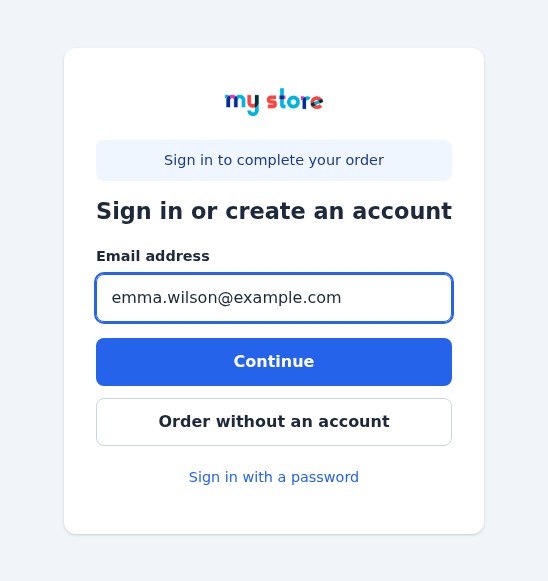
- Sign in or create an account with an e-mail address only: a 6-digit code, a one-click link or Google
- Replaces the login page of your shop and the sign-in step of the cart, with an option to order without an account
- Accounts created like the native registration: first and last name, consents of your shop, welcome e-mail
- Limits, a token for each visitor, statistics without any e-mail address, a test e-mail and a diagnostic
- Your colour, your texts in each language and your picture; works next to Social Login
- Compatible with PrestaShop 1.7.8, 8.0+ and 9.0+ (PHP 7.4 minimum)
Everything you need, nothing you don't.
Passwordless sign-in for PrestaShop 1.7.8, 8.0+ and 9.0+: e-mail code, one-click link and Google, with the path from the cart to the order and the consents of your shop.
A code or a one-click link
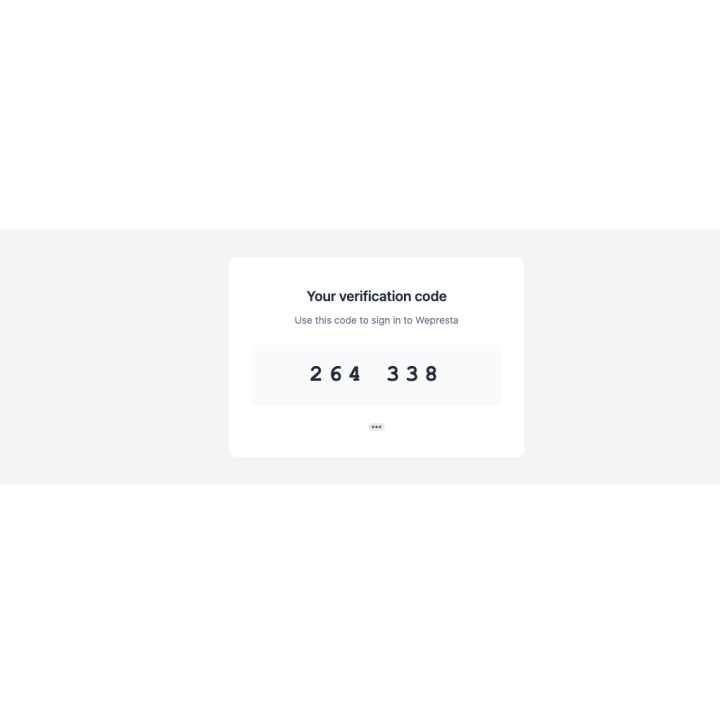
The customer types a 6-digit code or presses the button of the e-mail: no password to remember.
Google in one click
The official Google button: the token is checked on your server and the account is found or created.
Accounts like the native registration
Name, the consents of your shop, the welcome e-mail and the hooks of your other modules, as for any registration.
Protected sign-in
Limits per code, address and visitor, a token for each visitor, return pages limited to your shop, no e-mail address in the statistics.
A smooth path to the order
From the cart the customer signs in and comes back to their order, or orders without an account if you allow it.
Light and quick to set up
An archive of about 310 KB, nothing loaded on the pages that do not need it, a test e-mail and a diagnostic to check your settings.
They use it every day.
description Full description expand_more
Kill the Password: Remove the Barrier Between Your Visitors and the Order
Passwords are the biggest enemy of your conversion rate. According to the Baymard Institute, nearly one shopper in five has abandoned an order because the site wanted them to create an account. Magic Login permanently removes this barrier by offering your customers a modern, fluid, and secure "Passwordless" experience: they type an e-mail address, confirm it, and they are signed in, or they get a real account of your shop without ever choosing a password.
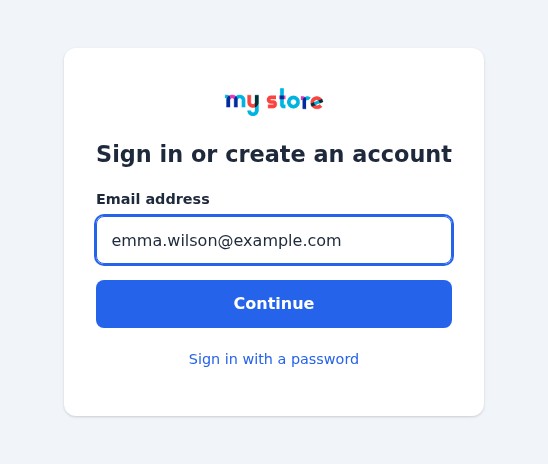
Instant Login via Email or Google
Give your users the simplicity they deserve. With Magic Login, there's nothing to remember and nothing to mistype:
- One-Click Google Login: Instant signup or login using a Google account. Name, last name, and email are fetched automatically, and the Google token is verified on your server.
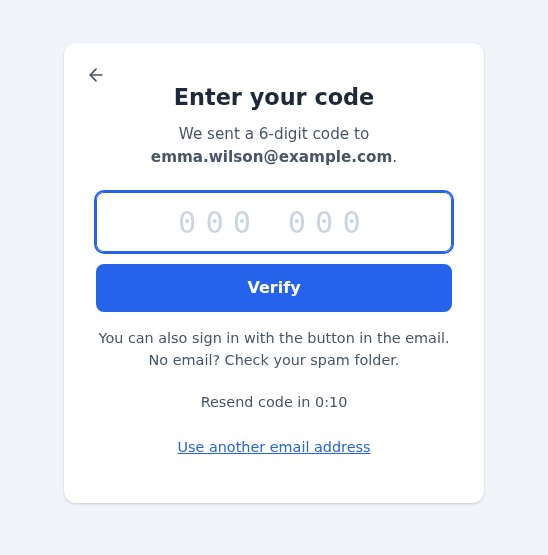
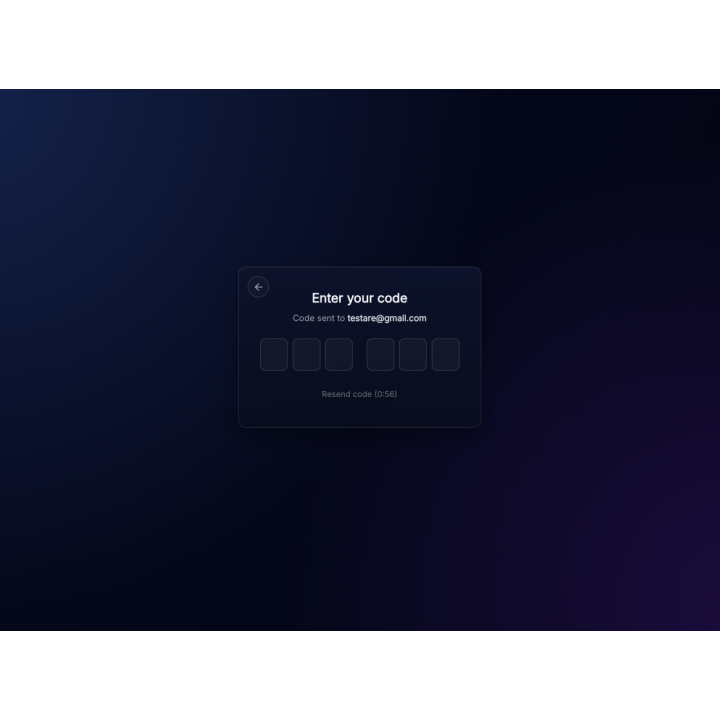
- Magic Email Code: Customers receive a 6-digit code via email, enter it (or paste it, or let their phone fill it in), and they're in. The code works once and expires after the delay you choose.
- One-Click Link: the same e-mail holds a button that opens a confirmation page, so the mail scanners that open links do not use it up.
- Smart Detection: The module automatically recognizes if it's a new or returning customer for a zero-friction journey, with no “Sign in” or “Register” choice.
Real Accounts, Like the Native Registration
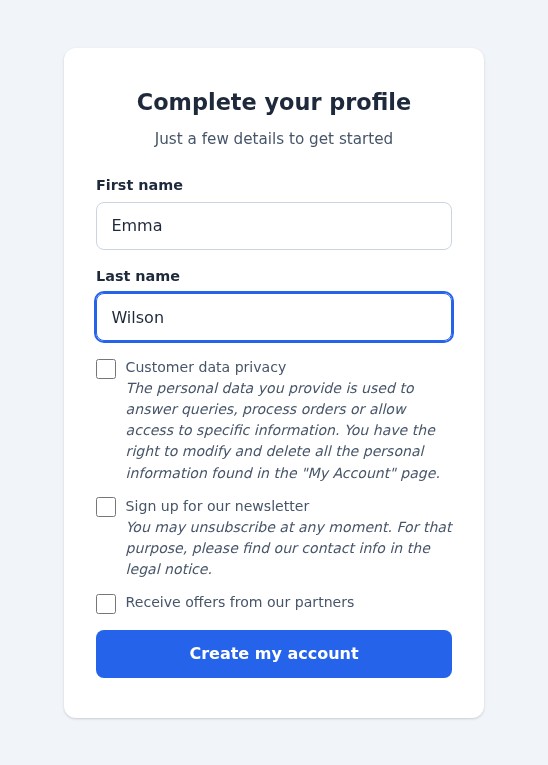
A new customer gives a name and accepts the consents of your shop (privacy, newsletter, partner offers), then receives the welcome e-mail; the hooks of your other modules (CRM, newsletter) are called as for any registration. A guest account with the same address becomes a customer account and keeps its orders, the cart follows the customer and the automatic vouchers of their group apply.
Mobile-First Full-Screen Interface
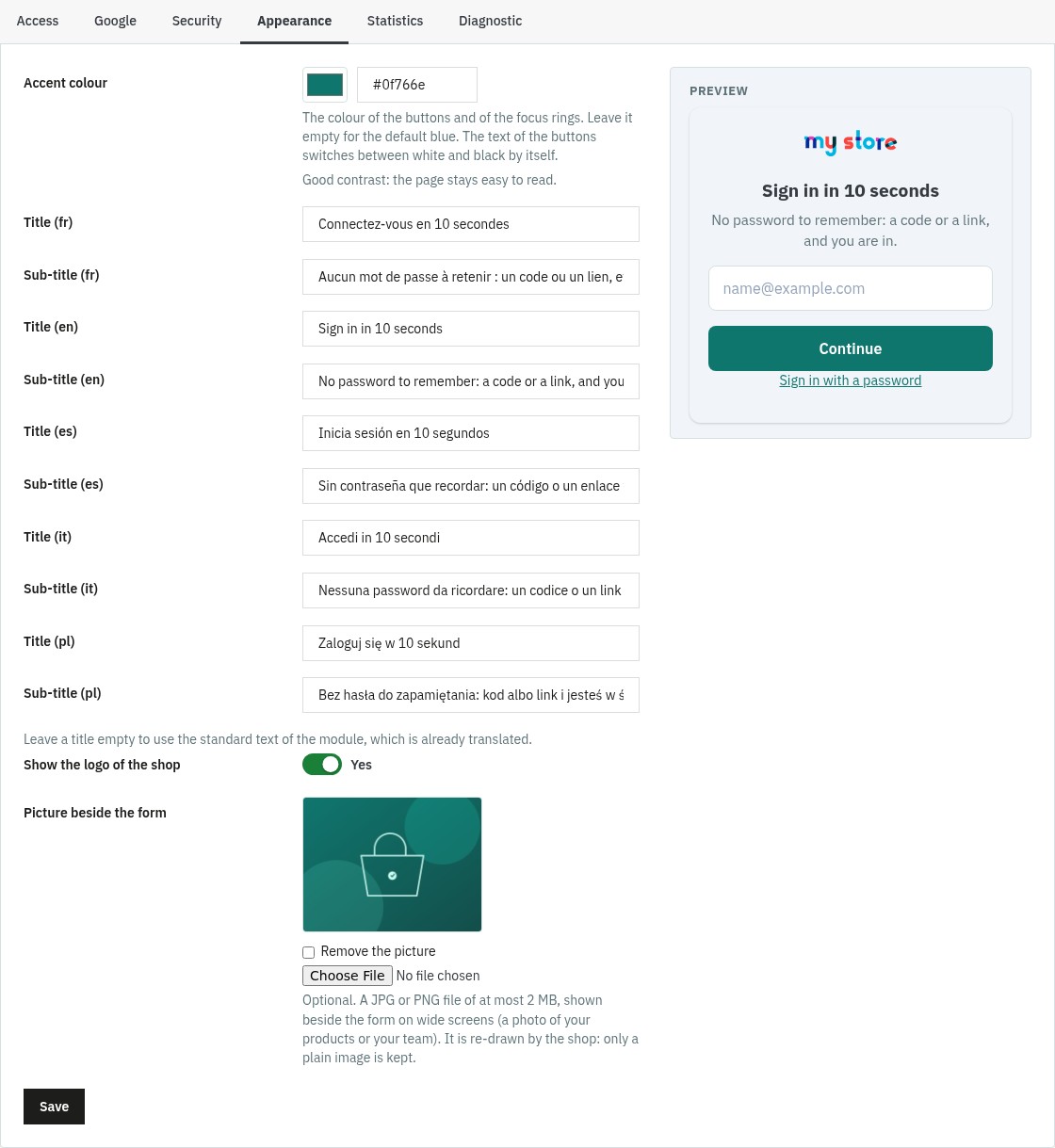
Forget dull, standard PrestaShop forms. Magic Login deploys a dedicated full-screen interface, stripped of headers and footers to eliminate distractions. Fully optimized for mobile browsing, it features smooth AJAX transitions (no page reloads) and a clean design that builds buyer confidence during checkout. It is accessible (labels, announced errors, keyboard use, reduced motion) and independent of your theme: choose your accent colour, write a title and a sub-title in each language and add a picture beside the form, with a preview in the back office.
Smart Redirects & Native Integration
Magic Login is built to supercharge your checkout flow. It becomes the login and registration page of the whole shop (the “Sign in” link of the theme, “My account” in the footer, the pages that need an account). When an unauthenticated user clicks "Checkout," they are redirected to the Magic Login screen. Once logged in, they land exactly where they left off, with their cart intact, or they choose Order without an account when your shop allows guest checkout. You can also disable "Guest Checkout" and turn every sale into a loyal customer account: the module gives the setting back as it was if you change your mind or uninstall it.
Maximum Security, Your Database Untouched
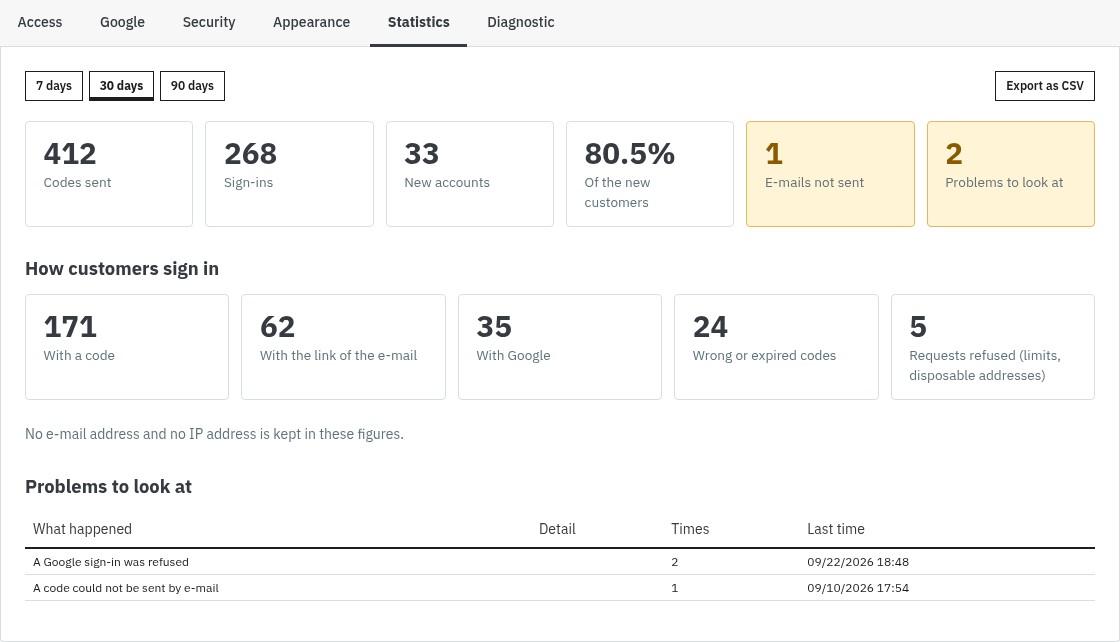
Magic Login works in harmony with the native structure of PrestaShop: it never changes the tables of your shop. On the security side, codes are stored hashed and work once, Rate Limiting applies to the tries per code, the codes per address and the codes per visitor, an address that collects too many wrong codes is locked for a while, every request carries a token of the visitor (CSRF protection), and the return pages must belong to your shop. An option refuses disposable e-mail addresses. The Statistics tab shows the codes sent, the sign-ins by code, link and Google and the new accounts, with a CSV export that holds no e-mail address; a test e-mail and a diagnostic check your configuration in a minute.
Easy to Install, Wide Compatibility
The module works with PrestaShop 1.7.8, 8.0+ and 9.0+ and needs PHP 7.4 or later; PrestaShop 1.7.7 and earlier are not supported. It overrides no class of the shop and works next to Social Login 2: the buttons of your other sign-in modules appear on the page.
- Standard installation from the Module Manager, with an archive of about 310 KB.
- Multi-store: Google client ID, texts and limits for each shop.
- If the license is not active, your shop keeps its normal login pages.
- Page, e-mail and administration in French, English, Spanish, Italian and Polish.
- Complete documentation and technical support according to your plan.
Ready to remove the password? Install Magic Login, add your Google client ID if you wish, and let your customers sign in with an e-mail address. Read the full documentation.
Why choose us?
See how we compare to the most common alternatives on the market.
| Feature | WePresta | Addons |
|---|---|---|
| payments Transparent pricing | check_circle | cancel |
| update Lifetime updates included | check_circle | cancel |
| support_agent Direct developer support | check_circle | cancel |
| verified PS 1.7, 8 & 9 compatible | check_circle | help_outline |
| code Standardized clean code | check_circle | cancel |
| storefront Multi-store ready | check_circle | help_outline |
| money_off No hidden renewal fees | check_circle | cancel |
Discover the module in images.
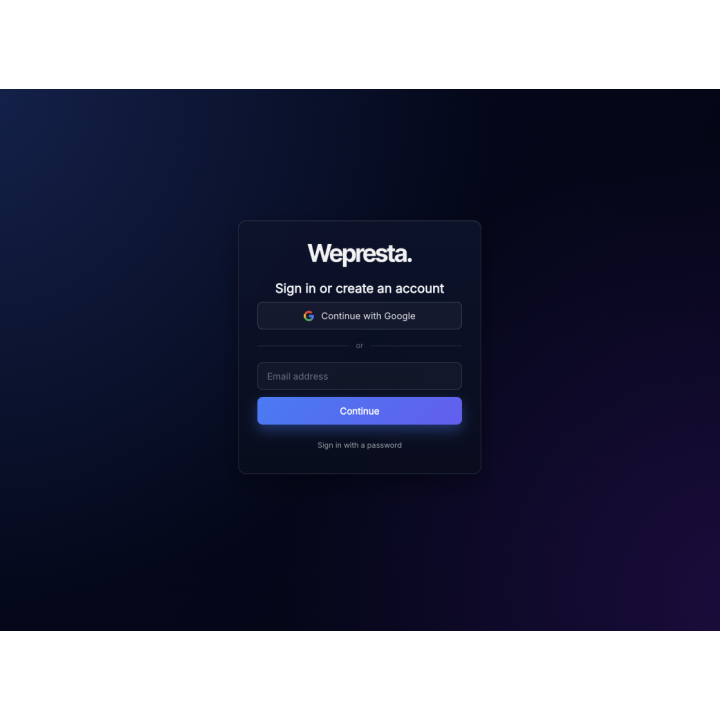
One field to sign in or create an account: an e-mail address
From the cart: sign in with a code or order without an account
The same page on a phone: one field and large buttons, no header or footer
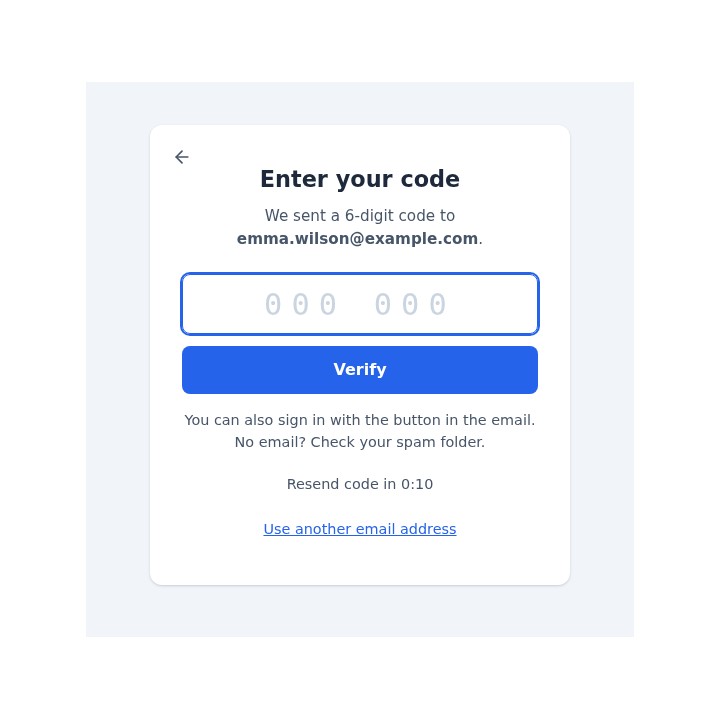
A code or a link: the customer chooses
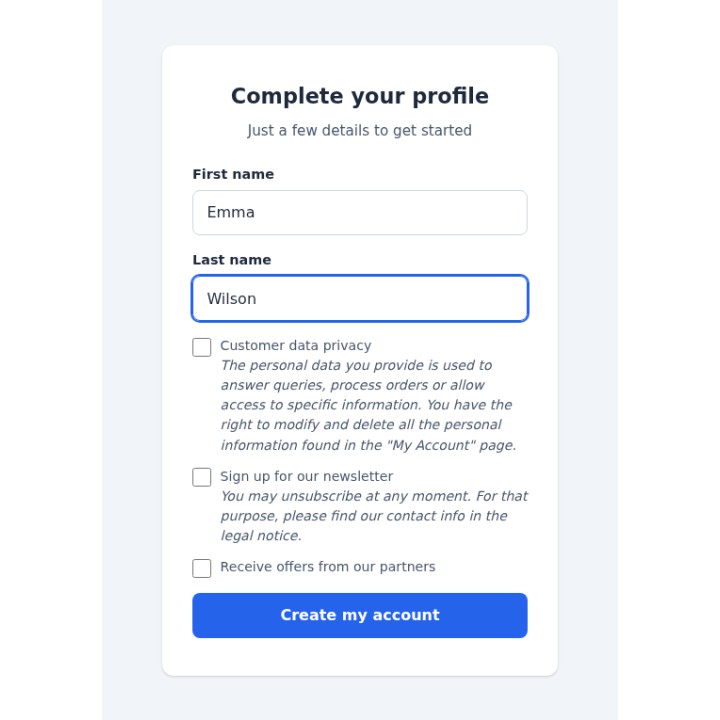
New customers: a name and the consents of your shop
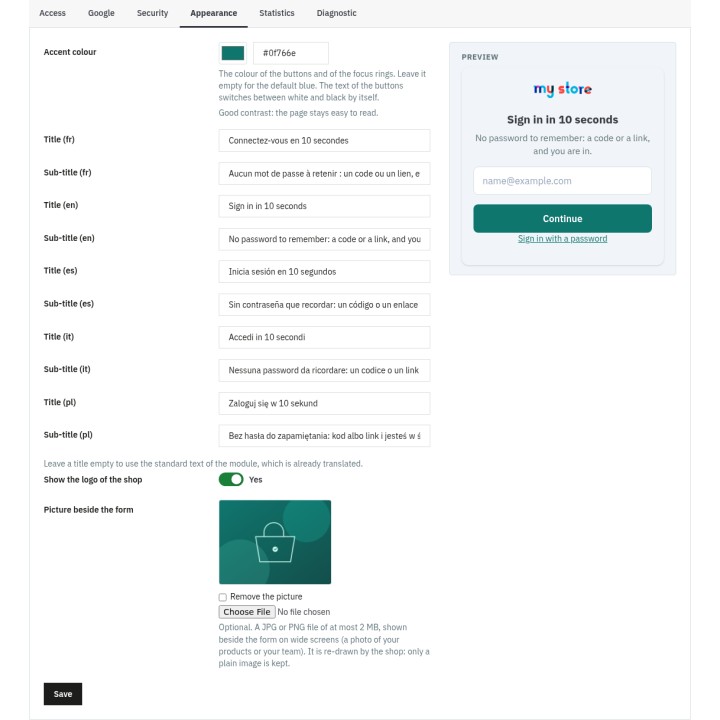
Your colour, your texts, your picture
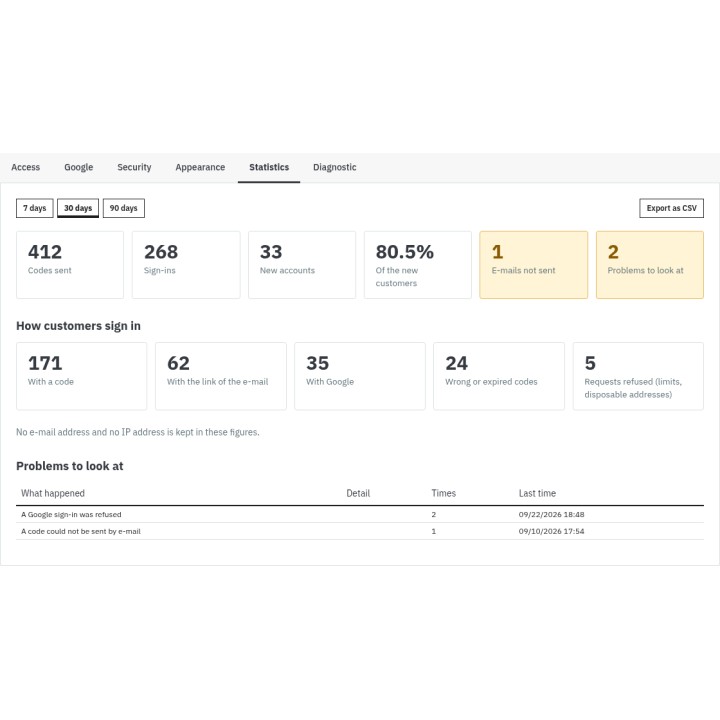
Which way your customers choose
FAQ
Find answers to frequently asked questions about this module
Join +111 merchants using this module
5-minute installation · Full documentation included