EAA & WCAG 2.1 AA accessibility audit - Module PrestaShop

PrestaShop EAA Accessibility Module: analyse, fix and document your WCAG 2.1 AA compliance

+45 downloads ★ ★ ★ ★ ★ 5 / 5 Version 2.0.0 1.7.8 8.0+ 9.0+ 5 languages 🇵🇱 PL 🇪🇸 ES 🇮🇹 IT 🇬🇧 EN 🇫🇷 FR
  • WCAG 2.1 AA accessibility analysis of the real pages, contrasts included
  • Safe automatic fixes, switched on one by one
  • Guided EAA process: WCAG 2.1 and 2.2 checklist, criterion by criterion
  • Accessibility statement ready to publish in every language
  • Compatible with PrestaShop 1.7.8, 8.0+ and 9.0+
Not sure yet? Try it free for 24 hours — no credit card required.
Features

Everything you need, nothing you don't.

WCAG 2.1 AA analysis in the browser, safe fixes, guided checklist and accessibility statement.

WCAG 2.1 AA analysis of the real pages

axe-core checks your pages as your customers see them, contrasts included.

Safe automatic fixes

Six fixes switched on one by one, measured by the next analysis.

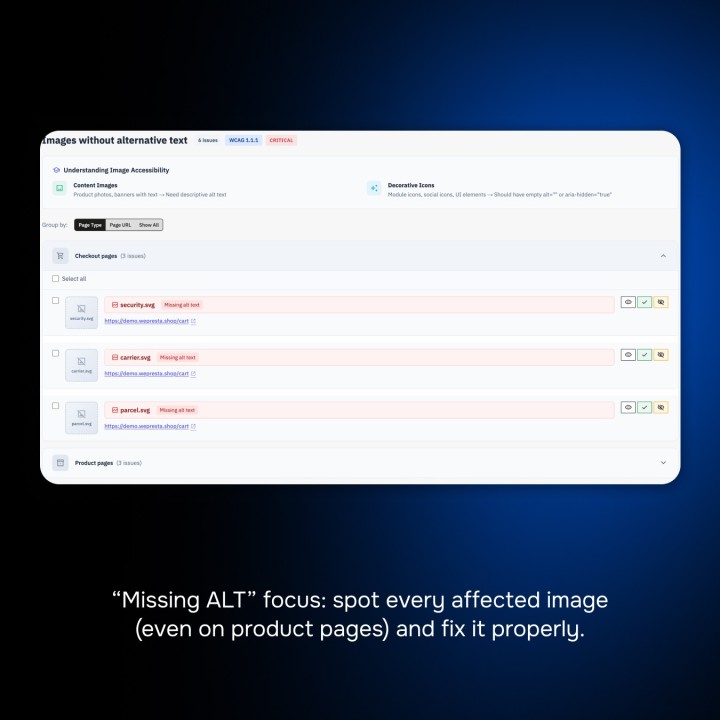
ALT text management

Find and fill in the missing captions, even in a large catalogue.

Accessibility statement ready to publish

European model, six countries prefilled, one page in every language.

Documented EAA process

Checklist of the 50 WCAG 2.1 A and AA criteria, with your verdicts and notes.

Detailed report and action plan

Problems by severity and by where to fix them, printable report and CSV.

Customer reviews

They use it every day.

5 out of 5 · 5 reviews

"Great value for money. Professional result."

MD Mark D.
description Full description expand_more

EAA 2025 Compliance: Prepare Your Store for Mandatory Digital Accessibility

Since 28 June 2025, the European Accessibility Act (EAA) requires online stores that sell to consumers in the European Union to make their service accessible to people with disabilities, with the EN 301 549 standard and the WCAG 2.1 AA criteria as the reference. Our module supports you through the whole process, directly in PrestaShop: it analyses your pages, tells you what to fix and where, applies safe fixes, guides you criterion by criterion and publishes the accessibility statement in every language of your store.

No tool can declare a store compliant on its own: part of the criteria needs a human eye. So the module shows you honestly where you stand, between automatic checks, manual checks and problems to fix, and keeps track of your work.
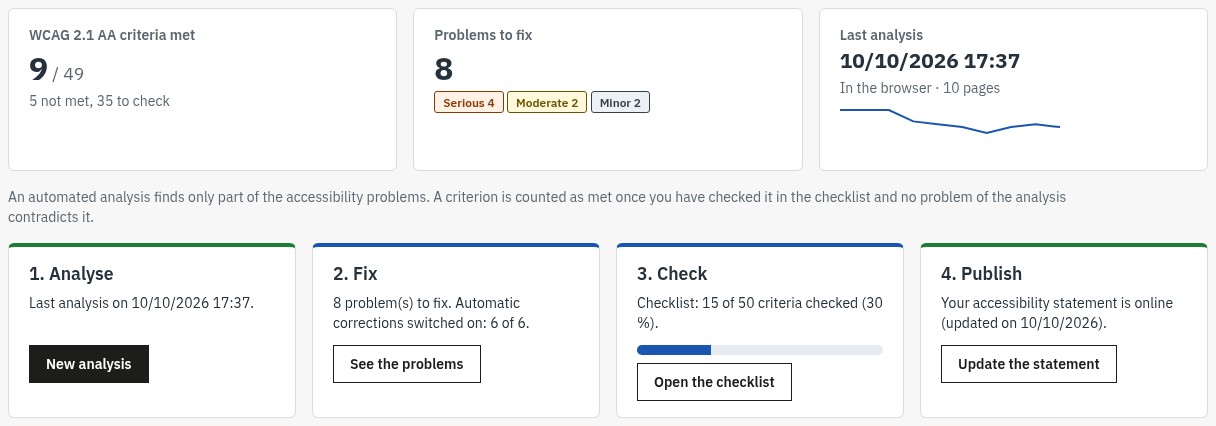
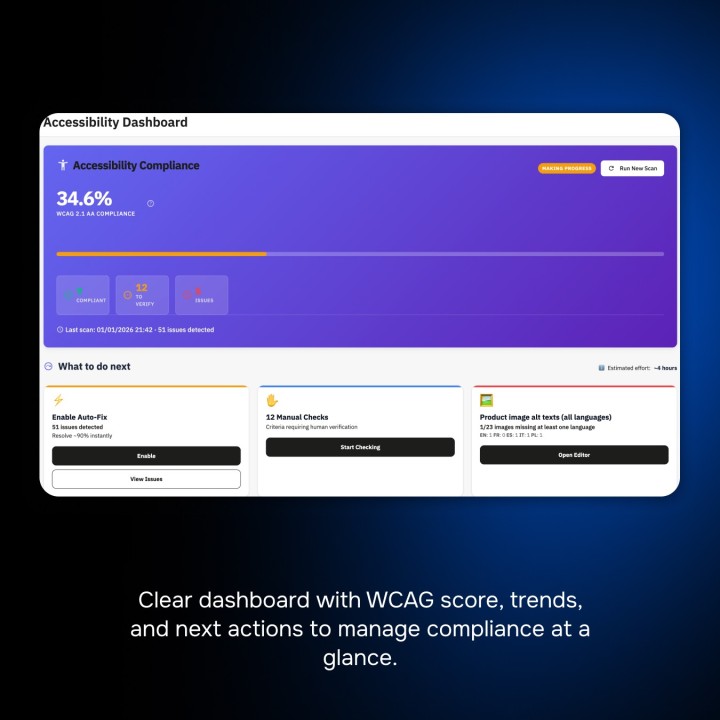
Overview of the EAA Accessibility Checker module in the PrestaShop back office: WCAG 2.1 AA criteria met, problems to fix by severity, last analysis and the four steps Analyse, Fix, Check, Publish.
Your process in four steps, with an honest score

Save Hours with Auto-Fix Technology

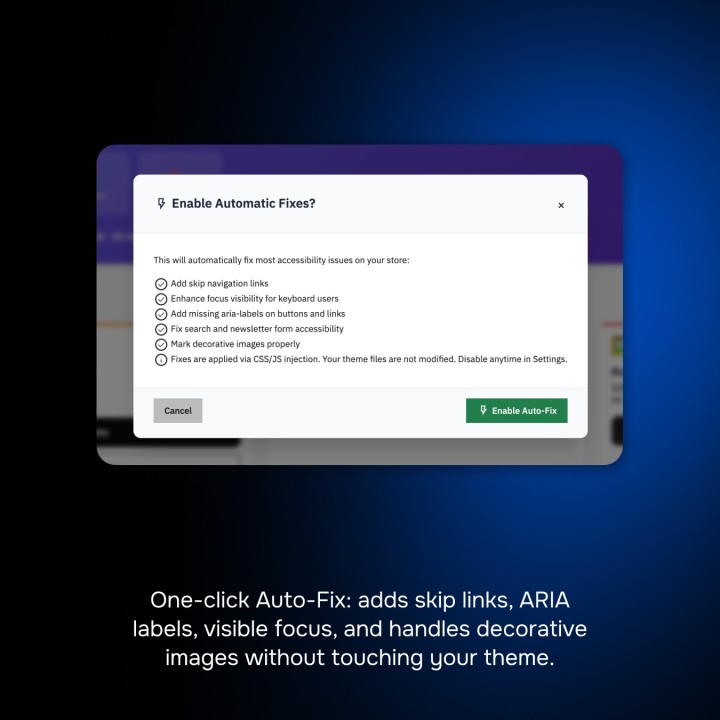
Some common defects of themes can be fixed without touching the code. The module offers six safe fixes, which you switch on one by one and whose effect is measured by the next analysis:

  • Smooth navigation: a “Skip to main content” link added only if your theme has none, and a focus ring visible on every background for keyboard navigation.
  • Accessible names: buttons and links made of an icon (cart, search, menu, quantity, social networks) get a name read by screen readers, and decorative icons are hidden.
  • Forms: a label for the fields that only have a placeholder (search, newsletter) and autocomplete declared on the account and address forms.

Each fix only adds missing information: it never removes what your theme declares and does not replace a fix of the theme itself.

Centralized Alt-Text Editor & Easy Management

Visual content is crucial for SEO and accessibility. Our module offers a centralized interface to fill in the captions (text alternatives) of all your product images, even in a large catalogue. Filter the images without a caption by language, product or reference, suggest the product name for every empty caption of the page in one click, and each caption you type is saved automatically.

Compliance Dashboard & Automatic Legal Declaration

Follow your progress on a dashboard in four steps (Analyse, Fix, Check, Publish): WCAG 2.1 AA criteria met, problems to fix by severity and the trend of your analyses. A criterion is only counted as met once you have checked it and no open problem contradicts it.

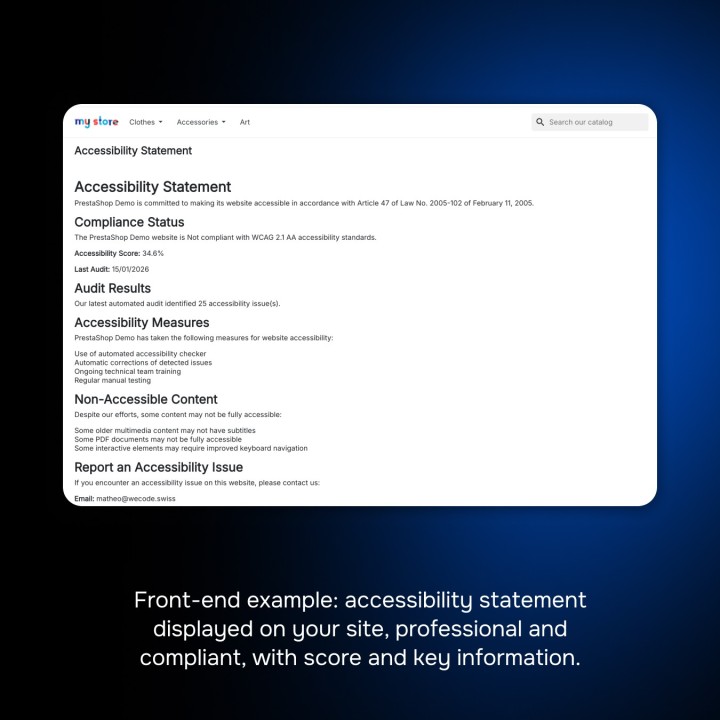
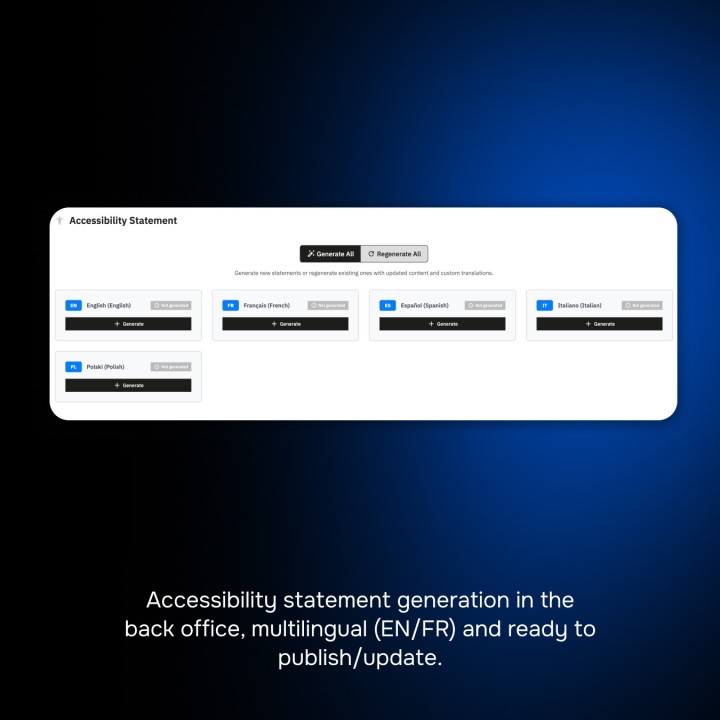
The module prepares your accessibility statement in every language of your store, on the European model (Directive (EU) 2019/882, EN 301 549). The law and the enforcement authority are prefilled for France, Belgium, Spain, Italy, Poland and Germany, and remain editable. You choose the compliance status, guided by your checklist, describe the non-accessible content and its alternatives, give the contact and the response time, then publish the page, with an automatic link in the footer if you wish.
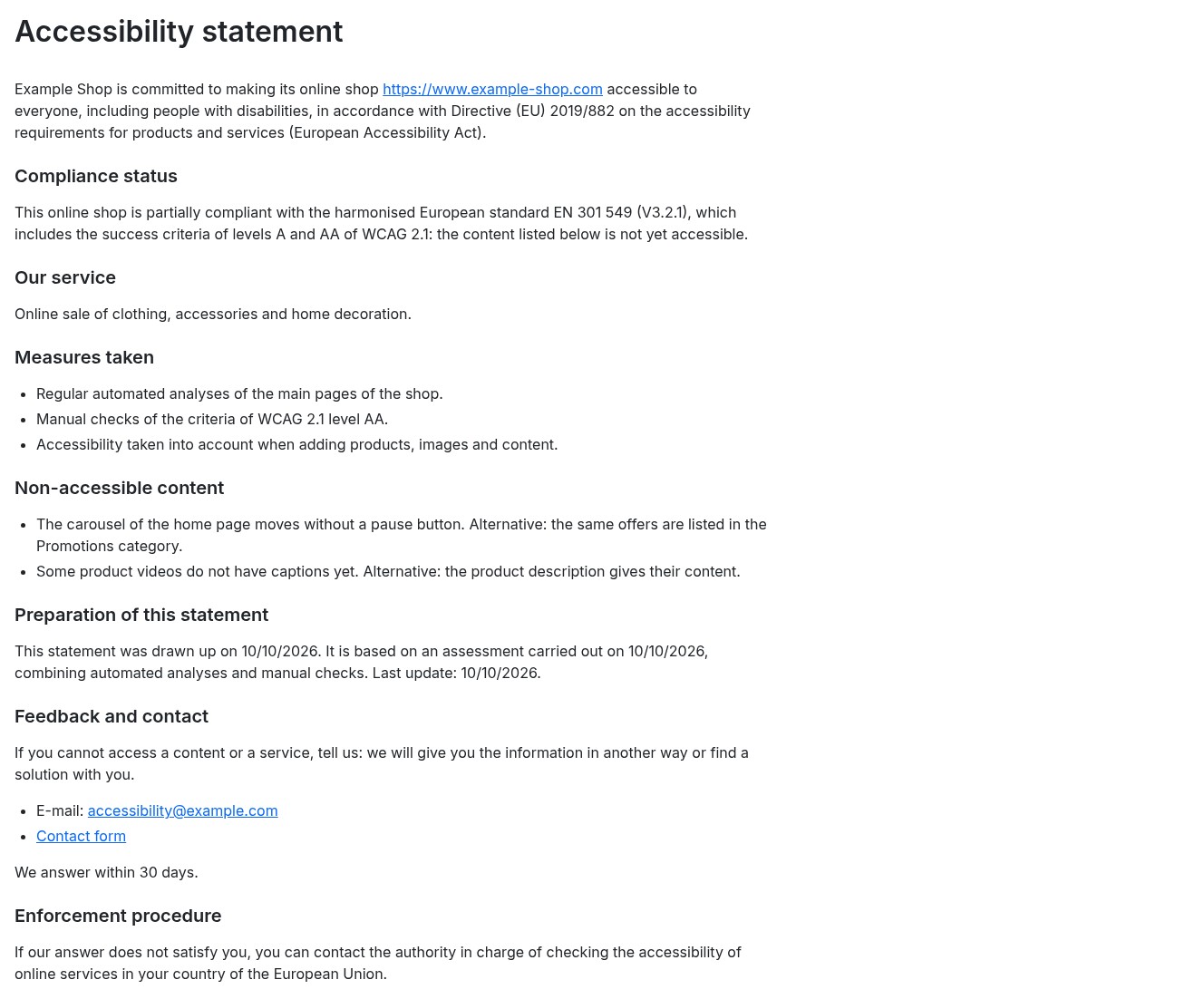
Accessibility statement page of the store: commitment, compliance status, measures taken, non-accessible content with its alternatives, contact and enforcement procedure.
The published statement, in every language

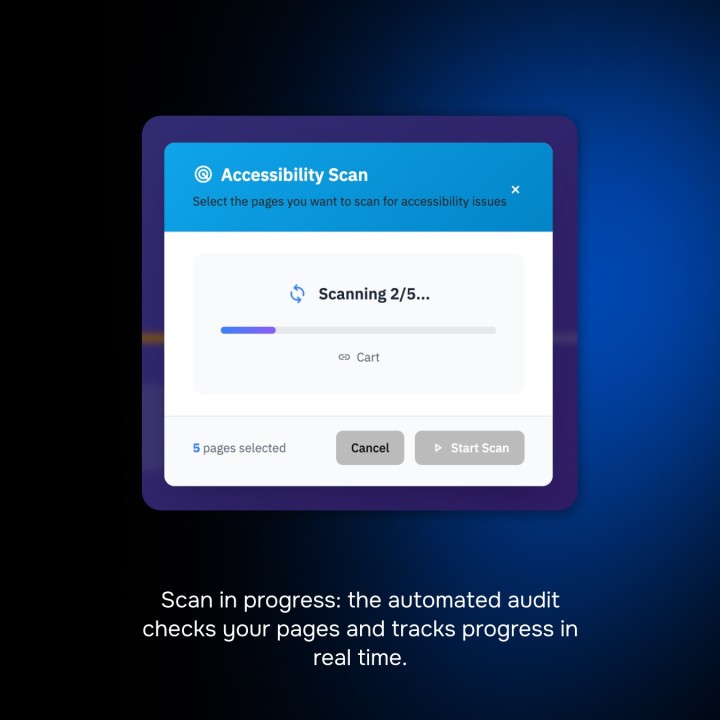
WCAG Scanner & Scheduled Scans

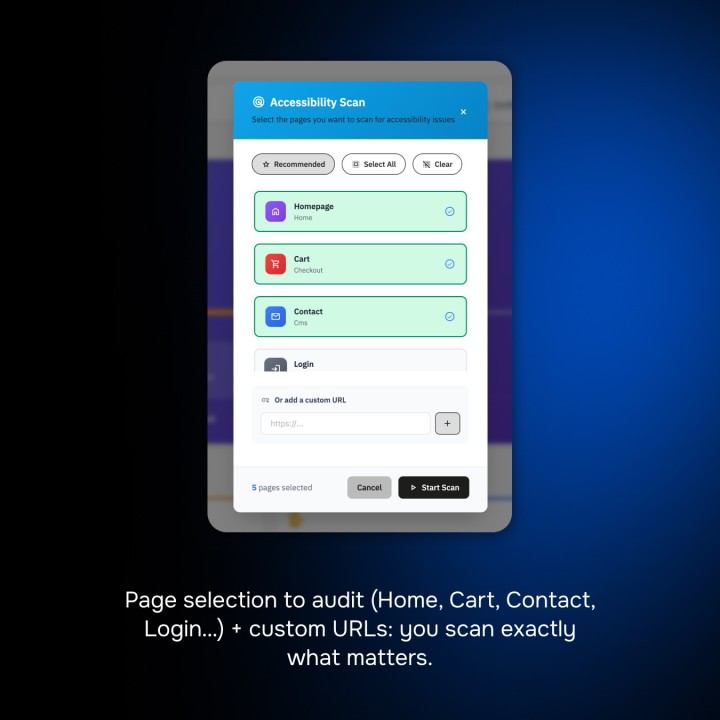
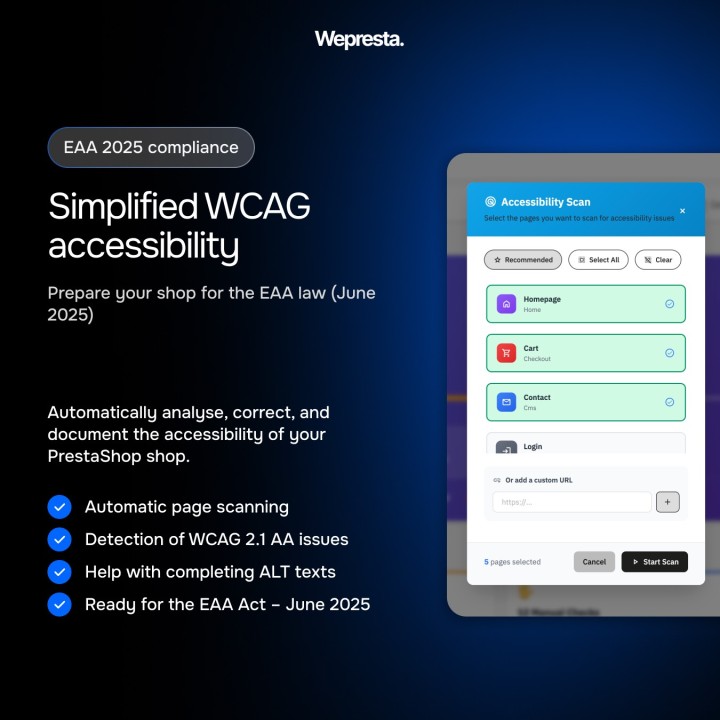
The analysis runs in your browser with axe-core, on your pages as your customers see them: computed contrasts, ARIA attributes, content added by scripts and the effect of the fixes. The module chooses representative pages of each template (home, categories, products with and without combinations, CMS page, brand, search, contact, sign-in, account creation and cart) in every language, and you can add any other address of your store.

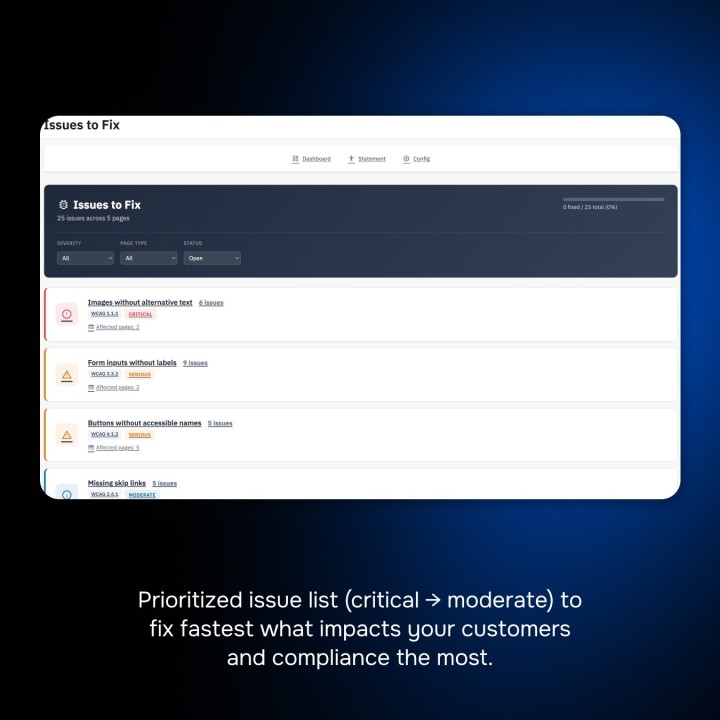
Each problem is grouped by element, with its explanation, how to fix it in PrestaShop, the HTML extract, the pages where it appears and a link to the back office screen to edit. Mark a false positive or a known limitation: your decision is kept for the next analyses.
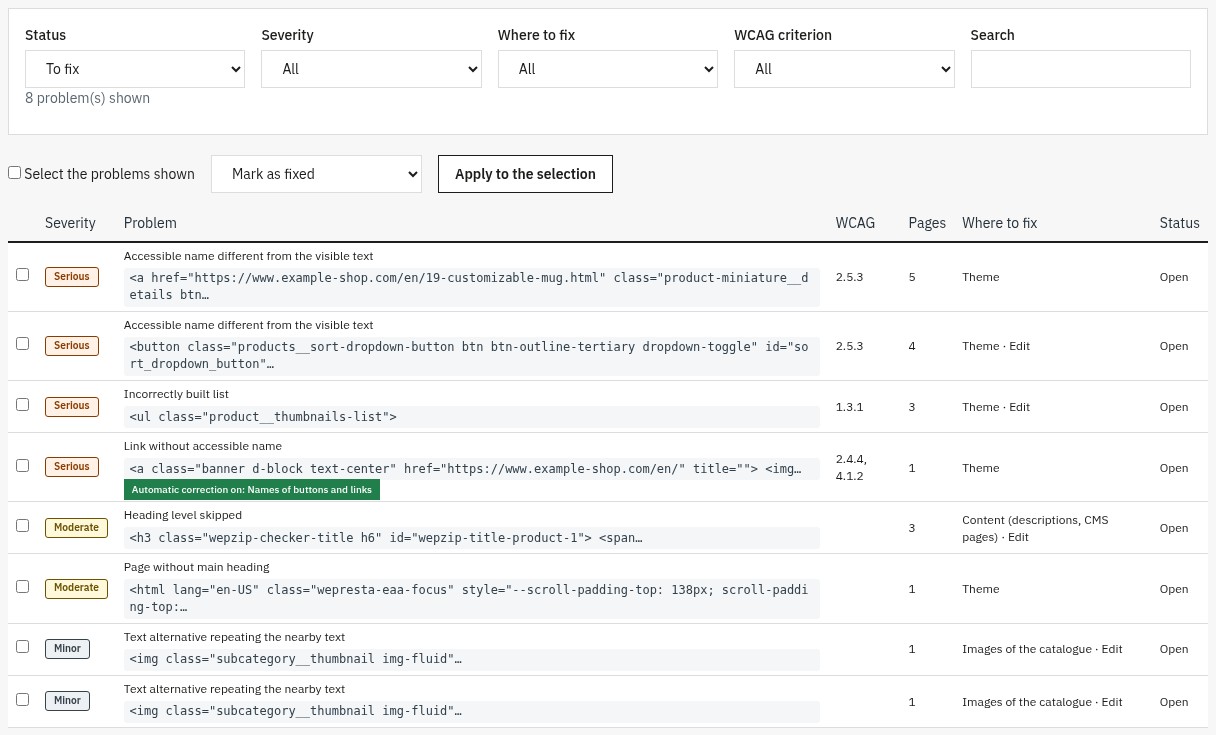
List of the problems: filters by status, severity, where to fix and WCAG criterion, with for each problem its severity, the element, the criterion and the number of pages.
The problems to fix, grouped by element

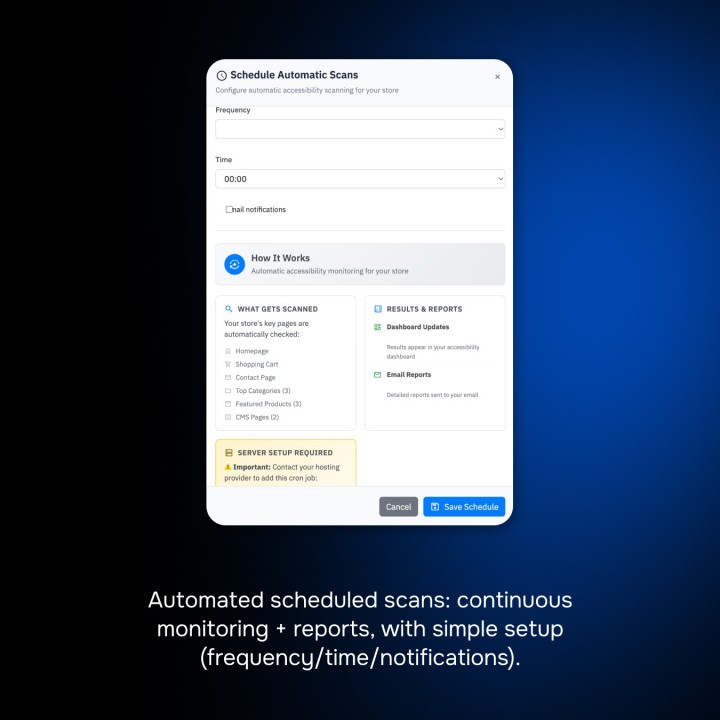
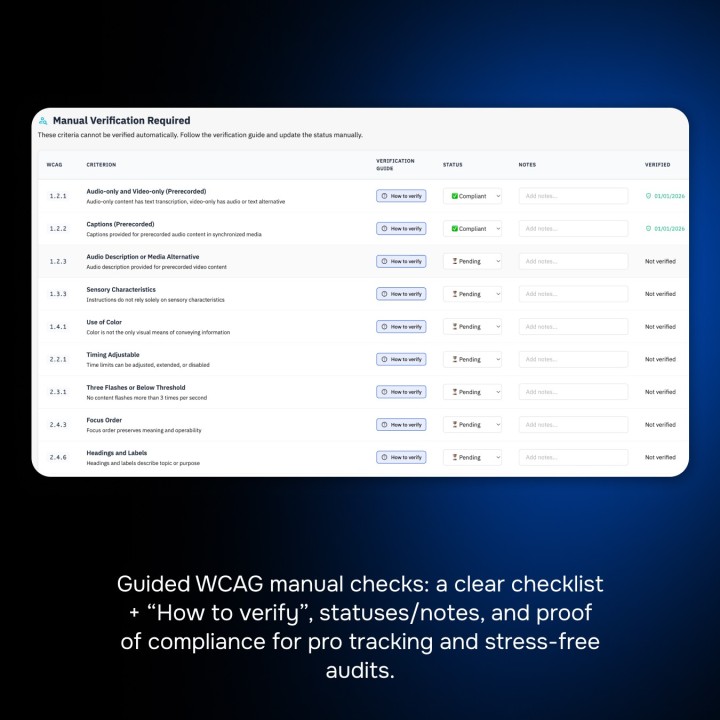
Schedule automatic analyses daily, weekly or monthly, with the cron task of your host or a secret address, and receive a report by e-mail with the new and resolved problems. The guided checklist covers the 50 WCAG 2.1 A and AA criteria and, as a recommended option, the 6 criteria of WCAG 2.2: for each one, concrete advice for PrestaShop, your verdict and your notes.
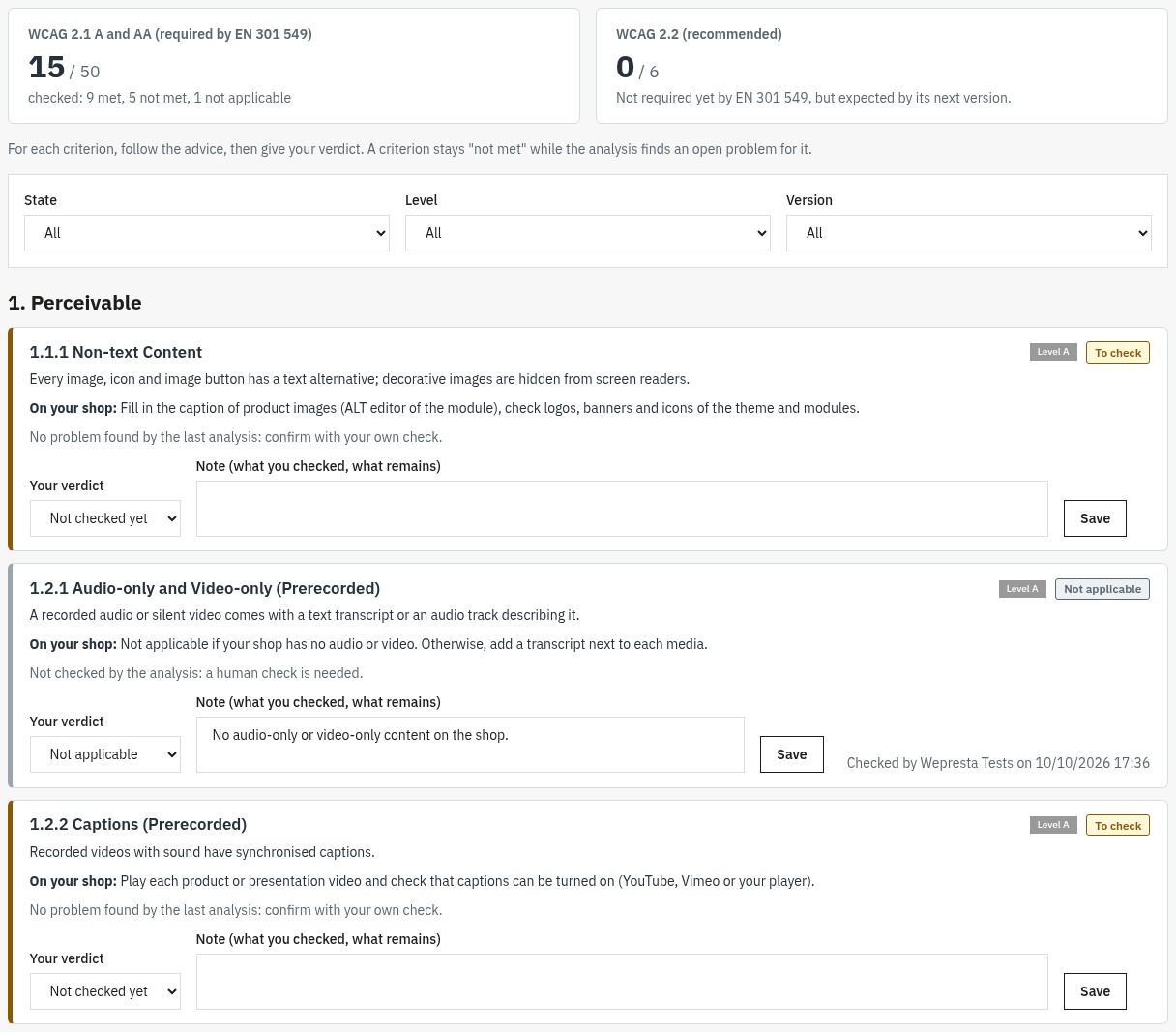
WCAG checklist: counters of the WCAG 2.1 and 2.2 criteria, filters, and for each criterion its level, advice for the store, the verdict and a note.
Every WCAG criterion, with advice for PrestaShop

Report, Installation & Compatibility

Keep a dated record of your work with the printable report (to save as PDF) and the CSV export of the problems and of the checklist, useful for your agency or in case of an inspection. The module works without any external service, with an interface in five languages (English, French, Spanish, Italian, Polish), in a single store as in a multistore, on PrestaShop 1.7.8, 8.0+ and 9.0+ with PHP 7.4 minimum.

Read the full documentation

Comparaison

Why choose us?

See how we compare to the most common alternatives on the market.

Feature Addons
Transparent pricing
Lifetime updates included
Direct developer support
PS 1.7, 8 & 9 compatible
Standardized clean code
Multi-store ready
No hidden renewal fees
Included Not included Partial / Not guaranteed
Preview

Discover the module in images.

The dashboard in four steps: analyse, fix, check, publish
The dashboard in four steps: analyse, fix, check, publish

The analysis of the pages of the store in the browser, page by page
The analysis of the pages of the store in the browser, page by page

The problems to fix, by severity and by where to fix them
The problems to fix, by severity and by where to fix them

A problem explained: why it matters and how to fix it
A problem explained: why it matters and how to fix it

The WCAG 2.1 and 2.2 checklist: advice, your verdict and your notes
The WCAG 2.1 and 2.2 checklist: advice, your verdict and your notes

The accessibility statement: country, compliance status and contact
The accessibility statement: country, compliance status and contact

The statement published on the store, in every language
The statement published on the store, in every language

The image captions editor, filtered on the images without a caption
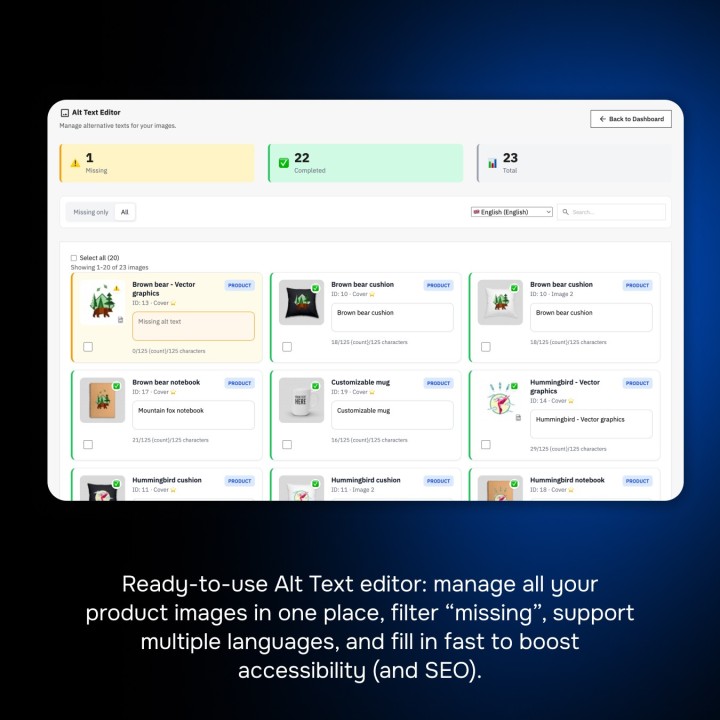
The image captions editor, filtered on the images without a caption

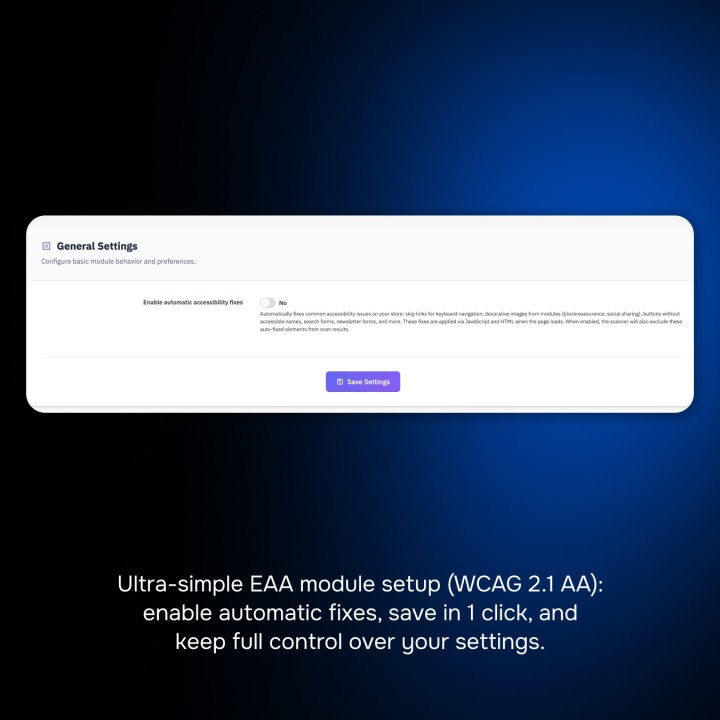
Six safe automatic fixes, switched on one by one
Six safe automatic fixes, switched on one by one

Scheduled analyses and a report by e-mail
Scheduled analyses and a report by e-mail

The printable report of your accessibility work
The printable report of your accessibility work

The “Skip to main content” link, reached with the keyboard
The “Skip to main content” link, reached with the keyboard

The accessibility statement on a phone

The accessibility statement on a phone

Support

FAQ

Find answers to frequently asked questions about this module

The European Accessibility Act (Directive (EU) 2019/882) has applied since 28 June 2025 to many digital services, including online shops selling to consumers in the European Union. Your store must be usable by people with disabilities and inform about its accessibility. The technical reference is the EN 301 549 standard, which takes up the WCAG 2.1 level AA criteria; micro-enterprises providing services are exempt. The module helps you measure, fix, check and document this work; it is not legal advice.

WCAG 2.1 brings together 50 criteria of levels A and AA: text alternatives of images, contrasts, keyboard navigation, understandable forms, headings and structure, language of the pages, and more. For a store, the critical pages are the home page, the product lists, the product page, the cart, the checkout and the customer account. The module analyses these page templates in every language and suggests, for each criterion, a check suited to PrestaShop.

The analysis in the browser relies on axe-core: it checks dozens of WCAG A and AA rules on the page as it is displayed, contrasts included. The server analysis, used by the scheduled analyses, checks the HTML with the rules of the module (images, labels, names of buttons and links, headings, languages, forms). Problems are ranked by severity (serious, moderate, minor), grouped by element and linked to where to fix them: theme, content, catalogue images or module.

Six fixes, each switched on separately: the “Skip to main content” link (only if your theme has none), a name for buttons and links made of an icon, decorative icons hidden from screen readers, labels for fields that only have a placeholder (search, newsletter), autocomplete on the account and address forms, and a visible focus on every background. They add missing information without removing what your theme declares, and the next analysis in the browser measures their effect.

No, and no tool can be. Automatic fixes handle common technical defects, but many criteria depend on content and use: relevant text alternatives, captions of videos, reading order, understandable error messages. An effective process is to (1) analyse, (2) fix the theme and the content, helped by the safe fixes, (3) check the manual criteria in the checklist, (4) publish a statement that reflects reality.

The captions editor shows the images of your products page by page, which stays fast in a large catalogue. Filter by language, by product or reference and by images without a caption; a button suggests the product name for every empty caption of the page, and each caption is saved as soon as you type it. For a good text alternative, describe what the image shows (colour, angle, detail) rather than repeating the product name.

A machine cannot judge whether a text alternative is relevant, whether captions are present, the order of the focus or the clarity of an error message. The checklist covers the 50 WCAG 2.1 A and AA criteria and, as a recommended option, the 6 criteria of WCAG 2.2, grouped by principle. For each criterion: concrete advice for PrestaShop, your verdict (met, not met, not applicable), your notes, the author and the date. A criterion stays “not met” while the analysis finds an open problem for it.

It tells your customers the accessibility level of your service, the non-accessible content and its alternatives, and how to contact you or assert their rights. The module prepares it on the European model, with the national law and the enforcement authority prefilled for France, Belgium, Spain, Italy, Poland and Germany (editable, or a European model for the other countries). You choose the compliance status, write the texts in every language and publish a dedicated page, with a link in the footer if you wish.

Yes. Choose a frequency (daily, weekly or monthly), a day and an hour: the cron task of your host, or the “Cron tasks manager” module with the secret address shown in the settings, starts the analysis once the planned moment has passed. The e-mail report shows the open, new and resolved problems since the previous analysis.

Analyses start from the back office: axe-core is only loaded on the pages opened by an analysis. On the store, only the fixes you switch on add a script of about 5 KB compressed and a small stylesheet. Requirements: PrestaShop 1.7.8, 8.0+ or 9.0+, PHP 7.4 or later and the DOM extension; a cron access is useful for the scheduled analyses.

The browser sees the page as your customers do: styles applied, content added by JavaScript, real colours. It is the only way to measure contrasts and the effect of the automatic fixes. The server analysis remains useful for the scheduled analyses; for a store protected by a password (staging), fill in its HTTP credentials in the settings.

Yes. Each store has its own analyses, checklist and statement; when several stores are selected, the module asks you to choose one. The same module works on PrestaShop 1.7.8, 8.0+ and 9.0+ with PHP 7.4 minimum.

The update keeps your checklist, the contact of your statement and your scheduled analysis settings. The old analysis results are replaced by those of the new analysis. Then review your statement and publish it again from the Publish screen: it is not put back online automatically.

Join +45 merchants using this module

5-minute installation · Full documentation included

inventory_2 Module 10.70 € 4.28 € one-time -60%
Choose your license
3 months of support for 0.99€ · then 1.99€/month
  • • Response within 24 business hours
  • 🔧 Installation & configuration assistance
  • 💬 Direct contact with the developer
No commitment · Cancel in 1 click from your account
Instead of --€/year if purchased separately
Loading...