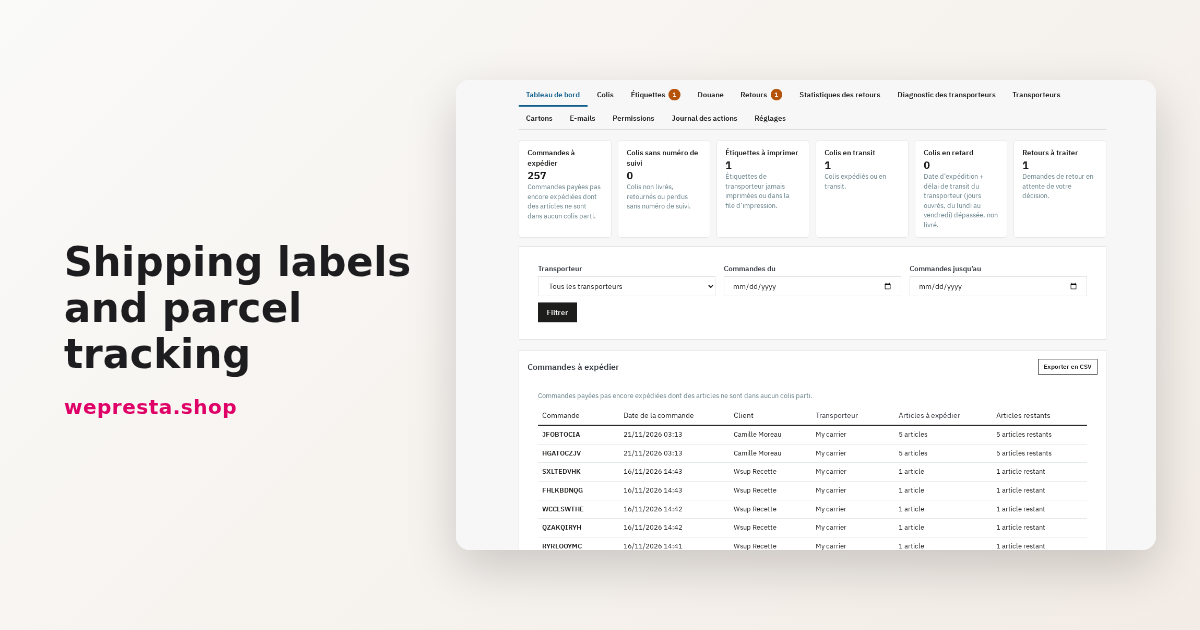
Shipping labels and parcel tracking in PrestaShop
An order leaves in three parcels, carrier labels pile up in a downloads folder and tracking numbers live in a spreadsheet. The module gathers parcels, labels, customs…

Orders to prepare, stock-driven lists and PDF sheets, all in one place.
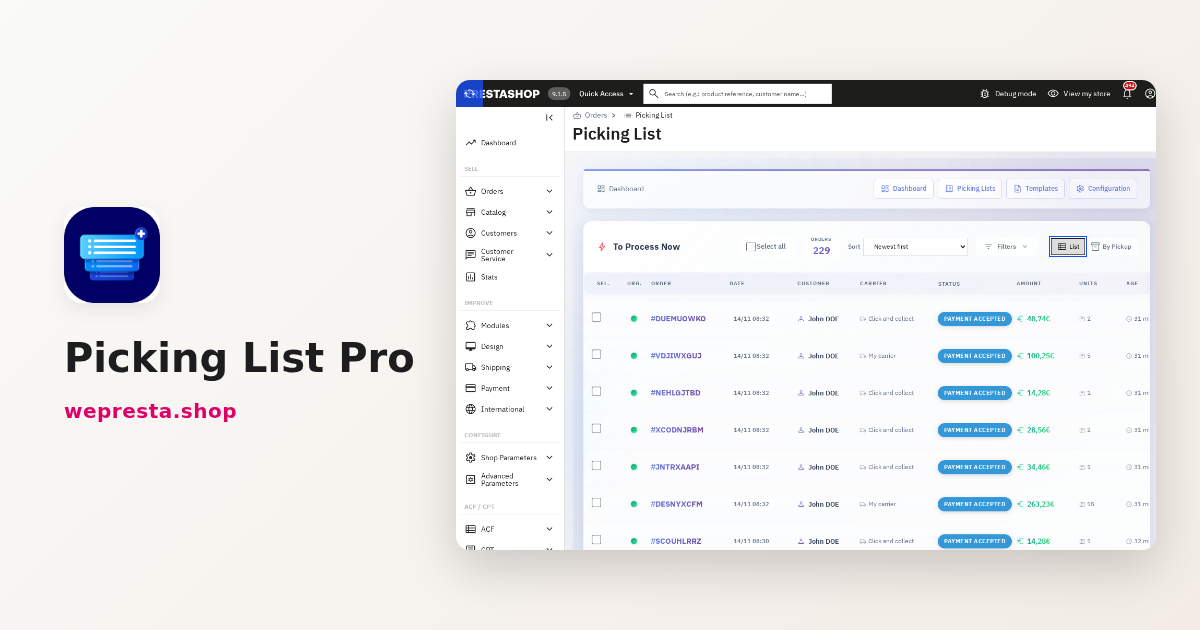
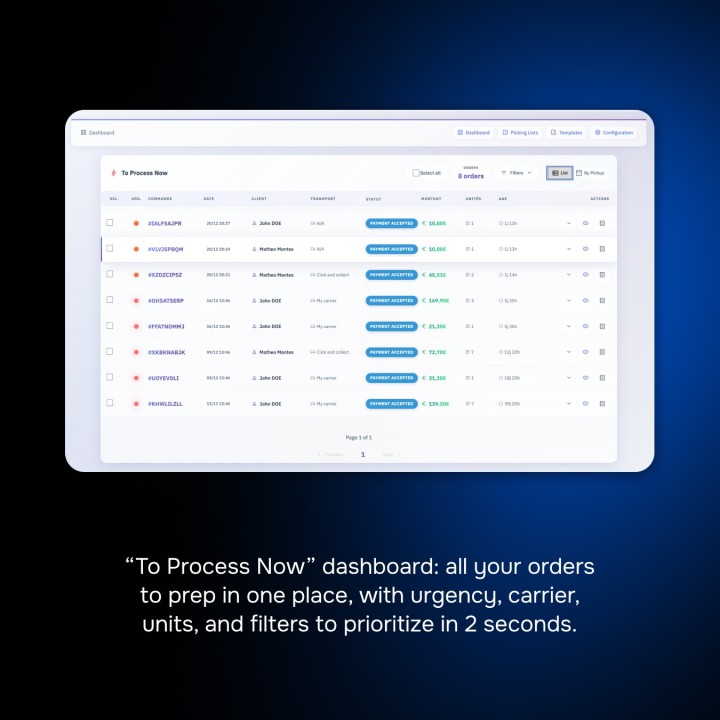
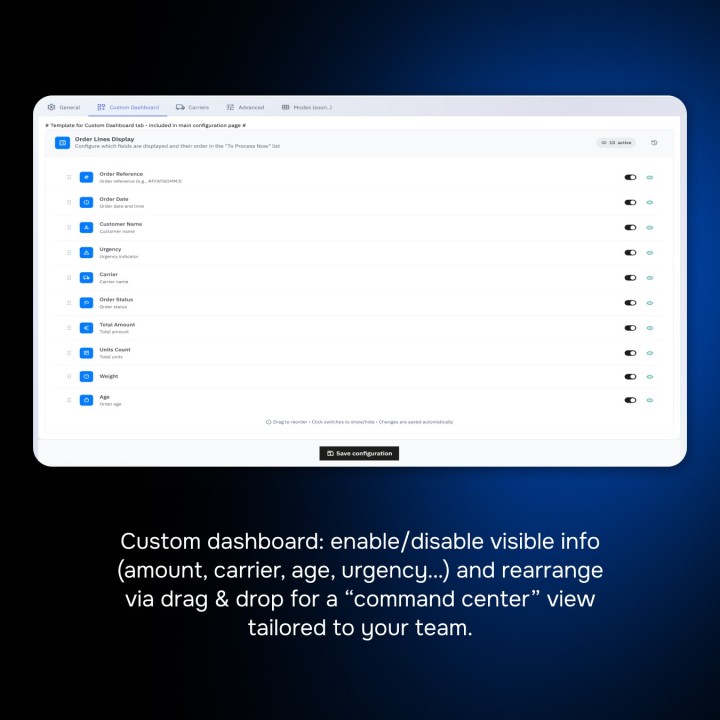
Reference, date, customer, urgency, carrier, status, amount, units, weight and age: orders to prepare are gathered in one table whose columns you choose. The default sort keeps the newest first; “Oldest first” handles those that have waited longest.
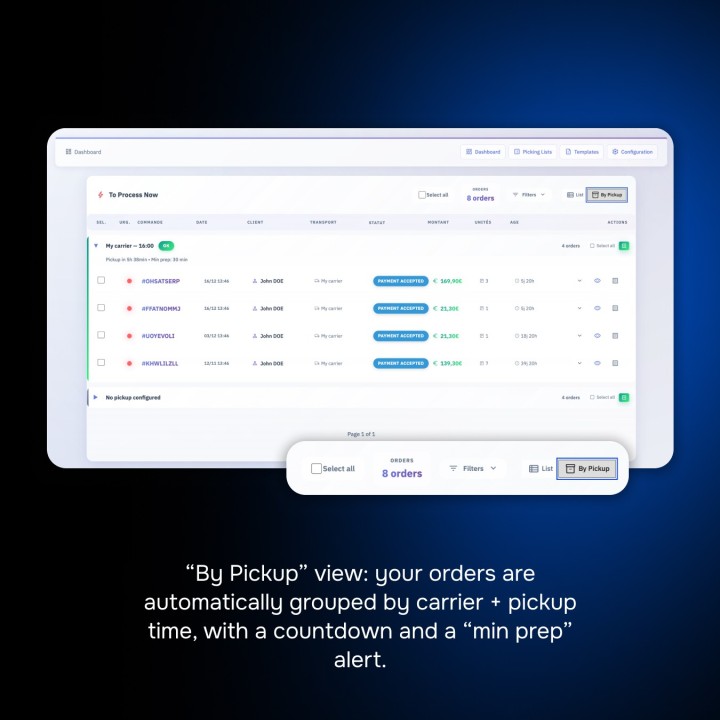
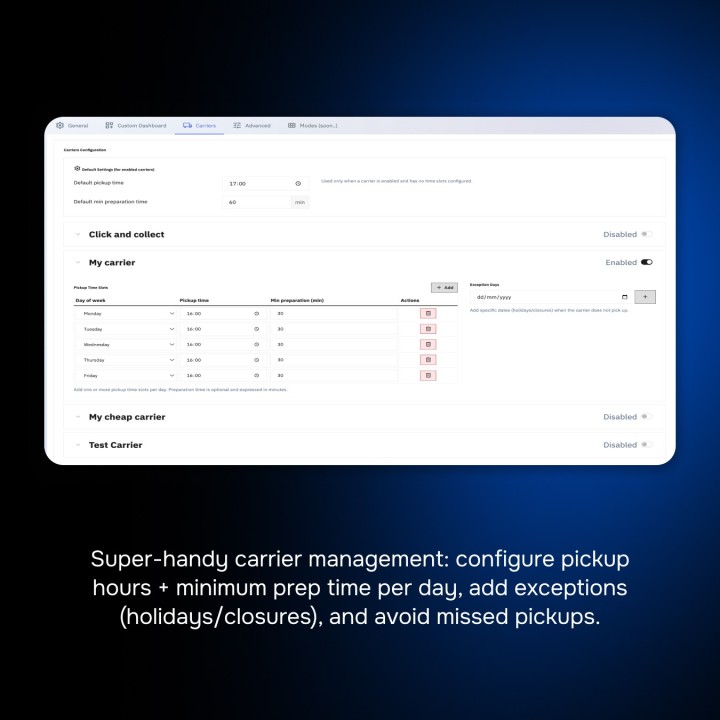
Orders are grouped by carrier, with the pickup time, remaining preparation time, a countdown and urgency badges. Each day’s slots and exception days are set in the Carriers tab.
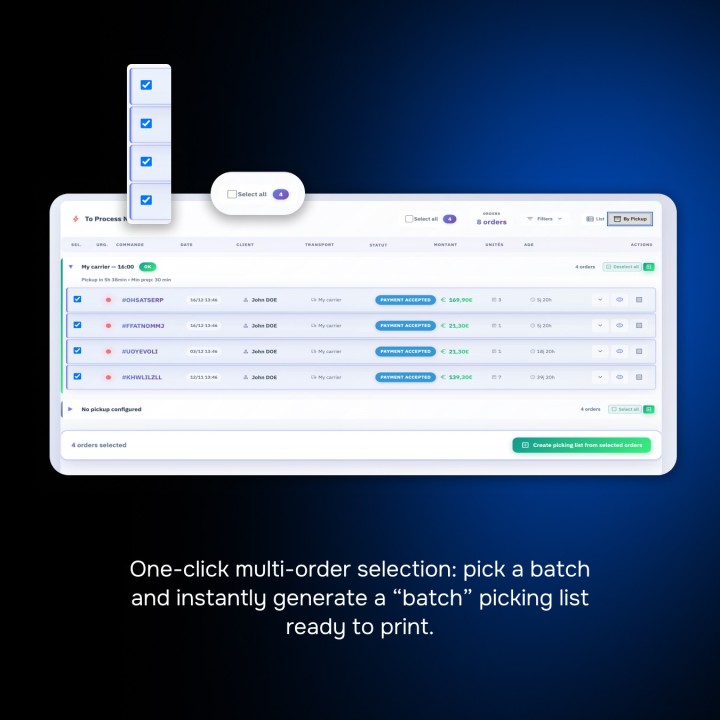
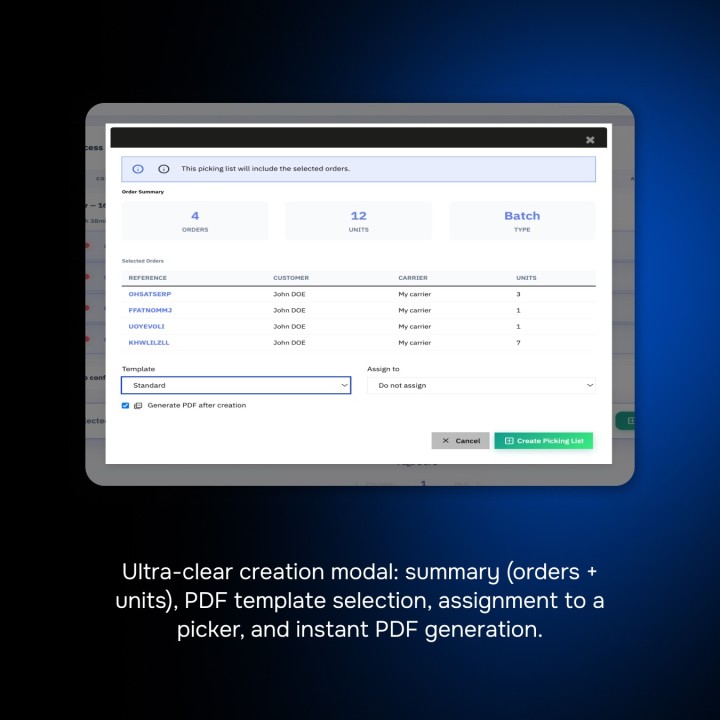
Select orders and click “Create picking list from selected orders”: choice of template, assignment to a picker and an immediate PDF if you want one. The “+ Picklist” button on a row creates and opens a list for that order.
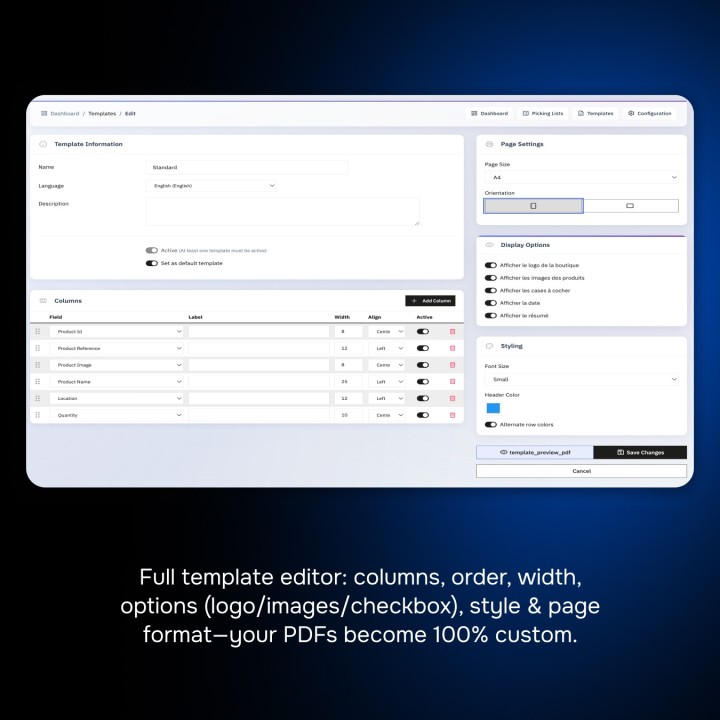
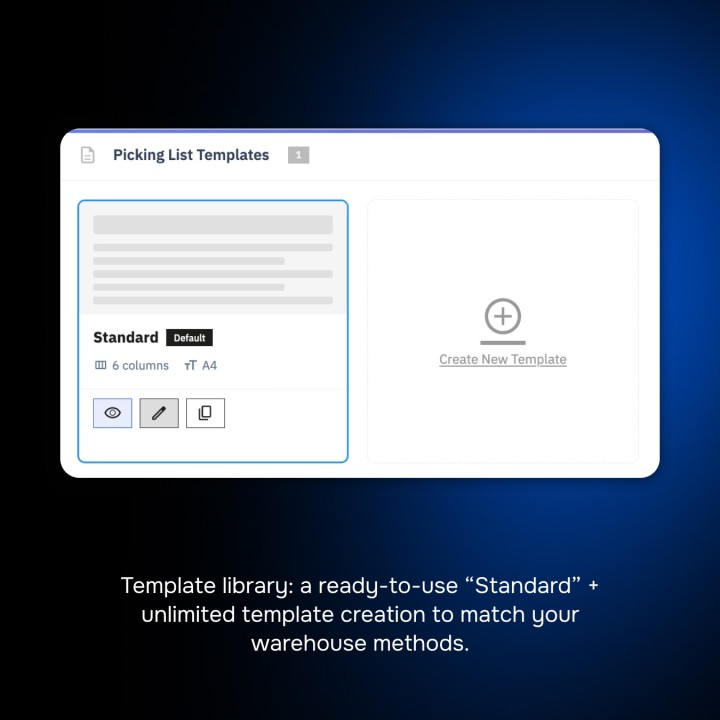
Movable columns, labels, widths and alignment, page size and orientation, logo, images, checkboxes, date, summary, font and colours: the Standard template can be copied and adjusted, with a PDF preview before saving.
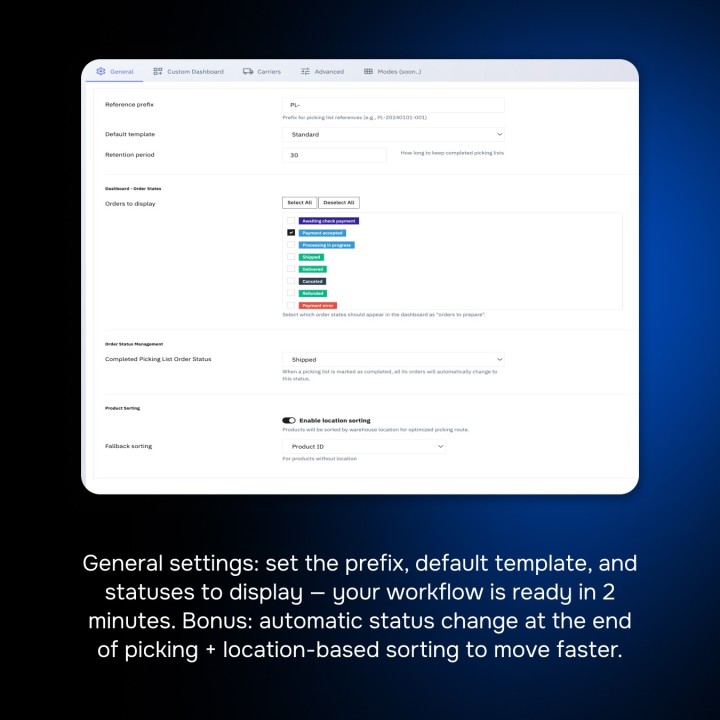
Products are sorted by stock location, with a serpentine route from one aisle to the next and a fallback sort (reference, name or ID) for those without a location. The picker follows the list without backtracking.
Off by default, scanning is enabled in the General tab. A USB or Bluetooth scanner in keyboard mode is enough: each EAN-13 or UPC scanned checks one unit of the right product, in picking order.
Each shop receives its settings and Standard template, and generates its lists in its own context. The interface is translated into French, English, Spanish, Italian and Polish, and the PDF uses the employee’s back-office language.
A renewed subscription stays active: the module asks the server again before concluding and tolerates a transient answer for seven days. Without a valid licence, pages lead to the licence form, but lists and settings are kept.
One order to prepare arrives, then ten, then fifty. Sheets come out one by one, get lost on the bench, and nobody knows which orders are ready when the carrier arrives. Picking List Pro installs a complete preparation station in your PrestaShop back office: orders to process are gathered in one place, lists are created in a few clicks, and every product checked moves the preparation forward.
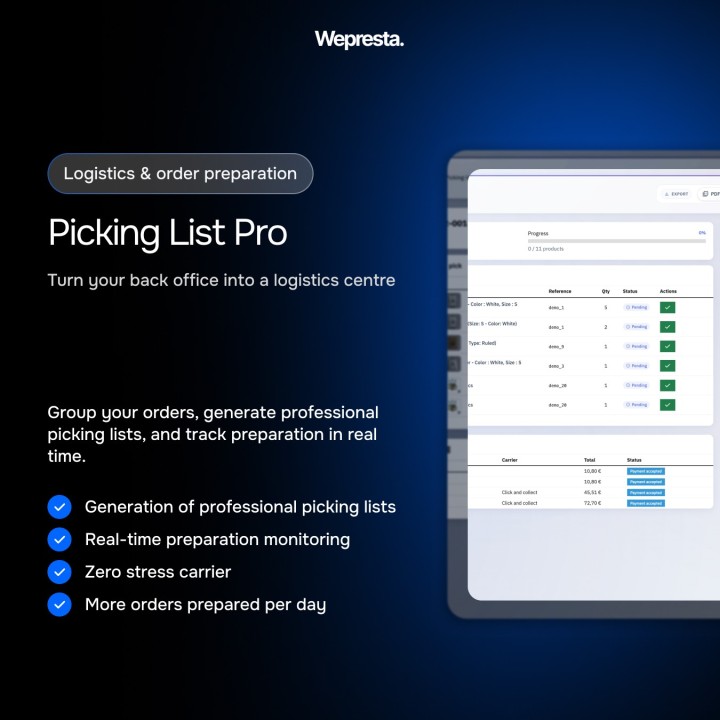
The module reads your orders, your carriers and the stock location of your products. It turns them into a dashboard, picking lists and print-ready PDF sheets, with no re-typing and without leaving PrestaShop.
The “To Process Now” section gathers the orders whose status is selected in the configuration. List mode shows the reference, date, customer, urgency, carrier, status, amount, unit count, weight and age; you choose the visible columns in the Custom Dashboard tab. The default sort puts the newest first; the “Oldest first” sort brings the orders that have waited longest to the front.
Select several orders and click “Create picking list from selected orders”: the list is created with the template you choose, can be assigned to a picker, and its PDF can be generated straight away. The “+ Picklist” button on a row creates a list for that order and opens it.
In the By Pickup tab, orders are grouped by carrier, with the pickup time, the remaining preparation time and a countdown. Badges change colour as the deadline approaches, and time slots as well as exception days are set carrier by carrier in the Carriers tab. You immediately see which preparation must go first.
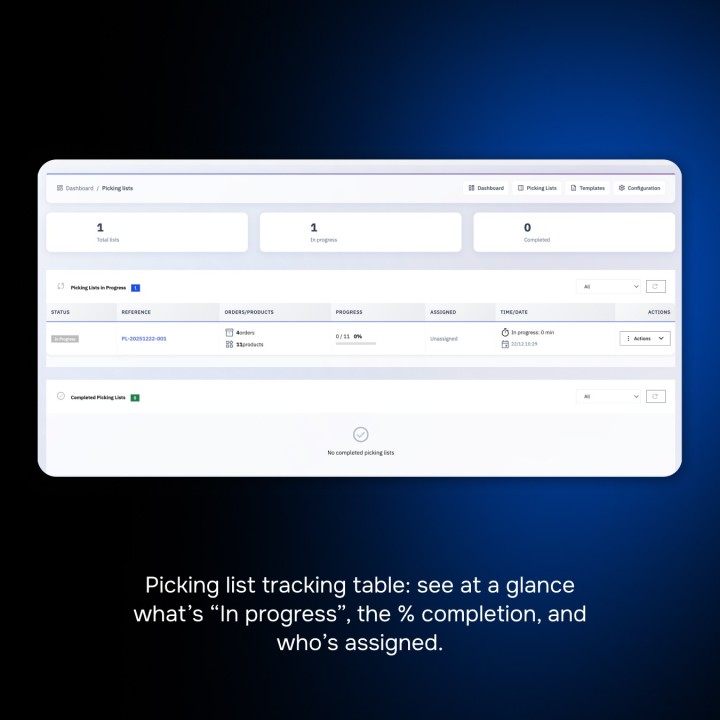
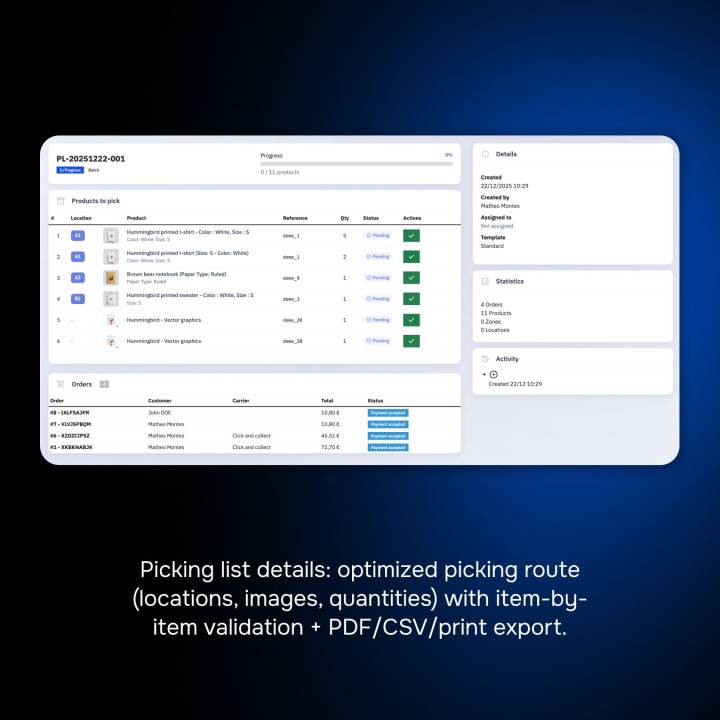
Each list carries a reference built from your prefix (default PL-) and shows a progress bar, the number of products and the team activity. Products are sorted by stock location, the field you already fill in on the PrestaShop product page; the Serpentine picking option alternates the direction from one aisle to the next, and a fallback sort (reference, name or ID) takes over for products without a location.
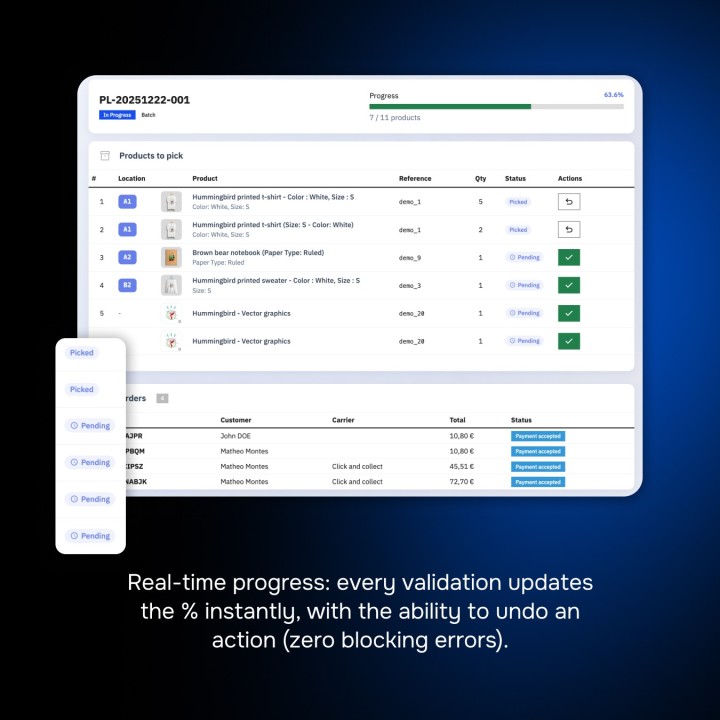
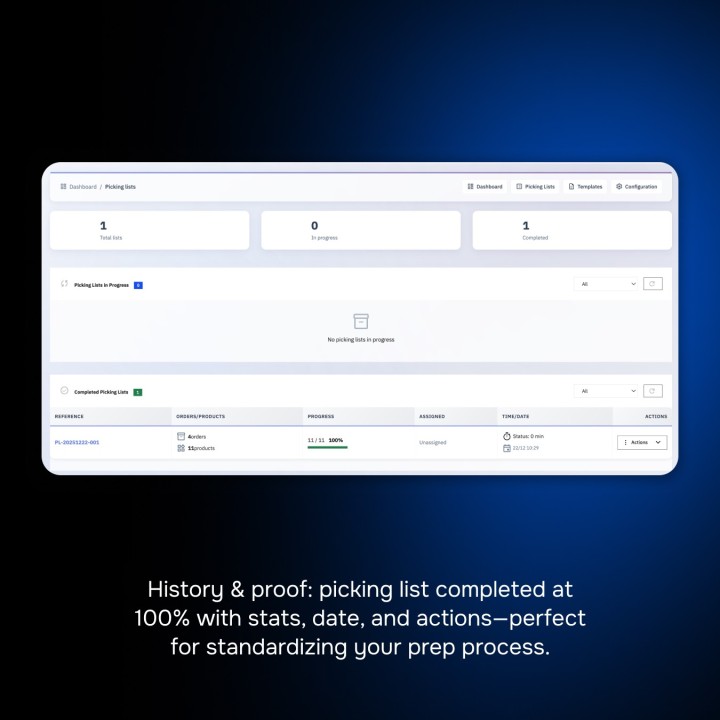
The picker checks products as they go; progress updates and, at 100%, the list is completed and the orders can move to the status you configured. A list can be exported to PDF or CSV, printed, and its invoices gathered from the list view.
The module installs a Standard template and you create as many more as you need. The editor sets the columns (field, label, width, alignment) by dragging them, the page size and orientation, the logo, product images, checkboxes, date, summary, font, header colour and alternating rows. A PDF preview is available before saving.
The printed PDF includes each product’s name with its combination, its image, its location and the quantity, as well as the number of items in each order. Aggregated lists have their own two-step layout: all products to pick, then their distribution order by order.
Enable Barcode scanning in the General tab: in a list view, a “Scan a barcode” field accepts a USB or Bluetooth scanner in keyboard mode. Each scan of an EAN-13 or UPC checks one unit of the matching product, in picking order; the list completes at 100%. The setting is off by default and manual checking remains available.
In multistore, each shop receives its own settings and Standard template, at installation and on update, and generates its lists in its own context. The interface is available in French, English, Spanish, Italian and Polish, and the PDF is printed in the employee’s back-office language.
The module runs with a valid licence. On renewal, it asks the server again before concluding, and a transient answer (rate limit, server error, network failure) does not switch it off: seven days of tolerance are counted from the first failure. Without a valid licence, the module pages lead to the licence form; your lists and settings remain in the database and come back as soon as the licence is restored.
One archive covers PrestaShop 1.7.8, 8.0+ and 9.0+, with PHP 7.4 or higher. Install the ZIP from the module manager, click Configure, choose your order statuses and carriers: the dashboard is ready.
See how we compare to the most common alternatives on the market.
| Feature | WePresta | Addons |
|---|---|---|
| payments Transparent pricing | check_circle | cancel |
| update Lifetime updates included | check_circle | cancel |
| support_agent Direct developer support | check_circle | cancel |
| verified PS 1.7, 8 & 9 compatible | check_circle | help_outline |
| code Standardized clean code | check_circle | cancel |
| storefront Multi-store ready | check_circle | help_outline |
| money_off No hidden renewal fees | check_circle | cancel |
Picking List Pro: logistics dashboard + PDF templates
Picking List Pro: logistics dashboard + PDF templates
Picking List Pro: logistics dashboard + PDF templates
Picking List Pro: logistics dashboard + PDF templates
Picking List Pro: logistics dashboard + PDF templates
Picking List Pro: logistics dashboard + PDF templates
Picking List Pro: logistics dashboard + PDF templates
Picking List Pro: logistics dashboard + PDF templates
Picking List Pro: logistics dashboard + PDF templates
Picking List Pro: logistics dashboard + PDF templates
Picking List Pro: logistics dashboard + PDF templates
Picking List Pro: logistics dashboard + PDF templates
Picking List Pro: logistics dashboard + PDF templates
Picking List Pro: logistics dashboard + PDF templates
Picking List Pro: logistics dashboard + PDF templates
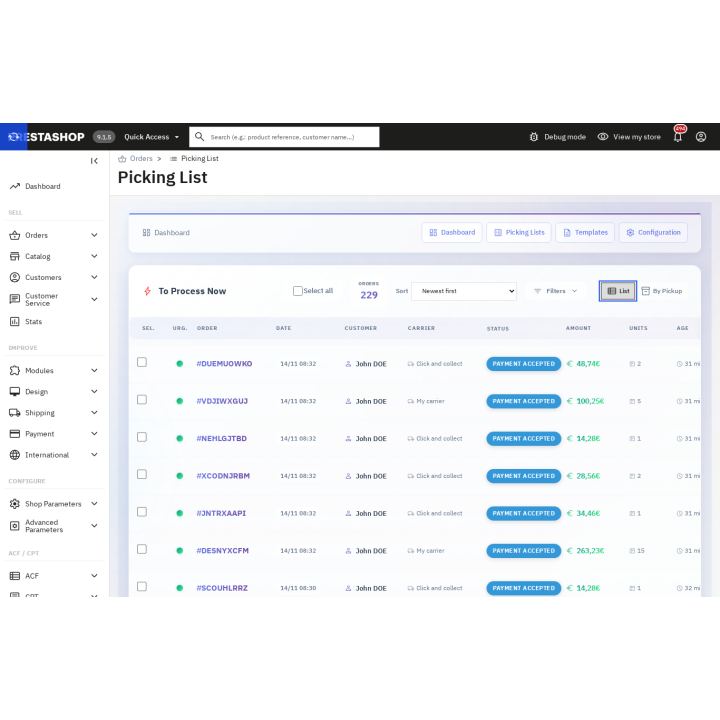
Sort the orders to prepare and start a picking list in one click.
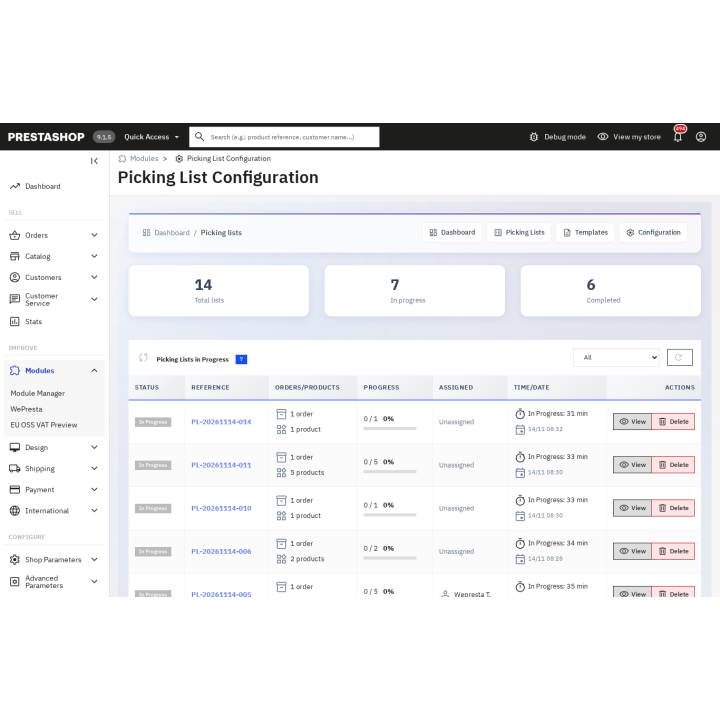
Track every picking list and its progress.
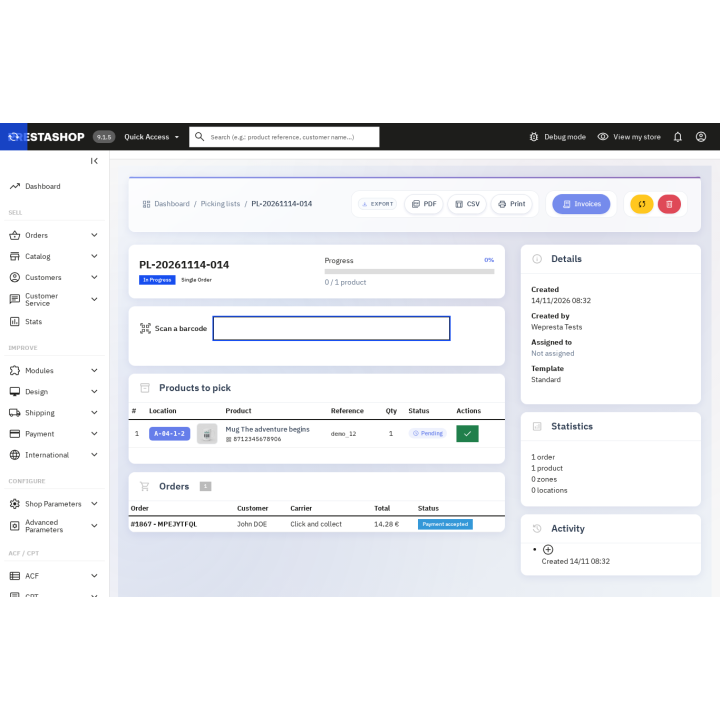
Scan barcodes: each unit is checked automatically.
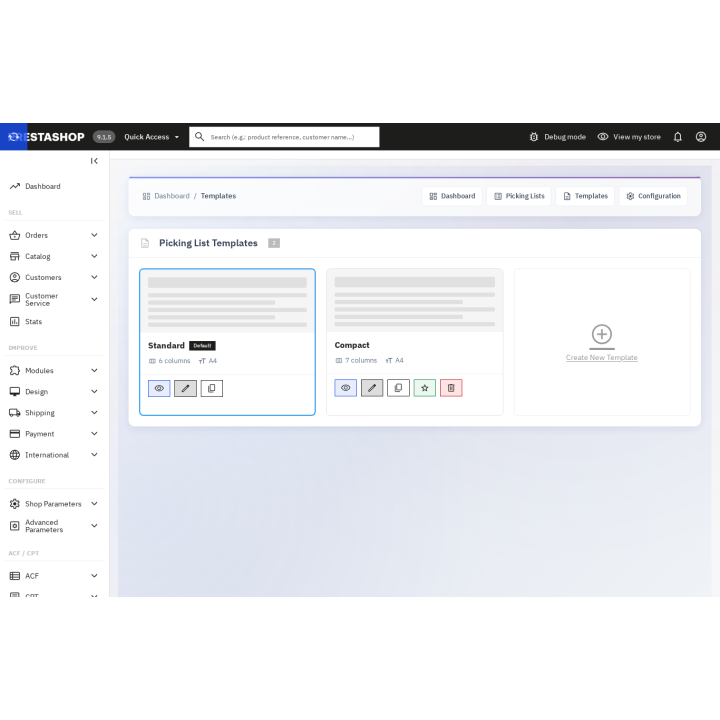
Build your own PDF preparation sheets with the visual editor.
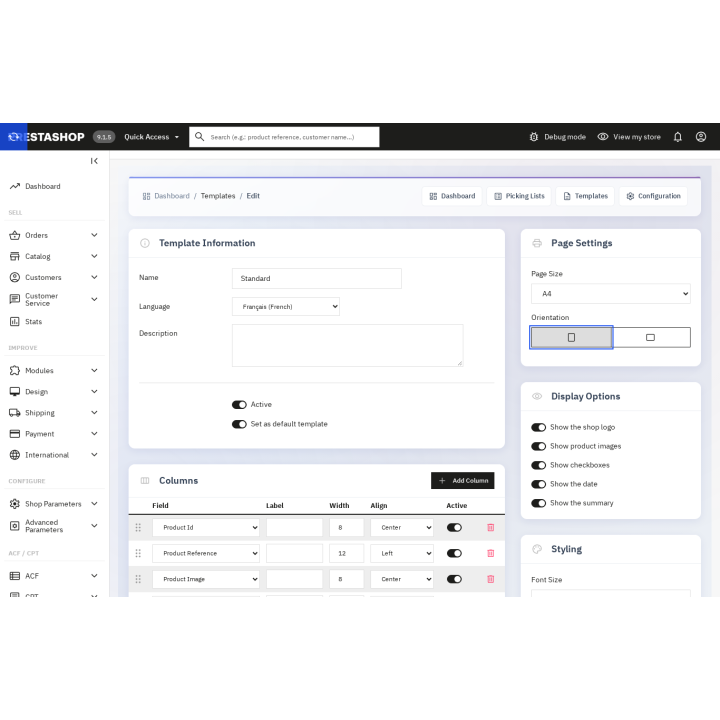
Choose the columns and format of your preparation documents.
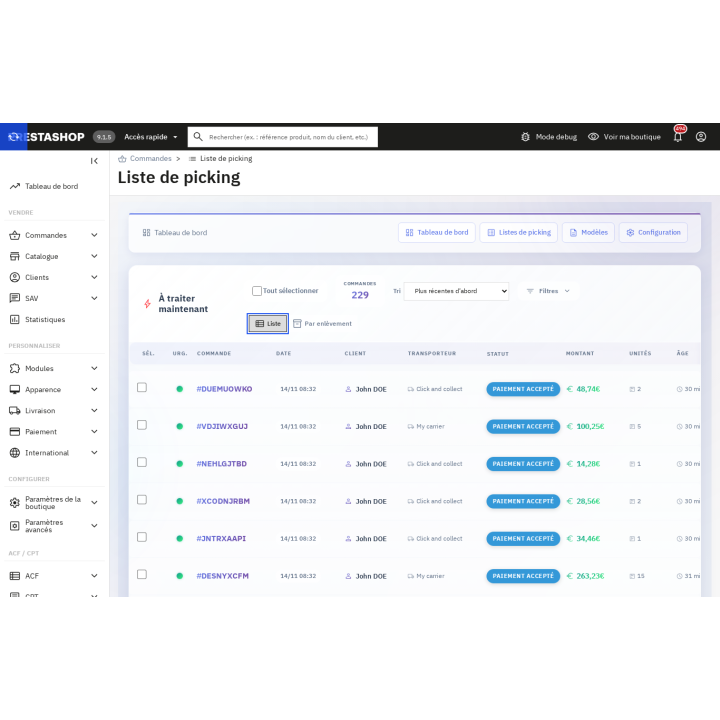
Sort the orders to prepare and start a picking list in one click.
Find answers to frequently asked questions about this module
Join +14 merchants using this module
5-minute installation · Full documentation included
An order leaves in three parcels, carrier labels pile up in a downloads folder and tracking numbers live in a spreadsheet. The module gathers parcels, labels, customs…
A preparation station in the PrestaShop back office: a dashboard of orders to process, picking lists sorted by stock location, a PDF with product images and an optional…
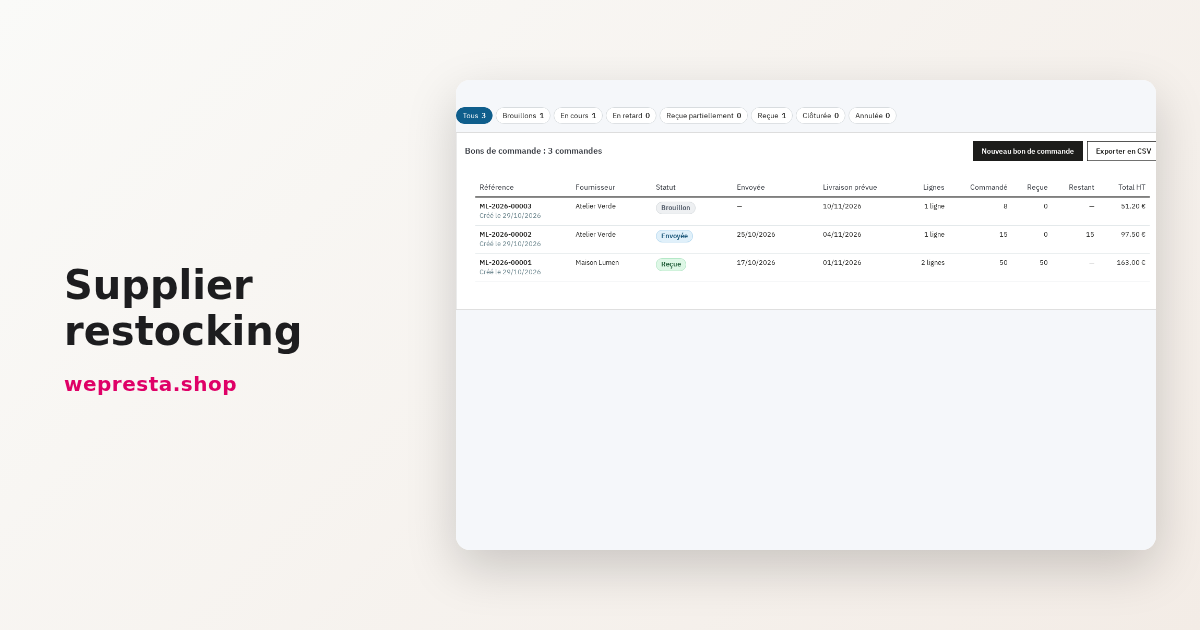
A guide to setting reorder points, preparing supplier purchase orders and receiving deliveries without losing track of outstanding quantities.
check_circle
check_circle