
Google Analytics 4 (GA4) and GTM and Search Console Easy Connect - Module PrestaShop
PrestaShop GA4 and GTM Module: Connect Your E-commerce Tracking in 1 Click (Consent Mode v2)
Connect your store to Google Analytics 4, Google Tag Manager, Google Ads and Search Console without touching your theme. The module sends 15 e-commerce events with consistent product data, directly to GA4 or through the GTM DataLayer.
- GDPR: Consent Mode v2 with consent withdrawal and connectors for the main cookie banners.
- Conversions: every purchase counted once, Google Ads purchase and contact conversions.
- Convenient: no-code setup, verification mode, diagnostics, multi-store, PrestaShop 1.7.8, 8.2+ and 9.1+.
The tracking module to analyze your conversions with reliable data.
Everything you need, nothing you don't.
Complete GA4, GTM and Search Console integration with advanced e-commerce tracking.
Complete GA4 e-commerce tracking
15 events, from product lists to purchase, with the same product data.
Advanced GTM DataLayer
GA4-format events and a Tag Manager container ready to import.
Integrated Search Console
Validate your store ownership by pasting the verification tag.
No-code installation
Choose the mode, paste your Google IDs and check the result.
Consent and Consent Mode v2
Default values, consent withdrawal and connectors for your cookie banners.
Multi-shop supported
Configure different Google IDs for each store.
They use it every day.
description Full description expand_more
PrestaShop Module: Full Google Analytics 4 (GA4), GTM, and Search Console Integration
Connect your store to Google Analytics 4, Google Tag Manager (GTM), Google Ads and Google Search Console from the back office, without changing your theme code. You choose the integration mode, paste your Google identifiers, and the module sends the e-commerce events of the customer journey while respecting your visitors' consent choices.
Precise GA4 E-commerce Tracking and Advanced GTM DataLayer
The module sends 15 e-commerce events in the format recommended by Google: page views, product lists viewed, product clicked, product page, internal search, add to and remove from cart, cart viewed, checkout started, delivery and payment selection, purchase, account creation, login and contact request.
Each product keeps the same identifier, name, brand, category, variant and price from the list to the purchase. You choose the identifier sent (product ID, combination ID or reference) so that it matches your Merchant Center feed, as well as prices with or without tax.
In GA4 direct mode, events go straight to Google Analytics 4. In Google Tag Manager mode, they fill your container's DataLayer; a container ready to import, with GA4 tags for every event, can be downloaded from the module.
Purchases Counted Once and Google Ads Conversions
The purchase is sent once per order, even if the customer reloads the confirmation page, with the order currency, tax, shipping and coupon. Checkout start is counted once, even when the checkout steps reload the page.
For Google Ads, the module sends the purchase conversion with its value, currency and order reference, as well as a conversion for contact requests. You can enable enhanced conversions (hashed email and phone, only with the matching consent) and dynamic remarketing.
GDPR Compliance and Google Consent Mode v2
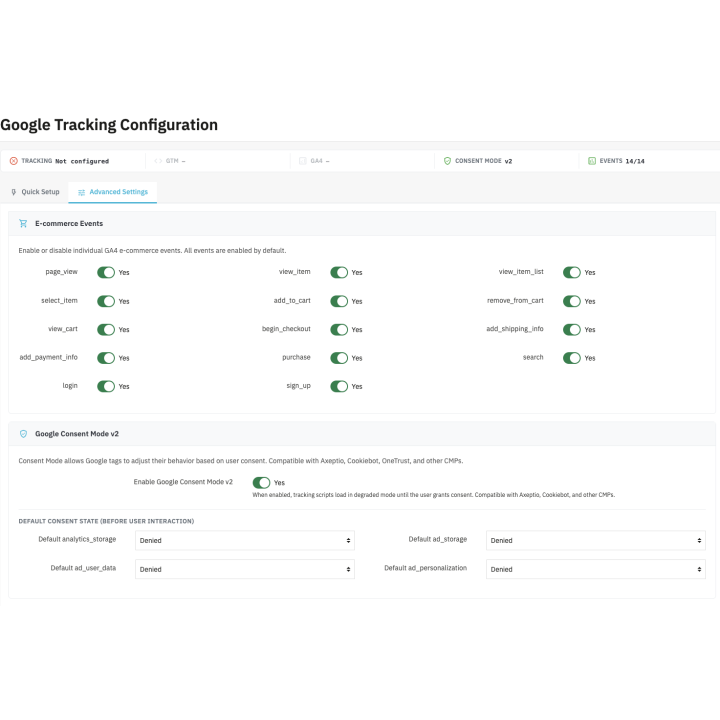
The module applies Google Consent Mode v2: default values for the four consent signals, for all visitors or only in the European Economic Area, the United Kingdom and Switzerland. Consent and its withdrawal are passed to Google without reloading the page.
Connectors update consent from Cookiebot, Axeptio, OneTrust, CookieYes and tarteaucitron. For other banners, including PrestaShop cookie modules, you only need to enter the cookie that stores the choices. If your tool already sends Consent Mode, the module leaves that job to it.
Check Your Tracking Before Opening Google
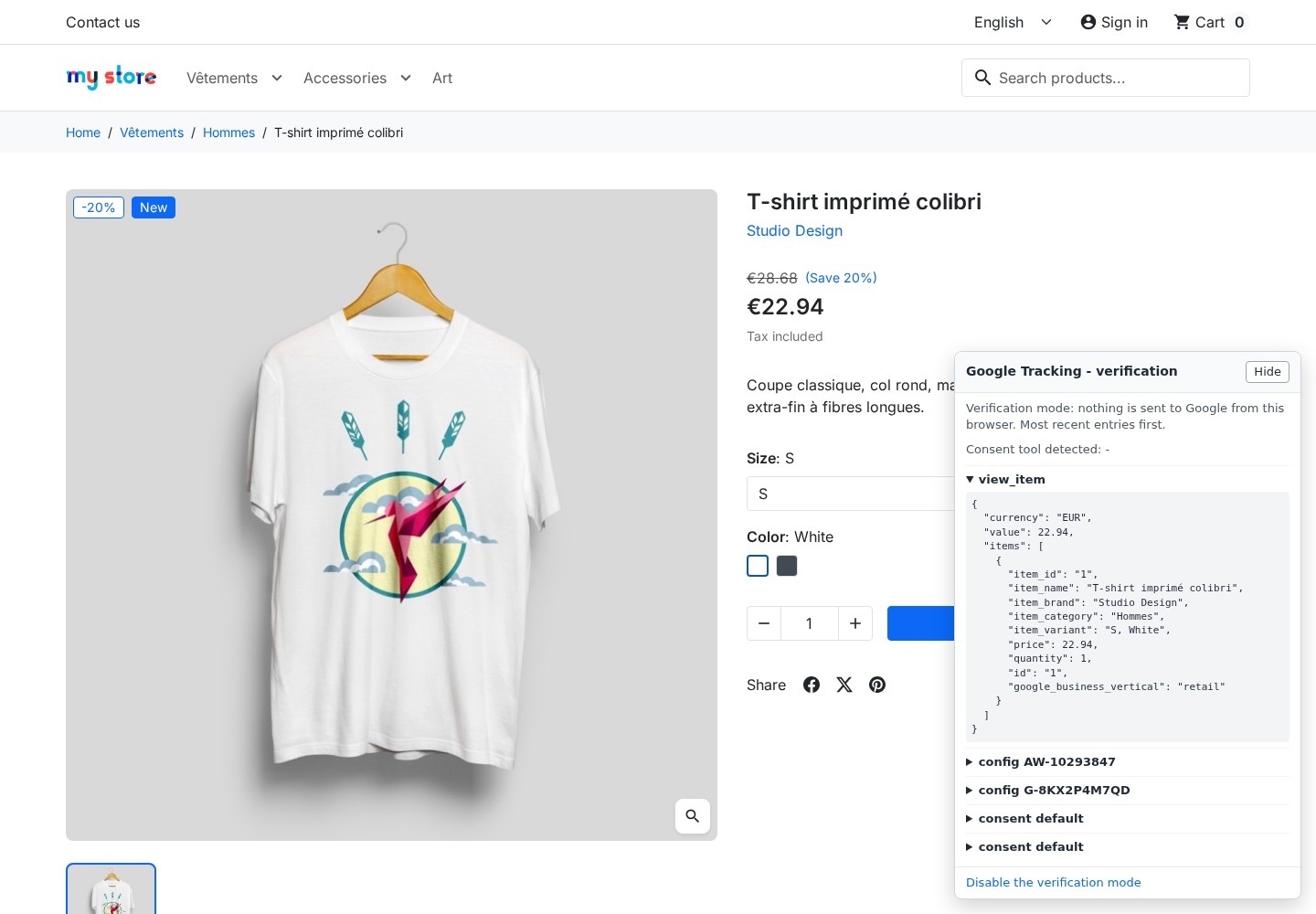
Verification mode displays, in your store and for your browser only, a panel listing the events and their data, without sending anything to Google. The Diagnostics tab checks identifiers, consent, duplicate tracking modules, theme hooks and the latest tracked orders.
Google Search Console and Organic Search
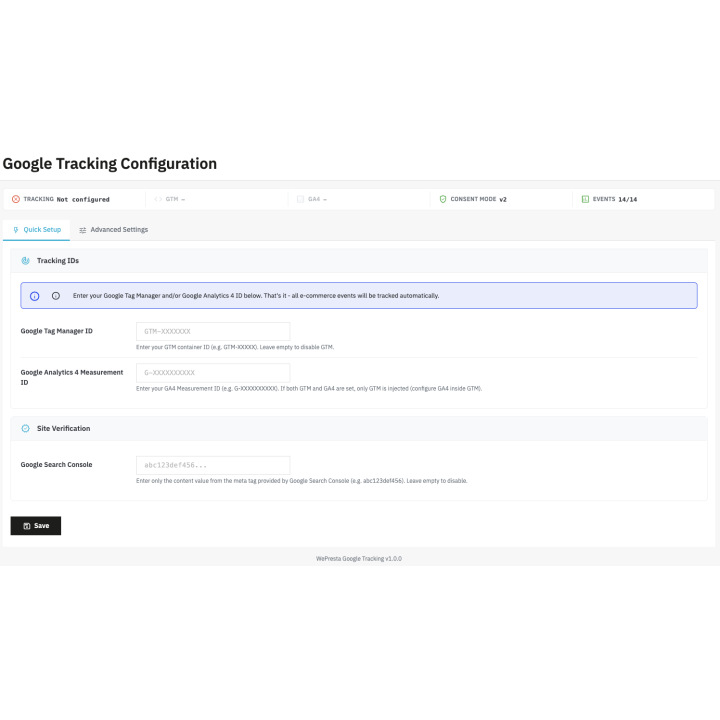
Paste the verification tag provided by Google Search Console: the module extracts the code and adds it to your pages to validate your store ownership. You then follow in Search Console the indexing of your pages, the queries that bring visitors and the pages to improve.
Key Features of Our Tracking Module:
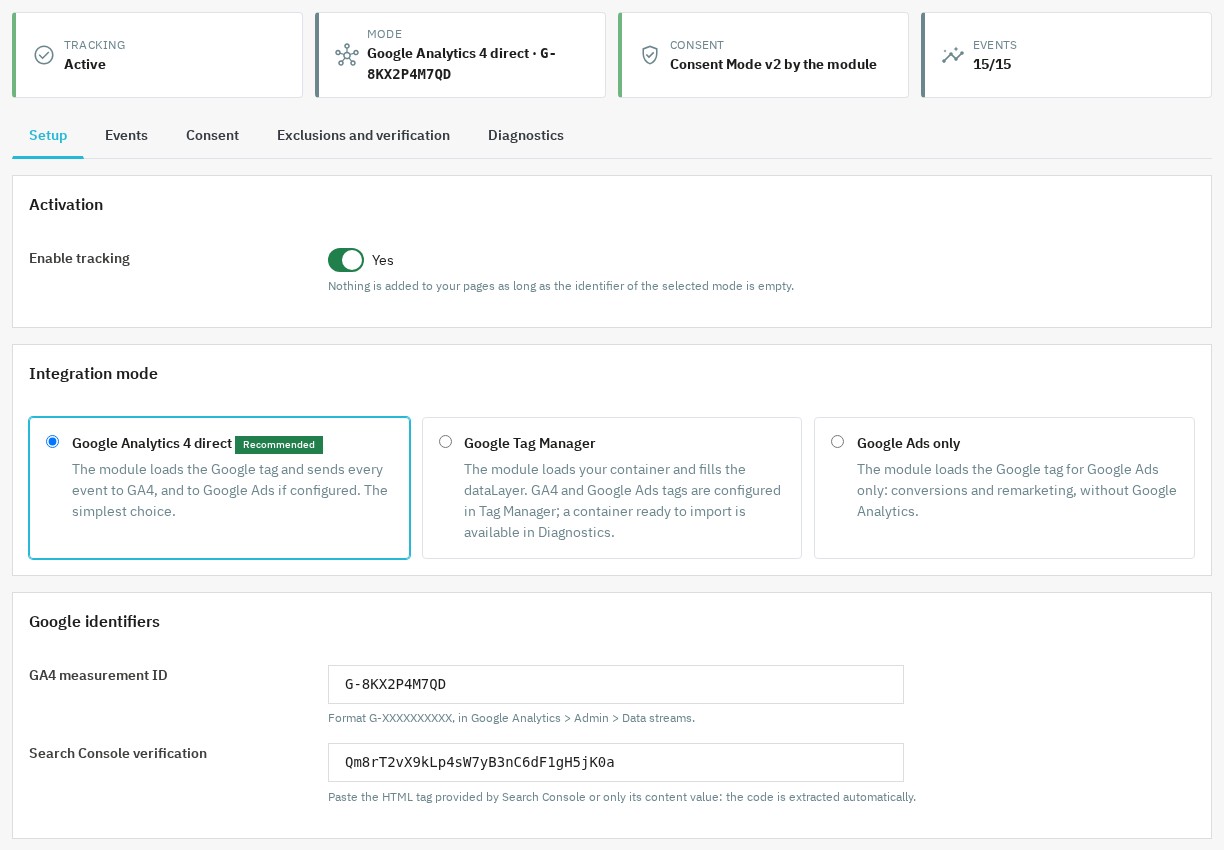
- No-code configuration: choose GA4 direct, Google Tag Manager or Google Ads only, paste your identifiers and tracking starts. No theme or core file is modified.
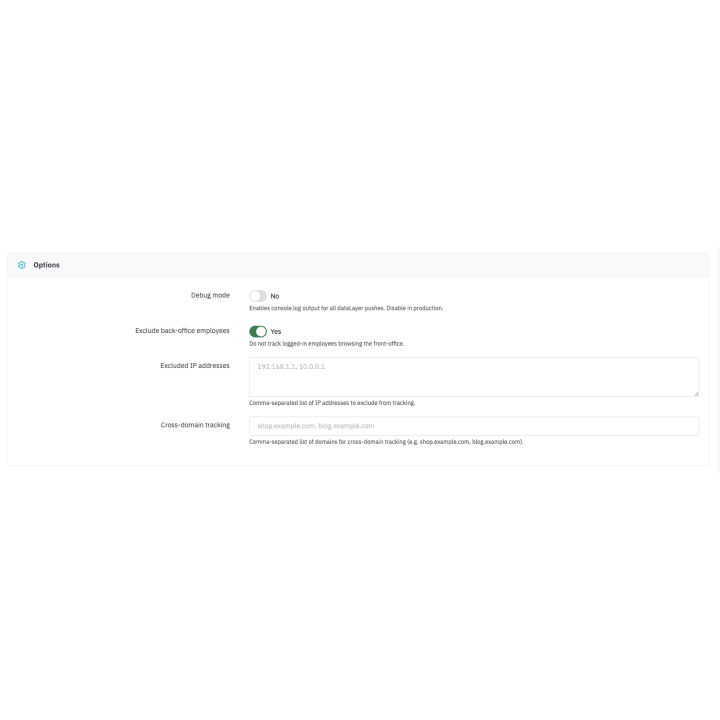
- Cross-domain tracking: follow your buyers' journey from one domain to another in GA4 direct mode.
- Internal traffic exclusion: the browser you open the back office with is no longer counted, and you can exclude IP addresses or address ranges.
- Multi-store compatibility: set different Google identifiers for each store.
- Compatibility: PrestaShop 1.7.8, 8.2+ and 9.1+ (8.0, 8.1 and 9.0 not supported), PHP 7.4 or later.
Why choose us?
See how we compare to the most common alternatives on the market.
| Feature | WePresta | Addons |
|---|---|---|
| payments Transparent pricing | check_circle | cancel |
| update Lifetime updates included | check_circle | cancel |
| support_agent Direct developer support | check_circle | cancel |
| verified PS 1.7, 8 & 9 compatible | check_circle | help_outline |
| code Standardized clean code | check_circle | cancel |
| storefront Multi-store ready | check_circle | help_outline |
| money_off No hidden renewal fees | check_circle | cancel |
Discover the module in images.
GA4, Tag Manager or Google Ads integration mode and Google identifiers
Verification mode: computed events are displayed in the store without being sent to Google
Consent Mode v2: default values and connection to the consent banner
FAQ
Find answers to frequently asked questions about this module
Join +11 merchants using this module
5-minute installation · Full documentation included