
Smart promos: 3x2, bundles & tiered deals - Module PrestaShop
PrestaShop Promotions Module: Boost Your Average Cart with Automated Offers (3x2, Packs) Without Promo Codes
Create advanced promotions for your PrestaShop store: 3x2, buy X get Y free, tiered discounts, bundles, cross-selling, free shipping, and much more. Discounts are applied automatically to the cart, without the need for promo codes. Over 30 possible combinations thanks to a powerful rules engine with unlimited conditions. Progress messages, product badges and statistics show the value of each offer. Ideal for Sales, Black Friday, Cyber Monday, Christmas, Valentine's Day, Mother's Day, and all your commercial operations. Compatible with PrestaShop 1.7.8, 8.2+ and 9.1+.
Everything you need, nothing you don't.
3x2 deals, tiered pricing, bundles and cross-selling applied automatically to cart.
3x2 and buy X get Y deals
Set up classic promotional offers in just a few clicks.
Tiered quantity discounts
The more the customer buys, the bigger the automatic discount.
Discounted product bundles
Create bundles combining multiple products at a special price.
Automatic cart application
Discounts apply without promo codes, directly in the cart.
Conditional free shipping
Offer free shipping above a certain amount or quantity.
Over 30 rule combinations
Combine categories, manufacturers, suppliers and customer groups.
They use it every day.
description Full description expand_more
The most complete promotions module for PrestaShop
Smart Promotions Pro is an advanced PrestaShop promotions and discounts module that allows you to configure any commercial offer imaginable. Whether you want to offer 3x2 deals, automatic cart discounts, quantity tier promotions, discounted product bundles, or cross-selling reductions, this module covers all your needs in a single installation.
Unlike native PrestaShop cart rules, this module applies discounts automatically as soon as conditions are met — no promo codes for your customers to enter. The result: a higher conversion rate and an increased average basket value.
Promotions ready in a few clicks
Start from a ready-made template: 3 for 2, second item at -50%, -10% from €100, free shipping from €50, welcome offer, birthday offer, "buy more, save more", 3 products for a fixed price, sale on a category or "buy A, get B cheaper". The promotion opens pre-filled: you only choose your products and activate it.
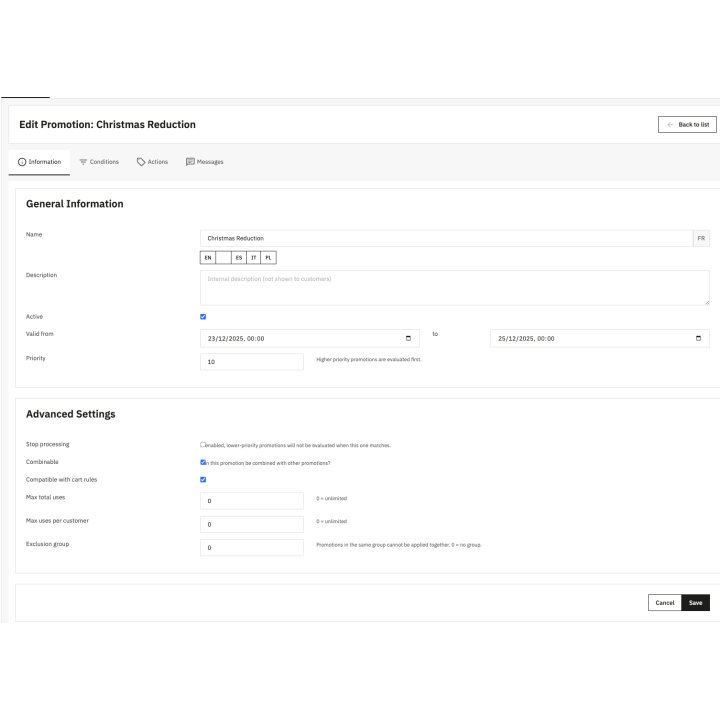
Products, categories, brands, customers or carriers are selected by search, without knowing their IDs. A plain-language summary describes the offer, its conditions, its period and its stacking rules, and points out what needs checking. With the Test a cart tool, you see which promotions apply to a cart and why, even before activating them.
10 types of discount actions to cover every scenario
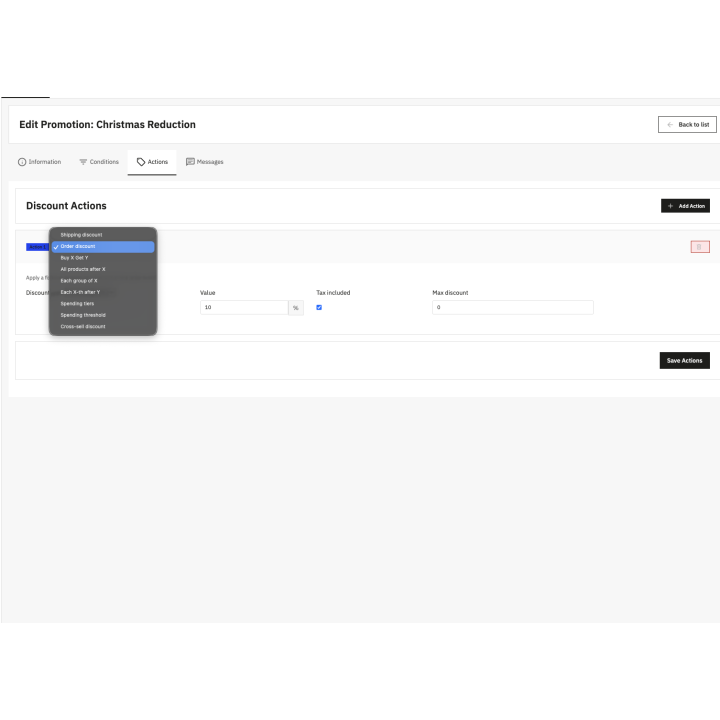
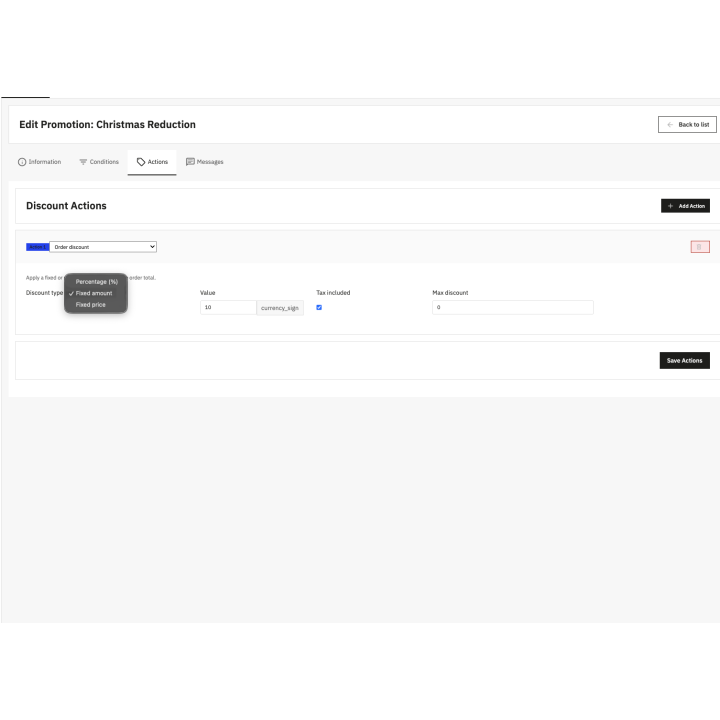
The module offers 10 types of discounts, each configurable as a percentage, fixed amount, or fixed price depending on the mechanic:
Order discount — Apply a percentage or fixed amount discount on the cart total. Perfect for global promotions like "20% off site-wide" or "€10 off from €80 purchase".
Discount on products — Apply a percentage, an amount or a fixed price to a selection of products, categories, brands or suppliers, with exclusions. Example: "-30% on dresses, except brand X and items already on sale". The option to exclude products already on sale protects your margin.
Progressive tiers — The discount grows with the quantity or the amount: "2 items -5%, 3 items -10%, 5 items and more -15%". The best tier reached applies automatically.
Shipping discount — Offer free shipping or a reduction on shipping costs based on cart amount, weight, or number of items. Ideal for "free delivery over €50" or "50% off shipping" offers.
Buy X Get Y (3x2, 2+1 free) — Configure all variants of bundle promotions: buy 3 pay for 2, buy 2 get the 2nd at 50% off, buy 5 get the most expensive one free. You choose the discounted items: the cheapest of the cart, the most expensive, or the cheapest of each set.
All products after X — The customer pays the normal price for X items, then all subsequent items benefit from a discount. Example: "Buy 3 books, every additional book at 30% off". You can limit the number of discounted items and choose the pricing order.
Each group of X — Split the cart into sets of X items and apply a discount to each set. Ideal for promotions like "25% off per set of 3 items" or "each pack of 5 for €40".
Every X-th after Y — After Y items at normal price, every X-th item is discounted. Example: "Buy 3 items then every 2nd additional item is free". Perfect for encouraging bulk purchases.
Spending tiers — For every X€ spent beyond a threshold, the customer gets a discount. Example: "For every €50 spent over €200, get a €10 discount". A powerful loyalty mechanism that encourages increasing the cart size.
Spending threshold — Trigger a percentage discount as soon as a minimum amount is reached. Example: "-15% from €300 purchase". Simple and effective for your commercial operations.
Cross-selling (cross Buy X Get Y) — The customer buys products from one selection (products, categories or brands) and gets a discount on products from another selection. Example: "Buy pants, get a belt for €5" or "3 shirts purchased = 50% off a tie". Boost your average basket through complementary purchases.
22 conditions to precisely target your promotions
The module's rule engine offers 22 types of combinable conditions to trigger your promotions with surgical precision.
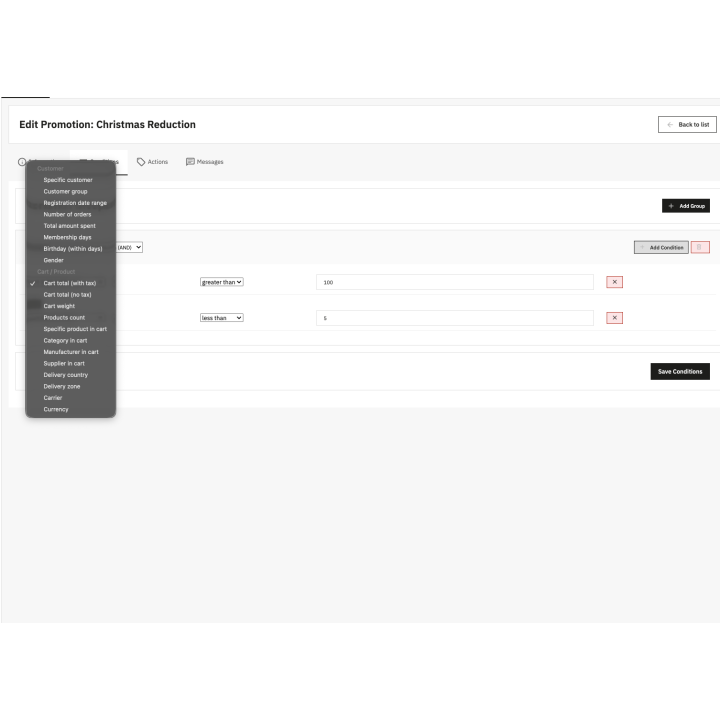
Customer conditions — Target your promotions by specific customer, customer group (wholesaler, VIP, individual), registration date, number of orders placed, total amount spent, seniority, birthday, or gender. Create loyalty promotions, welcome offers for new customers, or automatic birthday discounts.
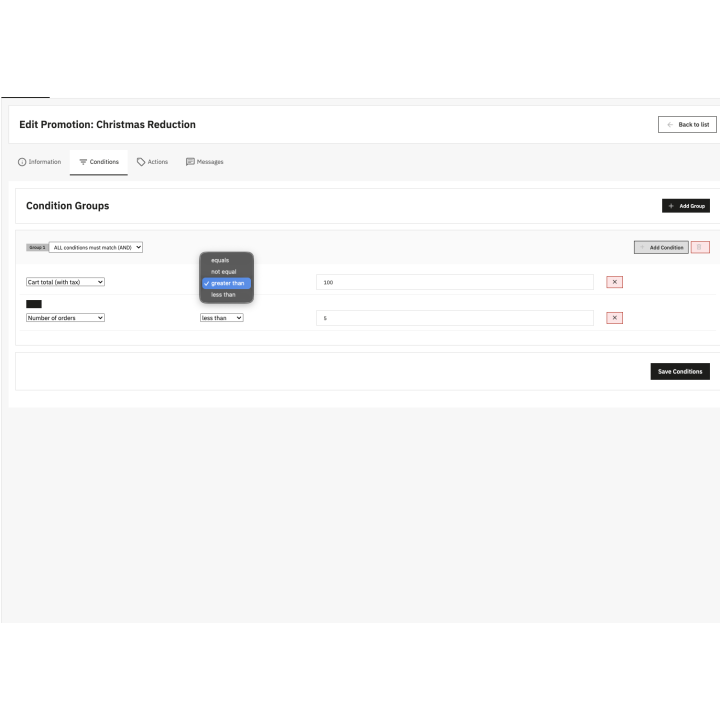
Cart and product conditions — Filter by cart amount (tax incl. or excl.), total weight, number of products, presence of a specific product, category, manufacturer, or supplier in the cart. Also target by delivery country, geographic zone, selected carrier, or currency used.
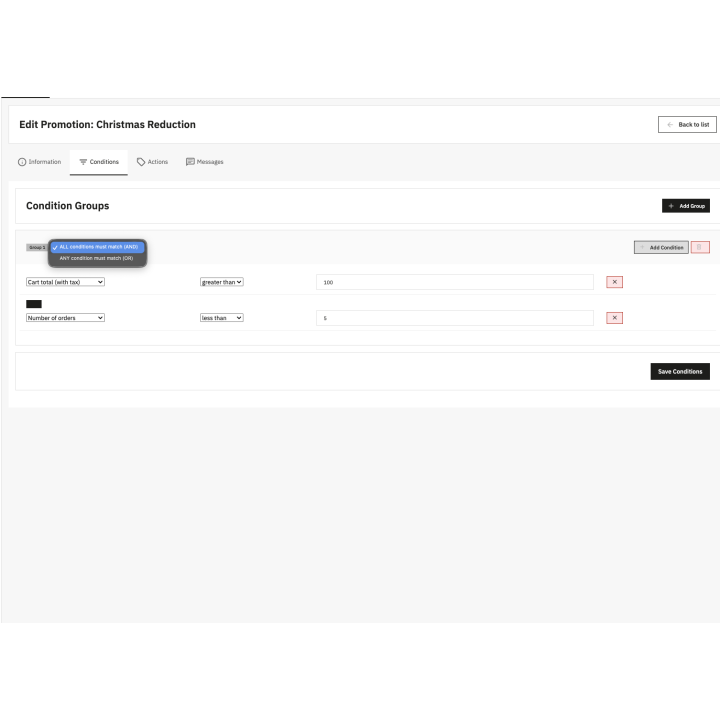
AND/OR logic — Organize your conditions into groups with AND logic (all conditions must be met) or OR logic (at least one condition is enough). Combine groups together to create complex trigger rules adapted to any business scenario.
Promotional messages across 19 positions
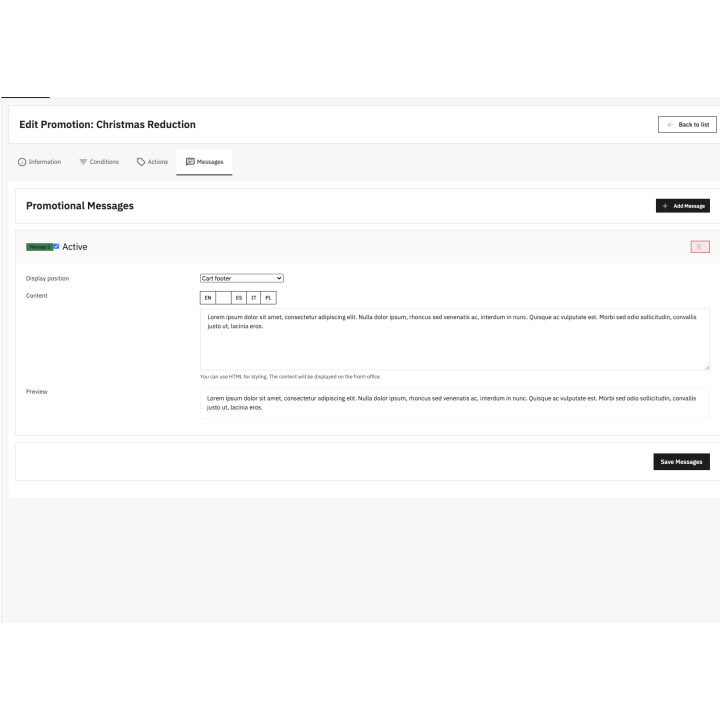
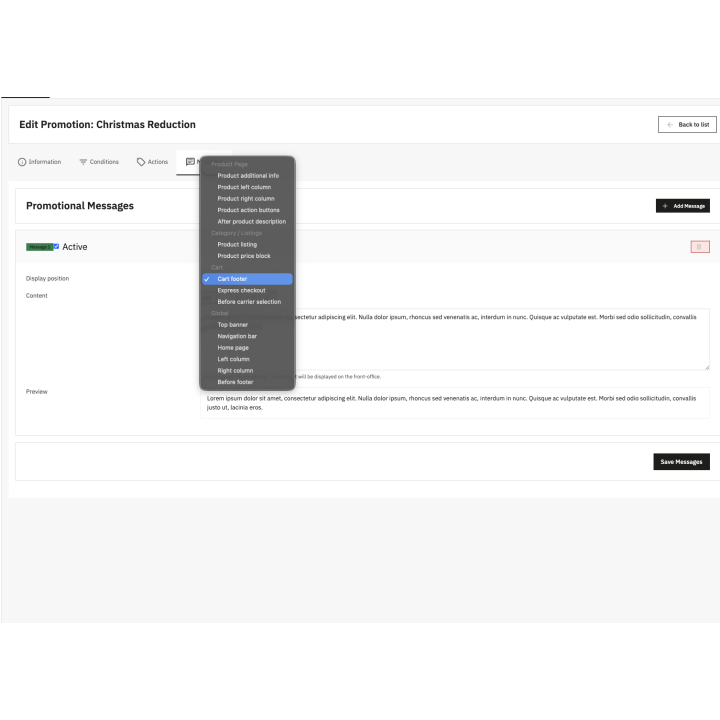
Communicate your promotions directly on your store using the integrated promotional messaging system. Each promotion can display custom HTML messages in 19 positions across your site, only to the customers concerned and on the products of the promotion.
Dynamic messages and progress bar — A message can be shown at all times, when the customer gets close to the offer, or once the discount is obtained. Variables tell customers what they are missing: "Only €12.00 more for free shipping", "Add 1 item, the cheapest one is free". A progress bar accompanies the message and the cart updates without reloading.
Product page — Display your offers next to the add-to-cart button, under the price, in side columns, or in an "Offers" tab. Inform the customer of the promotion at the most decisive moment of their purchasing journey.
Category and listing pages — Insert messages in each product block or next to the price in product lists. Highlight promotional products directly within your category pages.
Cart and checkout — Display messages in the add-to-cart window, at the bottom of the cart, in the order summary, under the shipping line, or before carrier selection. Remind customers of the benefits they are receiving or encourage them to add products to reach a discount tier.
Global positions — Top of page banner, navigation bar, homepage, side columns, before the footer. Create promotional communication visible throughout your entire store.
Badges and "You save" — A badge with the text and colour of your choice highlights the products concerned in lists and on the product page. In the cart, customers see the details of their savings: "You save €22.94".
Total control over stacking and priorities
Manage interactions between your promotions with a complete system of priorities, exclusions, and compatibilities. Define a priority order to control which promotion applies first. Choose the stacking mode of each promotion: stackable, last (it blocks the following promotions) or exclusive (it applies alone). Group your promotions into exclusion groups so only the best offer is applied. Choose whether your promotions are compatible with native PrestaShop cart rules and promo codes.
Limit the use of your promotions with a maximum number of total uses (ideal for "first 100 customers" offers) and a maximum number per customer, over the whole period or per year, month, week or day. Customers are recognised by their account and their e-mail, even when ordering as a guest; a cancelled or refunded order frees its use. Schedule your promotions with precise start and end dates down to the minute for your seasonal commercial operations.
Ideal for all your commercial operations
Smart Promotions Pro is the essential companion for all your promotional campaigns throughout the year:
Winter and Summer Sales — Configure discounts by category, percentage, or fixed price. Limit duration and number of uses to create urgency.
Black Friday and Cyber Monday — Offer aggressive site-wide discounts in exclusive mode to prevent stacking. Display a global banner to maximize impact.
Christmas, Valentine's Day, Mother's Day, Father's Day — Create gift packs with cross-selling promotions. Offer free shipping to encourage last-minute purchases.
Loyalty promotions — Reward your recurring customers with discounts based on their purchase history, seniority, or total amount spent.
Welcome promotions — Attract new customers with special offers on their first order or in the days following their registration.
Flash sales and limited offers — Use usage limits and precise dates to create ephemeral promotions that generate urgency and stimulate impulsive purchases.
Track the results of each promotion
The Performance page shows, for the chosen period, the orders with a promotion, their revenue, the discounts granted and the average order value with and without a promotion, then the details per promotion, exportable to CSV. The promotion list shows the real status of each one (scheduled, running, ended, limit reached), its uses and its total discounts.
Compatible with PrestaShop 1.7.8, 8.2+ and 9.1+
The module is developed with PrestaShop standards: Symfony architecture, PHP 7.4 or later, compatible with PrestaShop 1.7.8, 8.2+ and 9.1+. PrestaShop 8.0, 8.1 and 9.0 are not supported. It works with all themes and all payment modules thanks to the use of the native PrestaShop cart rules system.
Multi-store — Configure different promotions for each of your stores. Each store can have its own rules, conditions, actions, and messages.
Multi-currency — Amounts entered in the default currency are converted into the customer's currency, and each discount applies in the currency of its cart.
Multilingual — All texts visible to your customers (discount label in the cart and on the invoice, messages, badges) are translatable into all your store's languages.
Swiss quality, responsive support — Developed by WePresta, a Swiss web agency specializing in PrestaShop. Technical support included by email with fast response times.
Why choose us?
See how we compare to the most common alternatives on the market.
| Feature | WePresta | Addons |
|---|---|---|
| payments Transparent pricing | check_circle | cancel |
| update Lifetime updates included | check_circle | cancel |
| support_agent Direct developer support | check_circle | cancel |
| verified PS 1.7, 8 & 9 compatible | check_circle | help_outline |
| code Standardized clean code | check_circle | cancel |
| storefront Multi-store ready | check_circle | help_outline |
| money_off No hidden renewal fees | check_circle | cancel |
Discover the module in images.
“3 for 2” badge and offer message on the product page
Cart: savings obtained and progress towards the next offer
Add-to-cart window with the amount left to get the offer
Promotion badges in the product list
Ready-made templates to create a promotion
Promotion editor with its plain-language summary
Performance: orders, revenue and discounts per promotion
Test a cart: which promotions apply and why
FAQ
Find answers to frequently asked questions about this module
Join +14 merchants using this module
5-minute installation · Full documentation included