
Abandoned Cart Reminder - Module PrestaShop
PrestaShop abandoned cart reminders: 3 emails
Bring customers back to their carts with up to three personalized reminder emails. Abandoned Cart Reminder combines adjustable delays, secure recovery links and existing PrestaShop discount codes to help customers resume their purchase.
Everything you need, nothing you don't.
Three customizable emails, secure cart recovery and existing PrestaShop discount codes.
Automated 3-step email sequence
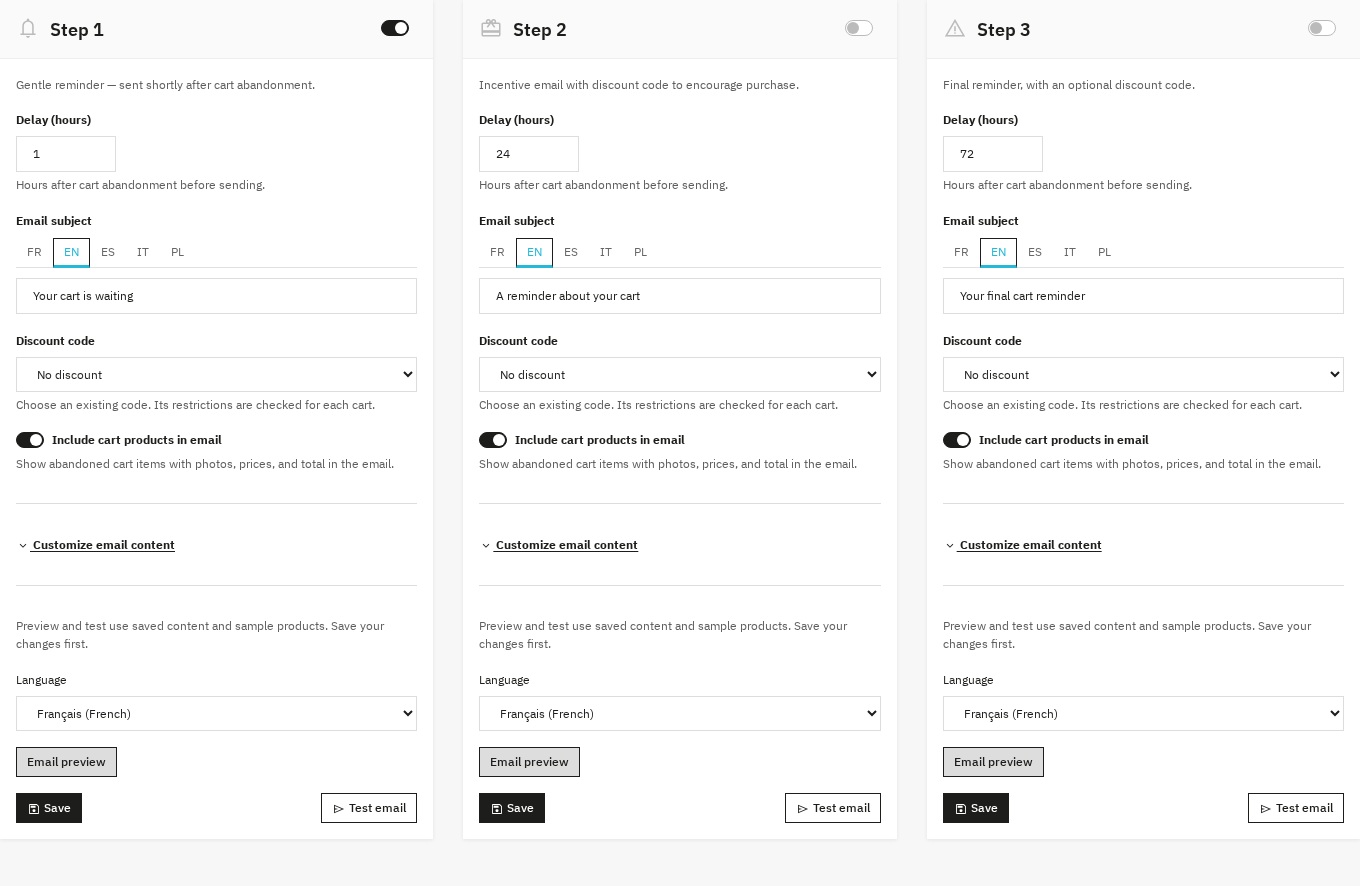
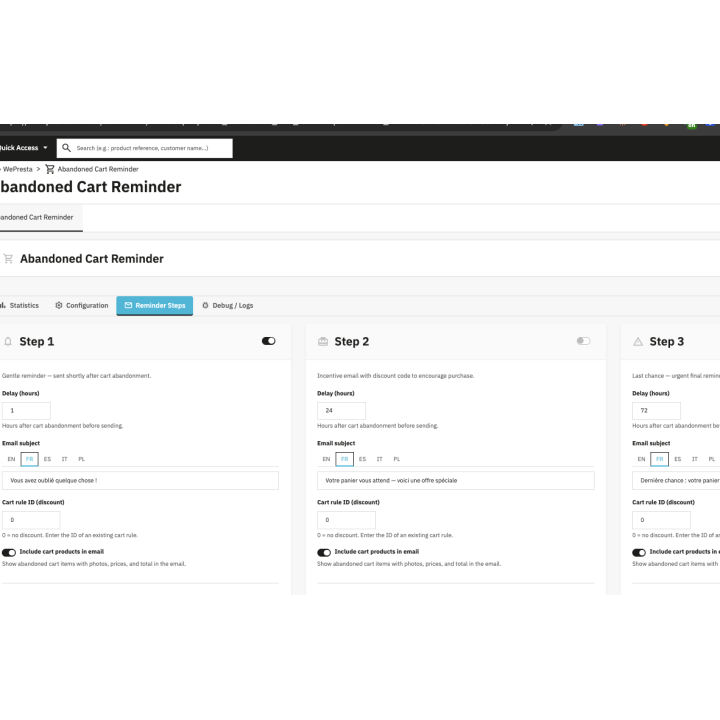
Enable each step independently and set its delay after the last cart activity. Initial delays of 1, 24 and 72 hours provide a starting point: a simple reminder, reassurance, then a final follow-up.
Secure cart recovery
The personal link opens a confirmation page. Registered customers sign in to their account to recover their cart; guest recovery copies items into a new cart without carrying over the guest’s identity or addresses.
Existing PrestaShop discount codes
Create a cart rule in PrestaShop and attach it to a step: percentage discount, fixed amount or free shipping according to that rule. The module checks its conditions before showing it in the email and before optionally applying it to the recovered cart.
Paid-order reporting
The dashboard distinguishes paid orders after a reminder from orders following confirmed cart recovery. Amounts account for credit slips and the exchange rate recorded on the order.
Consent, unsubscribe and retention controls
Every email includes an unsubscribe link. Sending requires the customer’s newsletter subscription.
Multilingual emails and shop context
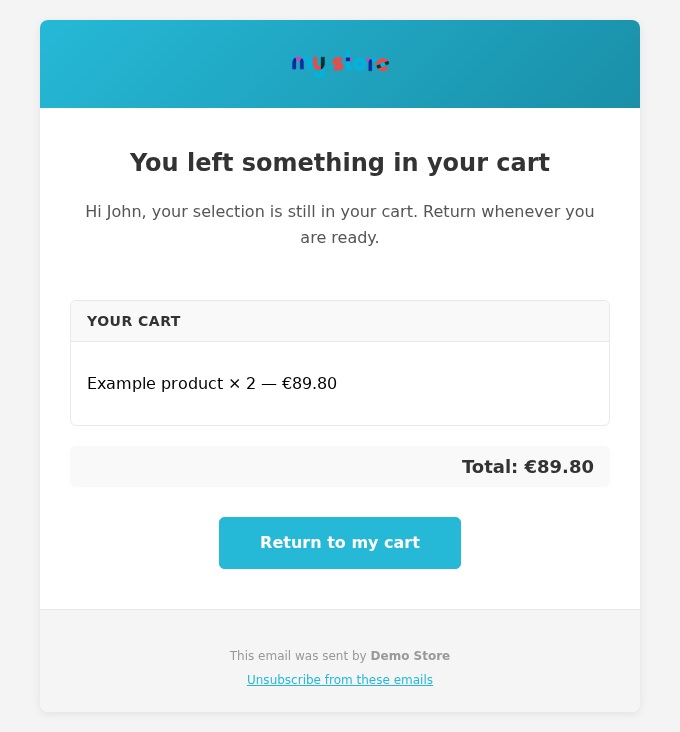
Customize the subject, title, message and button for each step in your store’s languages. Initial content is provided in English, French, Spanish, Italian and Polish.
They use it every day.
description Full description expand_more
Why follow up on abandoned carts?
Customers may leave a purchase to compare a product, check delivery or return later. A reminder brings their selected items back to their attention and helps them continue shopping. Choose the steps your store needs and track paid orders after reminders, without offering a discount in every email.
Features
Automated 3-step email sequence
Enable each step independently and set its delay after the last cart activity. Initial delays of 1, 24 and 72 hours provide a starting point: a simple reminder, reassurance, then a final follow-up. The third step can run with the second disabled. Eligibility is checked again before sending and reminders stop when an order exists.
Secure cart recovery
The personal link opens a confirmation page. Registered customers sign in to their account to recover their cart; guest recovery copies items into a new cart without carrying over the guest’s identity or addresses. PrestaShop recalculates prices and checks availability. Valid links from different reminders remain usable until they expire.
Existing PrestaShop discount codes
Create a cart rule in PrestaShop and attach it to a step: percentage discount, fixed amount or free shipping according to that rule. The module checks its conditions before showing it in the email and before optionally applying it to the recovered cart. It does not generate new coupons. Customer-specific codes are not offered for anonymous guest recovery.
Paid-order reporting
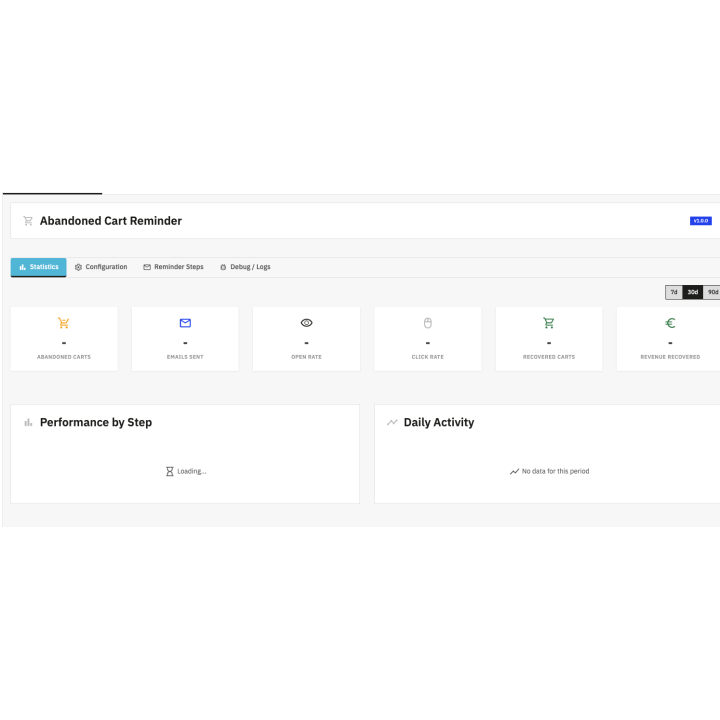
The dashboard distinguishes paid orders after a reminder from orders following confirmed cart recovery. Amounts account for credit slips and the exchange rate recorded on the order. Cancelled or unpaid orders are not reported as recovered sales. Pixel-based opens are indicative: email software can block images or load them automatically.
Consent, unsubscribe and retention controls
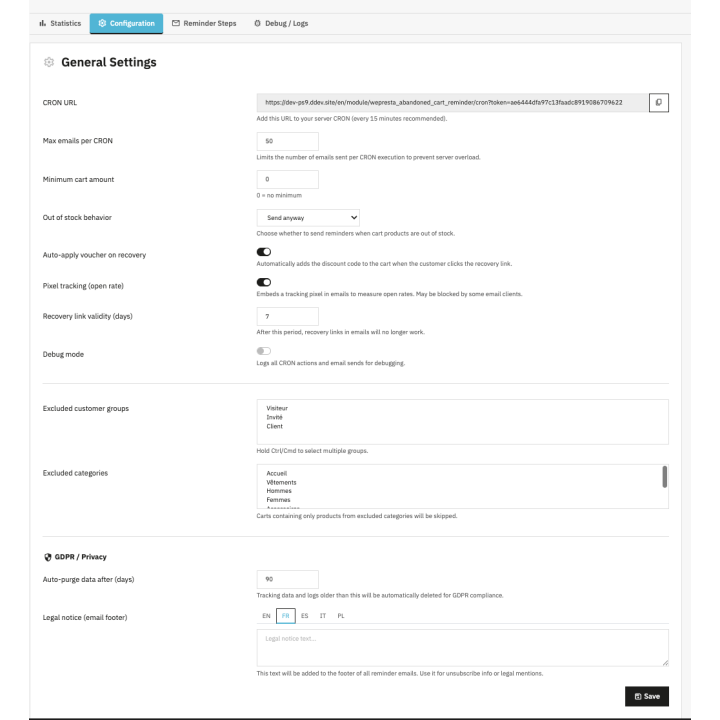
Every email includes an unsubscribe link. Sending requires the customer’s newsletter subscription. Configure open tracking, data retention and a custom legal footer. Reminder data is managed in your store and emails use its delivery service. These controls help you apply your communication policy; they are not an automatic compliance guarantee.
Multilingual emails and shop context
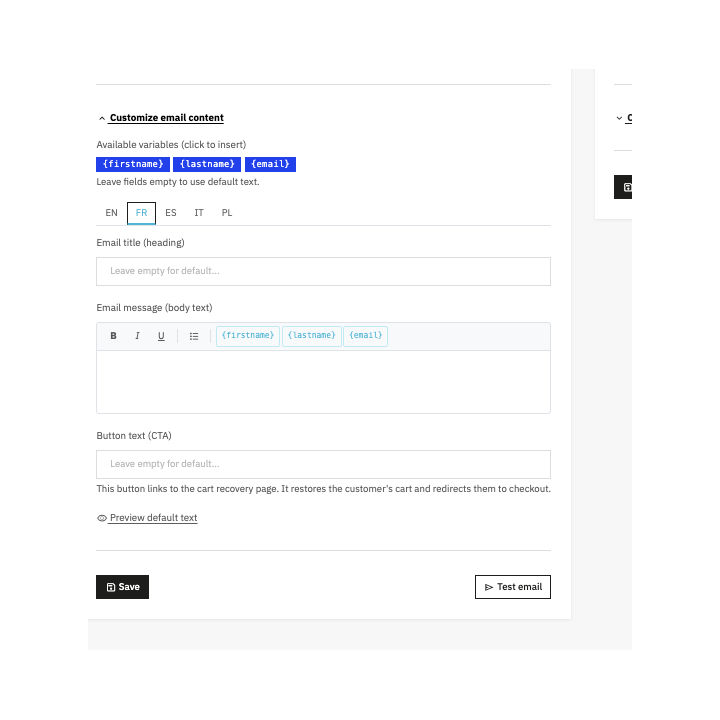
Customize the subject, title, message and button for each step in your store’s languages. Initial content is provided in English, French, Spanish, Italian and Polish. Preview uses saved content in the selected language: save changes before previewing or sending a test. In multistore mode, check each shop’s configuration and scheduled task.
Controlled sending and native integration
Each run has processing limits and progressively resumes the carts to examine. Protection per cart and step prevents duplicate concurrent sends. If a delivery outcome is uncertain, it remains visible without an automatic retry: check the mail service first. The module uses native PrestaShop emails, without core overrides or an additional reminder platform.
Latest activity and reminder diagnostics
Check the latest scheduled run and processing counters from the dashboard. When enabled, detailed logs can be filtered to explain a skipped cart or failed send. Distinguish a task that has not run from an ineligible cart or a delivery issue.
Module previews
Requirements and compatibility
Compatible with PrestaShop 1.7.8.x on PHP 7.4, plus PrestaShop 8.2+ and 9.1+ on a PHP version supported by your PrestaShop release. Earlier 1.7 releases, PrestaShop 8.0, 8.1 and 9.0 are not covered. A working email service and scheduled task are required. Use HTTPS for customer links.
From your Wepresta customer account, provide PrestaShop and PHP versions, the expected behavior, latest activity and relevant diagnostic messages. Hide CRON tokens and personal data in screenshots. Support services depend on your offer.
Why choose us?
See how we compare to the most common alternatives on the market.
| Feature | WePresta | Addons |
|---|---|---|
| payments Transparent pricing | check_circle | cancel |
| update Lifetime updates included | check_circle | cancel |
| support_agent Direct developer support | check_circle | cancel |
| verified PS 1.7, 8 & 9 compatible | check_circle | help_outline |
| code Standardized clean code | check_circle | cancel |
| storefront Multi-store ready | check_circle | help_outline |
| money_off No hidden renewal fees | check_circle | cancel |
Discover the module in images.
Reminder and retention settings
Three configurable reminder steps
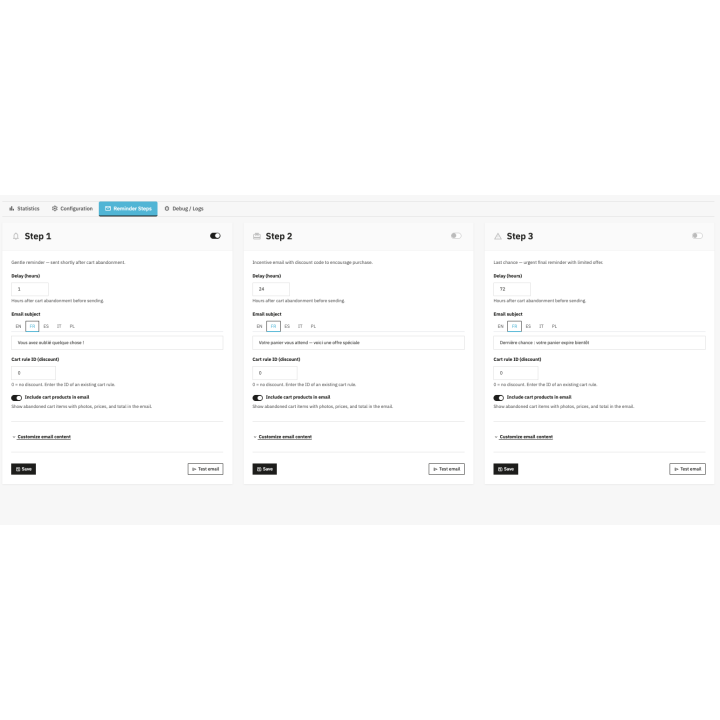
Preview of a saved email
Statistics and latest activity
Email content customization
FAQ
Find answers to frequently asked questions about this module
Join +9 merchants using this module
5-minute installation · Full documentation included