A cookie banner is not enough if trackers fire before the choice
Many PrestaShop shops show a consent banner, yet Google Analytics, Google Ads, Meta or TikTok scripts still load as soon as the page opens. The visitor's choice changes what is displayed, not what is tracked. And when someone asks what they accepted, on which date and under which version of the text, you have to search server logs with no guarantee of finding a reliable record.
GDPR Cookie Banner handles both problems in the back office: third-party scripts, iframes and pixels are neutralized in the HTML PrestaShop sends, the visitor chooses in an accessible banner, scripts of accepted categories are loaded by the browser, and every decision is written to an append-only log with a reference and a chained fingerprint. The module also generates your cookie policy and sends Google Consent Mode v2 signals. Everything runs inside your shop: no account, no API key, no external service.
It is an aid to collecting and documenting consent. The module does not certify that your shop is compliant, does not replace legal advice and does not turn your cookie policy into a lawyer-approved document: it gives you the means to block, to inform and to keep a record of your choices.
Really block, before consent
When a page is served, the module rewrites the HTML on the server. A known third-party script is neutralized: its address is kept but it does not run. A YouTube, Vimeo or Google Maps iframe is replaced by a block that names the blocked service and offers to load it by accepting the matching category. Tracking pixels and third-party resources announced in the head are handled the same way. When the visitor accepts a category, the browser recreates the allowed elements in page order, with their original attributes.
Without JavaScript, nothing non-essential loads: neutralized elements stay inert. A run-time guard also intercepts scripts and iframes added after page load by another script, and releases them when the matching category is accepted.
The module cannot stop requests that an already allowed script makes itself (fetch, sendBeacon, new Image()), server-side conversions or a script evaluated by eval. A tag manager must therefore be classified in the category of the tags it loads, or rely on Consent Mode. The documentation states this limit so your configuration stays honest.
A clear choice, category by category
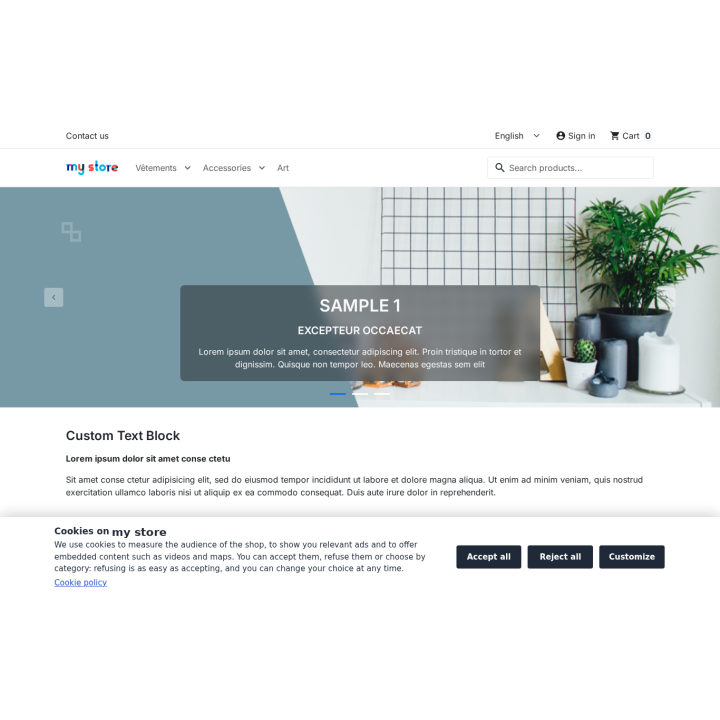
The banner sits as a bottom bar, a centred card or a side panel. You set the colors, the logo, the texts in every language and the button order, with a live preview on desktop and mobile. The "Accept all", "Reject all" and "Customize" buttons carry the same visual weight, no box is pre-ticked and scrolling the page never records consent.
The preference panel details the four categories: strictly necessary (always active), audience measurement, advertising and remarketing, and functional. For each service the visitor sees its purpose, its usual cookies and their duration, the recipient and a link to the provider's privacy policy. Each category is saved separately. A floating tab, a footer link and a shortcode let visitors return to their choice from any page, as easily as they accepted. After the period you set — 12 months by default — the banner asks again and non-essential categories are blocked again.
Prove what was chosen
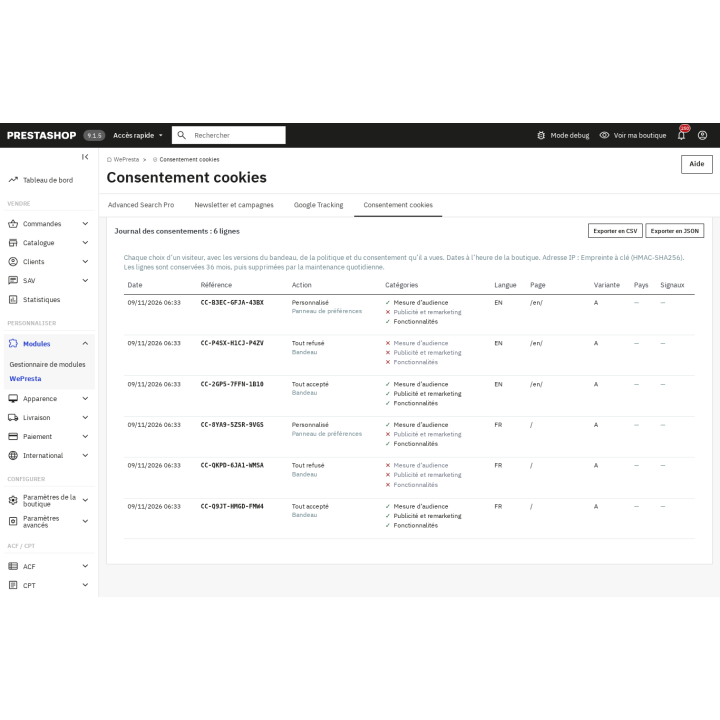
Every decision creates a row in an append-only log: a unique reference in the CC-XXXX-XXXX-XXXX format, UTC date, shop, language, page, action (accept, reject, customize, withdraw, refusal by browser signal), categories, banner, policy and consent versions, country, GPC and DNT signals. The IP address is stored as an HMAC-SHA256 keyed hash by default; you can truncate it or not store it at all. The reference is shown to the visitor after the choice.
Rows are chained by a SHA-256 fingerprint: each row contains the fingerprint of the previous one, and the module's integrity check reports a row that was changed or deleted. This is technical evidence: it shows that a row was changed without the chain being recomputed, but it is not a qualified timestamp and it does not detect someone who recomputes the whole chain with database access. The log exports to CSV and JSON, filters by period, action, country, reference or visitor, and rows older than the retention period — 36 months by default — are deleted automatically.
Consent Mode v2 and cookie policy
The module sends Google Consent Mode v2 signals before any tag: denied defaults in the EU, the EEA, the UK and Switzerland, an update on every choice, a wait timeout and advertising data redaction. Google requires Consent Mode v2 for advertising and measurement in these regions; it is not a legal obligation in itself. Only one signal sender is active: the module, or the Google Tracking module when installed, with a warning if both send.
The cookie policy is generated from the real inventory: categories and legal bases, third-party services and cookies with their usual durations, native PrestaShop cookies (session, cart, language, currency), the consent log and withdrawal. It is published as a CMS page in every shop language, with a version number, and a cookie table can be reused through a shortcode. It is a template to read and adapt: the module displays that warning and asks for confirmation before publication.
Scan the shop and see what happens
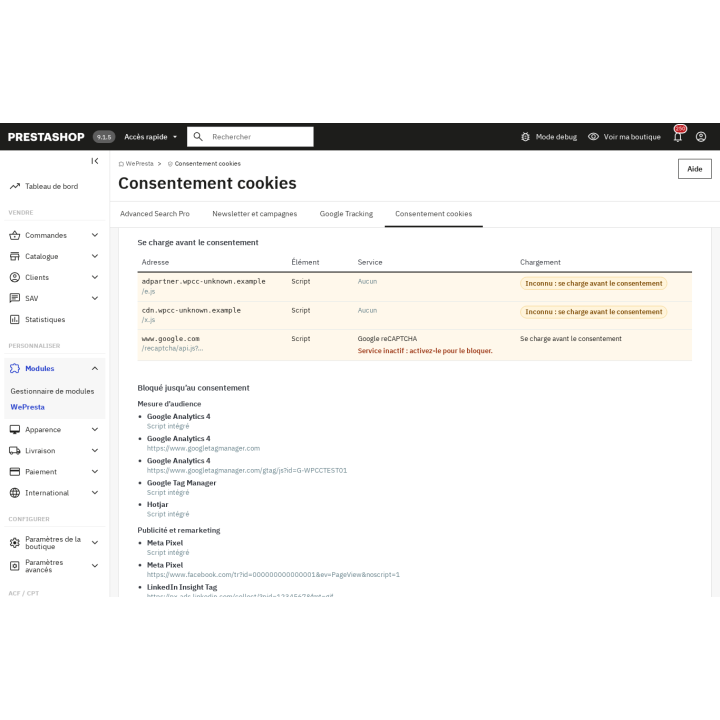
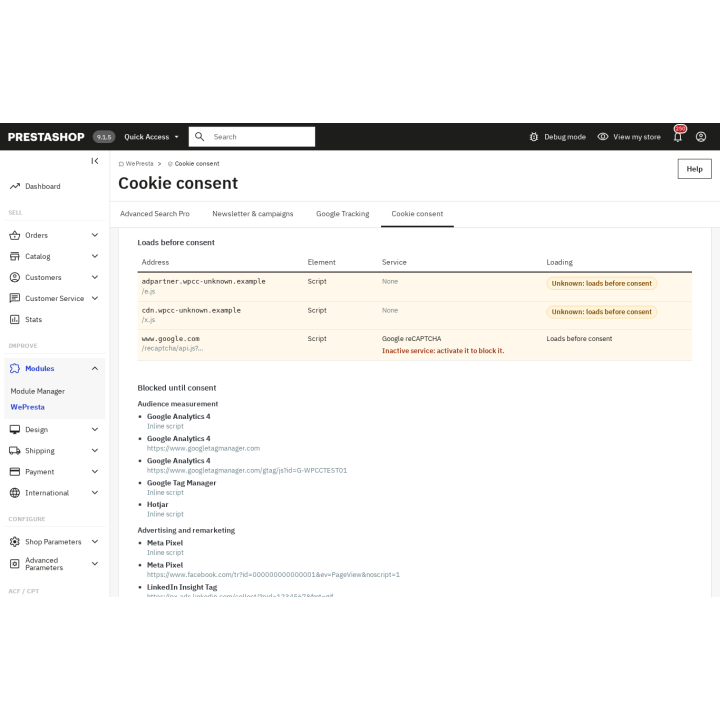
The scan visits six representative pages — home, category, product, CMS page, contact, cart — and lists the scripts, iframes, pixels and cookies they load. The report separates what loads before consent, what is blocked until consent and what the shop itself sets, with a before/after comparison. Unknown domains are listed so you can classify them, ignore them or turn them into a custom service; new domains raise an alert and, if you enable it, an e-mail after the scheduled scan.
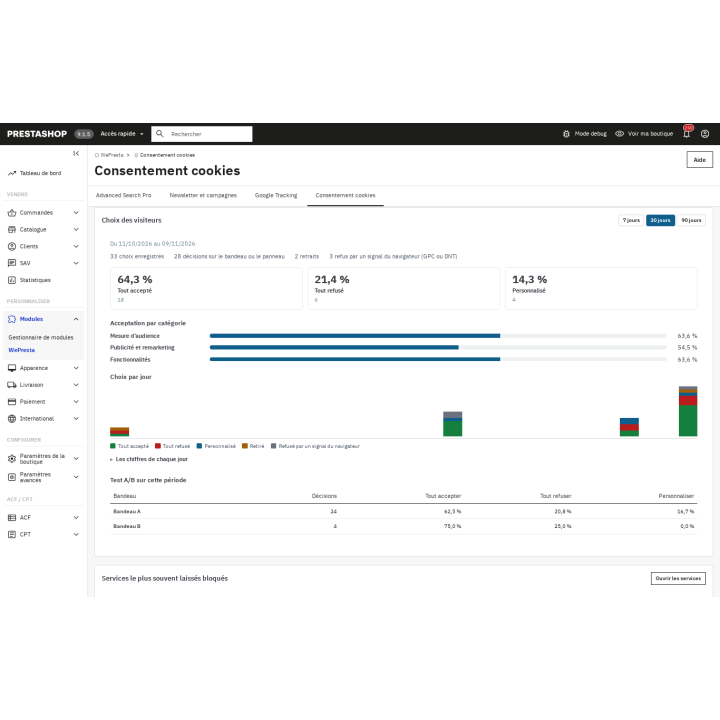
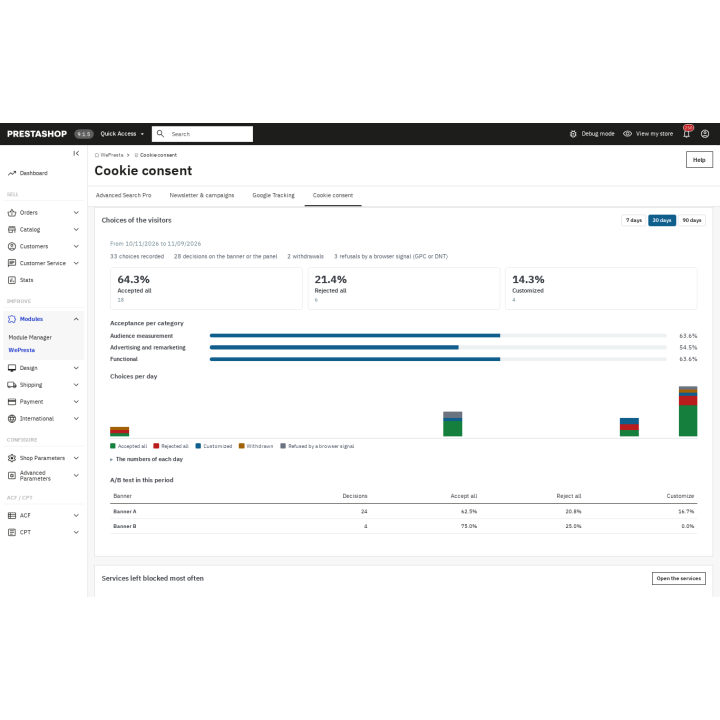
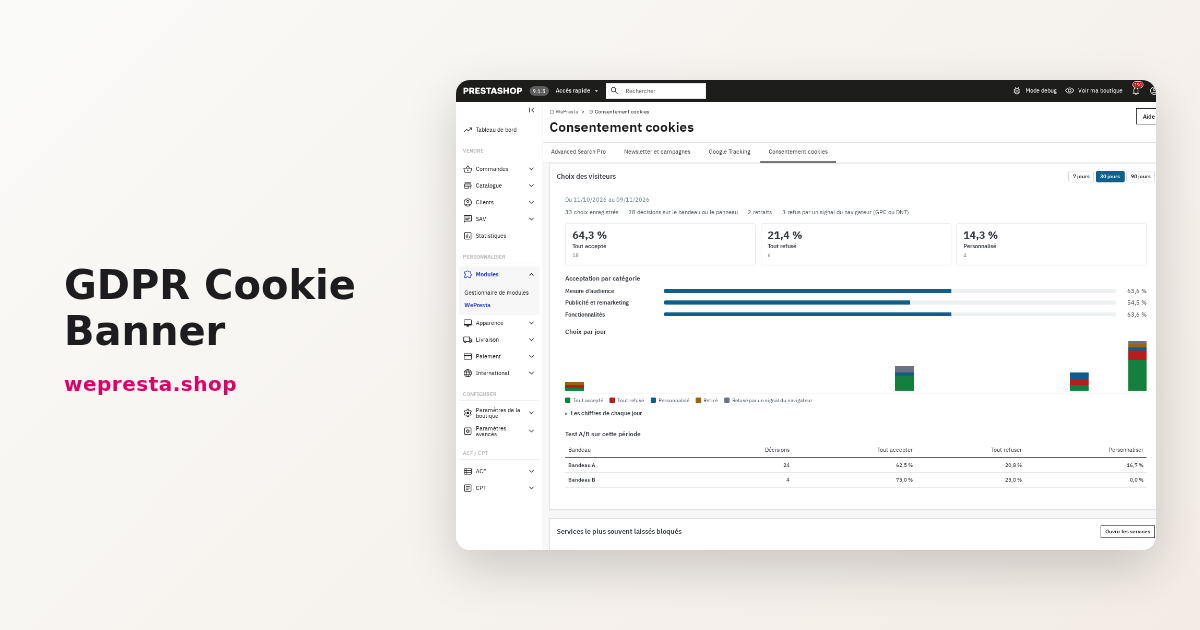
Test mode, active after installation, changes nothing for visitors: you preview the banner on the shop, and a control page for employees shows the cookies visible to the browser, the services loaded and the category status before and after a choice. The dashboard gathers acceptance, rejection and customization rates, the trend, the most often blocked services, the last scan and configuration alerts. An A/B test compares two banner variants, and country rules can show, hide or replace the banner with a simple notice, with the appropriate warnings.
Accessible, multistore and cache-friendly
The banner and panel target WCAG 2.1 AA: semantic dialog, ARIA roles, keyboard navigation, Escape to close, visible focus, 48 px targets, stacked buttons on mobile and contrast checked on save. The module ships its texts in English, French, Spanish, Italian and Polish, and you can enter every language installed in the shop.
The HTML is identical for every visitor: the choice is applied in the browser, which keeps it compatible with PrestaShop's native cache and with Cache Pro. On the storefront there is one JavaScript file and one CSS file, no jQuery and no external call; the cache is purged whenever settings are saved. In multistore, each shop has its own settings, log, scans and policy; JSON export and import let you duplicate a configuration between shops.
What the module does not do
- It does not certify that your shop is compliant and does not replace legal advice.
- It does not provide IAB TCF consent strings: it is not aimed at programmatic advertising publishers.
- It does not cover regimes outside the EU/EEA, the UK and Switzerland (CCPA/CPRA, LGPD, etc.).
- It does not run a hosted cloud consent registry and does not sync consent across several domains.
- It does not handle data subject access or erasure requests: PrestaShop's native GDPR module does.
- The cookie policy is a generated template: you must read it and adapt it to your shop.
Which shops is it for?
For any PrestaShop shop receiving visitors from the European Union, the EEA, the UK or Switzerland, especially those using GA4, Google Ads, Meta, TikTok or LinkedIn without an in-house legal team. Agencies get JSON import/export and duplication between shops; shops that received a question or a letter about their cookies get the scan, the log and the references. The module works with the Classic and Hummingbird themes.
Requirements and license
PrestaShop 1.7.8, 8.0+ and 9.0+, PHP 7.4 or later. A cron task is useful for scheduled scans and maintenance; PrestaShop's native geolocation (MaxMind database) is optional and used only when you enable it. A valid license is required: without it the module disables itself, the banner is no longer shown and scripts are no longer blocked, but your settings, services, log and policy page are kept and come back with the license.
Block trackers before the choice, keep a record of every decision and publish a cookie policy that matches your shop.