Spam does not stop at the form widget
A classic CAPTCHA protects the display of a form, not its processing. A bot that sends a POST request straight to the contact, registration or newsletter controller skips the widget and drops its message. That is why stores still receive spam with reCAPTCHA enabled. Free modules often cover one provider and a few forms, with no rate limit, no log and no way to see what happens.
Form Anti-Spam: CAPTCHA and Bot Blocking puts a server-side check in front of every protected form. The submission is examined at the very start of the request, before PrestaShop or the form's module processes it: a refused submission creates no account, sends no message, subscribes no one and publishes no review. The module works without a third-party account or key by default; an external CAPTCHA remains a choice, form by form.
A check at submission, before processing
Each protected form receives a signed token, an invisible trap field and a minimum fill time. The server checks the token signature, the age of the page, the trap field and duplicates before accepting the submission. A bot that posts without loading the page has no valid token; a bot that fills in the whole form also fills in the trap field.
- Signed token: tied to the form, the store and the time; it expires after 12 hours by default and is refreshed at the first interaction with an old form.
- Trap field: hidden off-screen, never reachable by keyboard, with a name drawn at random at installation.
- Minimum time: from 0 to 30 seconds depending on the form, 1 to 3 seconds by default on sensitive forms, to stop instant submissions.
- Duplicates: identical content sent again within the configured window is refused, while a corrected retry goes through.
A safety net protects real visitors: while a form has never sent the module fields (a theme or a module that draws the form its own way), a missing token is logged without blocking, and the dashboard offers to test the protection. Once a valid submission has been seen, a missing token is refused.
No-third-party methods are on by default
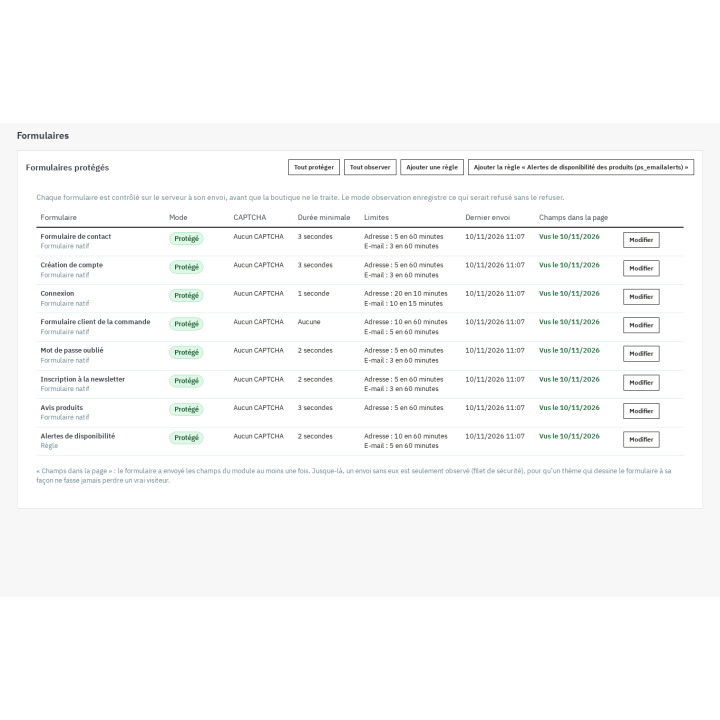
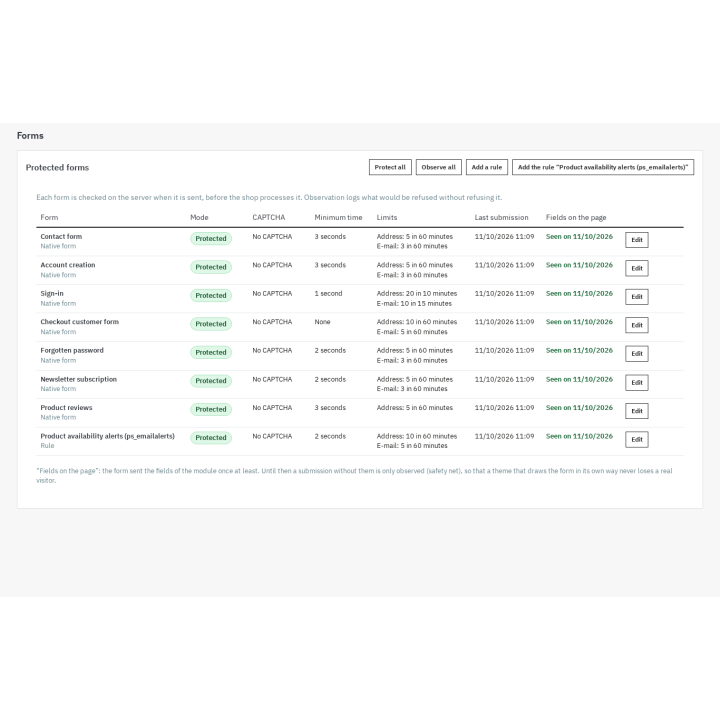
At installation, the seven native forms switch to protected mode with no external CAPTCHA: contact, account creation, sign-in, checkout customer form, forgotten password, newsletter and product reviews. The store is protected without a key, a subscription or an external call. No provider script is loaded until you choose one.
The CAPTCHA you choose, form by form
When you want an extra verification, choose a provider for a given form: Google reCAPTCHA v2 (checkbox or invisible), reCAPTCHA v3 with a score threshold, Cloudflare Turnstile, hCaptcha (normal, compact or invisible) or Friendly Captcha. You enter your own keys, the module never prints them back, and a test button checks that they are accepted. By default, the provider script is loaded only on pages that contain a form protected by that provider, at the first interaction with the form.
- When the provider is unreachable: allow the submission (it goes through and is logged as skipped) or refuse it, as you choose.
- Consent: the script can wait for the visitor's consent, with the Cookies GDPR module or another consent tool; without consent, the form stays protected by the native checks, or shows a message if you choose to ask for consent.
- Accessibility: invisible variants avoid an extra checkbox; a visible CAPTCHA can hinder some visitors, so the choice is yours.
Rate limits, lists and temporary bans
Every submission counts in a sliding window per IP address and per e-mail address, with thresholds set per form. Beyond the limit, the submission is refused; after several warnings, the address is banned temporarily on every protected form. Browsing always stays possible: the module never blocks a page.
- Block and allow lists: IPv4 and IPv6 addresses, CIDR ranges, e-mail addresses, domains and wildcard patterns; manual entry, CSV import and CSV export.
- Disposable domains: a list supplied at installation that you can extend or trim, and an optional cached MX check.
- An address on both lists is allowed: the allow list wins.
Observe before blocking, understand afterwards
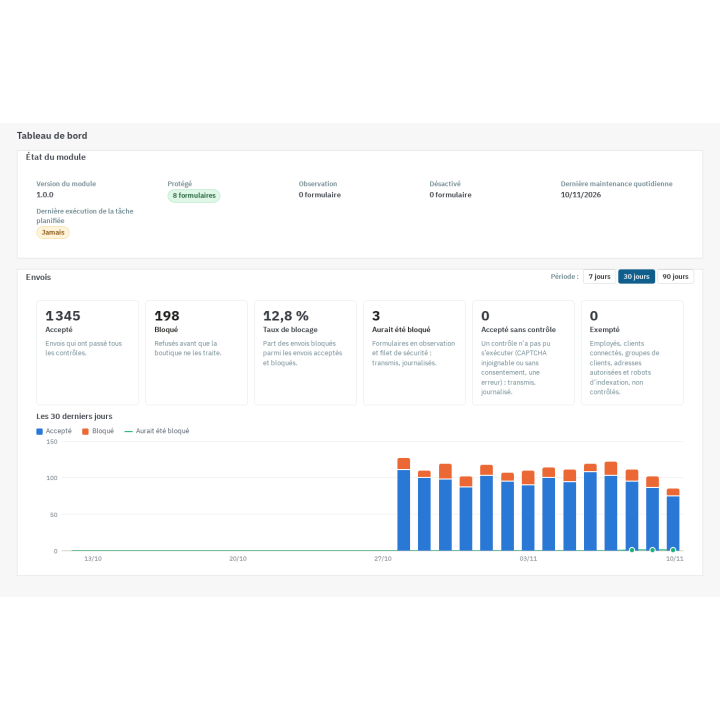
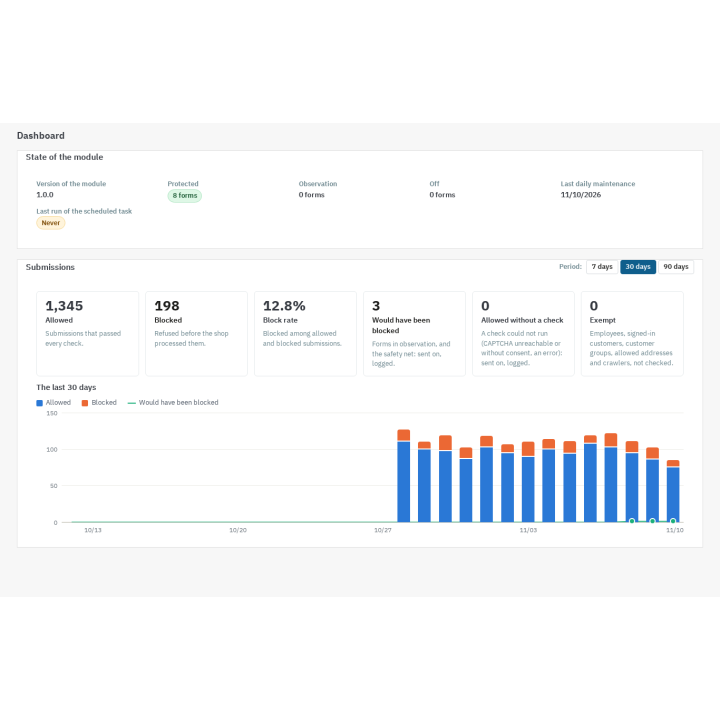
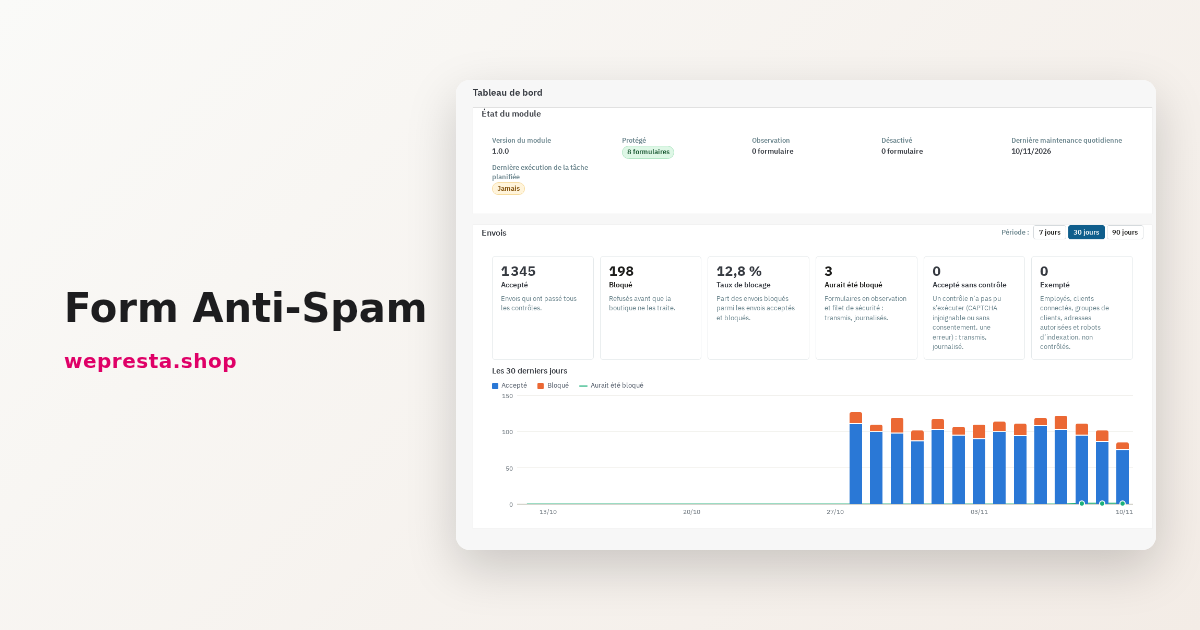
Observation mode runs every check and logs what would have been blocked, without refusing anything. You watch for a few days to confirm that your customers get through, then switch protection on form by form. The dashboard shows allowed, blocked, observed, skipped and exempt submissions, the block rate, a 30-day chart, the detail per form and per reason, and the most blocked addresses.
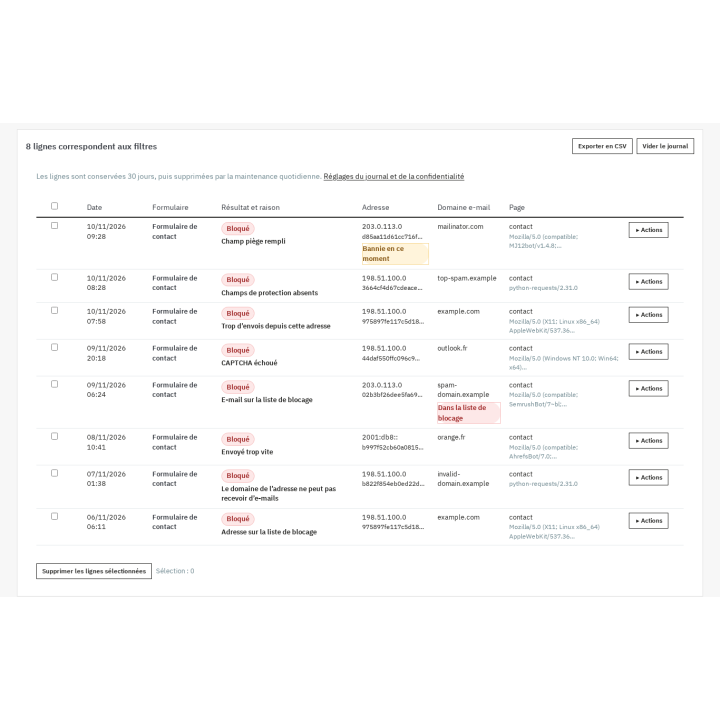
The blocked-attempt log gives, for each refusal, the form, the reason, the date, the masked or hashed address and the e-mail domain. You can block an address or a range, allow an address, block a domain or lift a ban in one click, then export the log to CSV. Entries are purged automatically after 30 days by default.
The Test my protection tool reads the form page as a visitor, checks that the fields, the token and the script are present, sends a direct submission without fields to confirm that it is refused, and checks the keys of the chosen provider. The result stays displayed until the next run.
Covered forms
The module protects the seven native PrestaShop forms, including account creation during checkout. For forms of other modules, two options: a per-controller rule, with the field that marks the submission and the expected answer format, or the documented PHP API so that a module calls the checks from its own code. A ready-made rule covers the product availability alerts of ps_emailalerts.
The order itself is never filtered: not the cart, not the payment, not the confirmation, not the addresses. The thresholds of the checkout customer form are deliberately generous and without a minimum time, so that a sale is never lost.
Optional e-mail verification at registration
Off by default, it adds a signed, expiring link to registration on the account creation page. A pending account cannot sign in before confirmation and can ask for a new link. The store never holds an account when it does not send e-mails or when sending fails, and a pending account stays freely accessible if the module is disabled or the license expires.
Exemptions and privacy
Employees signed in to the back office, verified search engine crawlers, customer groups you exempt, allowed addresses, signed-in customers (per form) and scheduled tasks are not checked. By default the log never contains a clear address: the address is masked, a hashed fingerprint is used for lists and limits, and the e-mail domain is kept without the full address. You choose the retention period and can export or erase the data through the GDPR hooks.
The module helps you reduce spam and limit the data you collect; it does not certify your GDPR compliance and does not replace legal advice. External CAPTCHAs have their own terms and privacy policy: it is up to you to mention them in your policy and to choose the appropriate consent.
Multistore, languages and license
Settings, forms, log and statistics belong to each store; list entries can belong to one store or be shared. The interface and messages exist in French, English, Spanish, Italian and Polish; the Classic and Hummingbird themes work without modification. Uninstall keeps the data by default, with an option to delete it.
The module works with a valid WePresta license. Without a valid license it disables itself: forms are no longer checked, no CAPTCHA is shown and nothing is logged, so spam can reach them again. Your settings, lists and log are kept, and the module is enabled again as soon as the license is valid.
Requirements and limits
- PrestaShop 1.7.8, 8.0+ or 9.0+; PHP 7.4 or newer.
- No paid third-party account is required. CAPTCHA providers are optional and need their own keys; Cloudflare Turnstile needs a Cloudflare account.
- A scheduled task (URL with token or command line) runs the daily maintenance: purge of the log, counters and expired bans.
- CAPTCHA verifications and the MX check use outgoing network calls; without network access, the behavior you chose applies.
- No module can promise zero spam. This module sharply reduces automated submissions and gives you the means to see and adjust; it replaces neither your privacy policy nor legal advice.
- A limit that is too strict can hinder visitors behind the same address (a company, a mobile carrier): use observation mode and allow lists before switching protection on.