Automatic SEO meta tags: titles, descriptions and keywords for your whole catalog - Module PrestaShop

Your whole catalog in one meta tag workshop: templates per language, a preview before writing, batches with undo, an audit and a clean head โ€” with nothing added to the storefront.

New Version 1.0.0 1.7.8 8.0+ 9.0+ 5 languages ๐Ÿ‡ซ๐Ÿ‡ท FR ๐Ÿ‡ฌ๐Ÿ‡ง EN ๐Ÿ‡ช๐Ÿ‡ธ ES ๐Ÿ‡ฎ๐Ÿ‡น IT ๐Ÿ‡ต๐Ÿ‡ฑ PL
  • Templates per page type and per language for the meta titles, descriptions and keywords of products, categories, brands, CMS pages and the home page
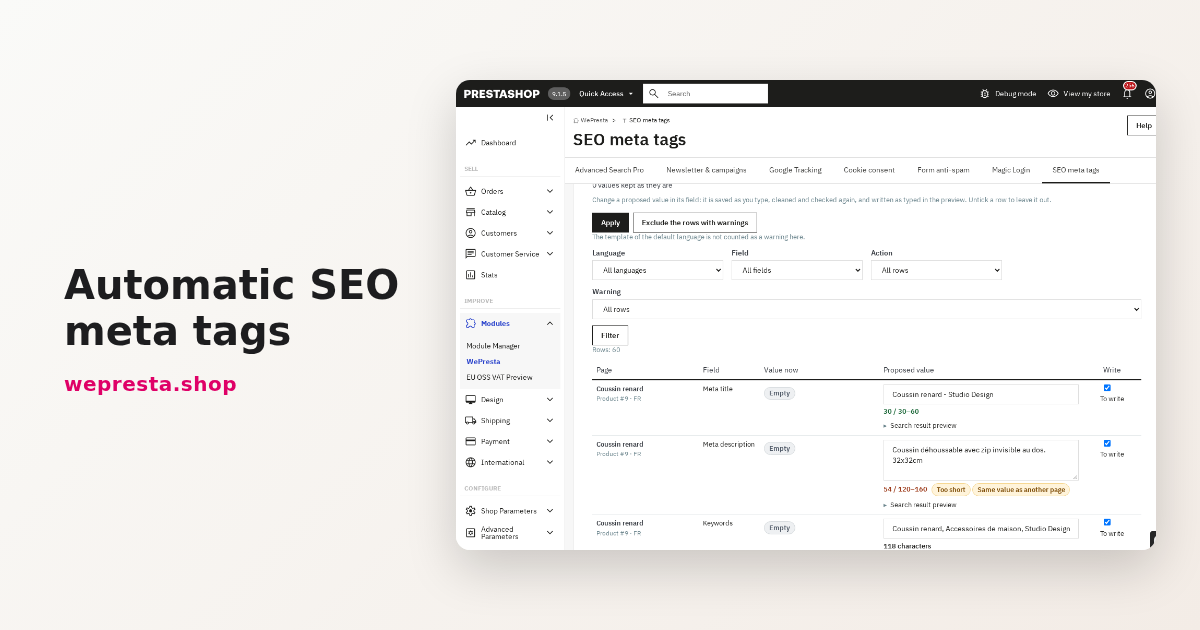
  • A preview before writing: old and new value, counters, search-result preview, warnings and line-by-line editing
  • Batch application with resume, undo and history; values you typed by hand are never replaced without your consent
  • Audit, CSV import and export, social tags, hreflang, canonical URLs, an optional shop-name suffix and optional AI generation
  • Compatible with PrestaShop 1.7.8, 8.0+ and 9.0+ (PHP 7.4 minimum)
Not sure yet? Try it free for 24 hours โ€” no credit card required.
Features

Everything you need, nothing you don't.

Five page types, five languages, one or more shops: the module proposes, you approve, it writes โ€” and it keeps a record of everything.

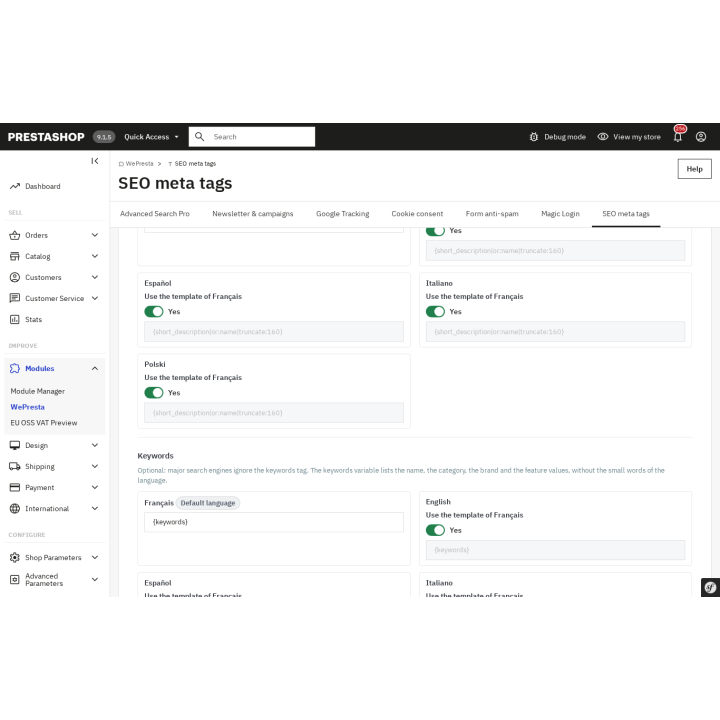
One template per page type and language

Products, categories, brands, CMS pages and the home page: each type has its own template, and each language can write its own. Variables, filters and optional groups build clean values, with no empty text or dangling separator.

The preview before writing

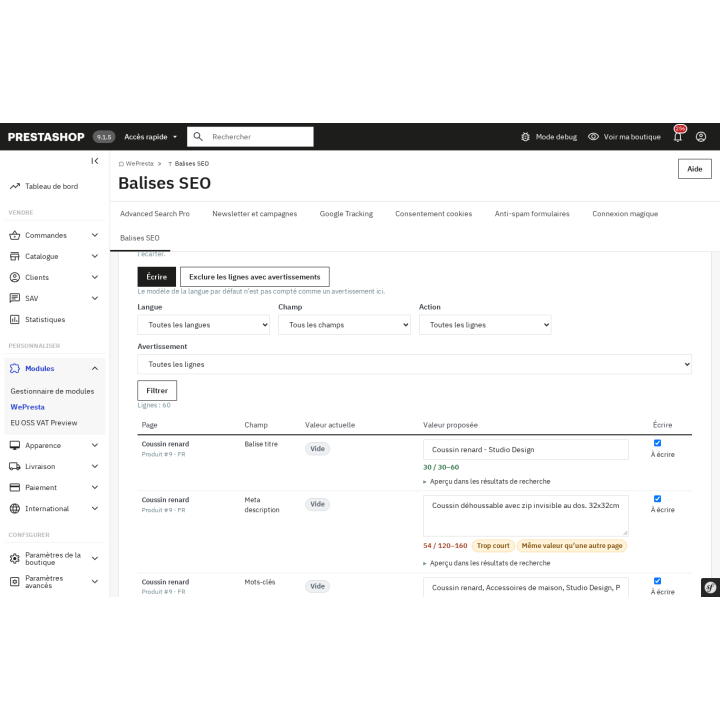
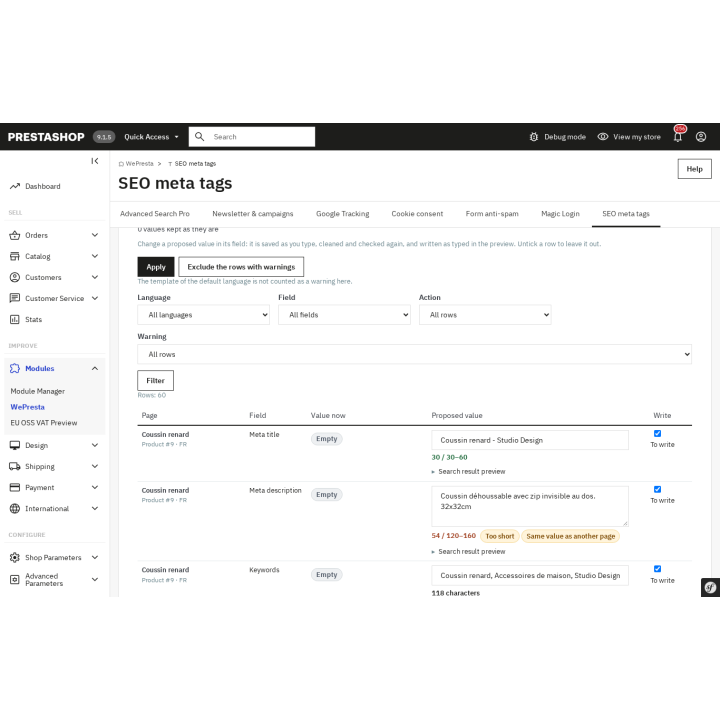
Old and new value side by side, a counter, a search-result preview and warnings: every proposal can be edited or excluded line by line, before anything is written.

Batches that can stop

Three replacement modes, a selection by category, brand, language and shop, a progress bar, resume after interruption, undo and a timestamped history.

The audit and the CSV

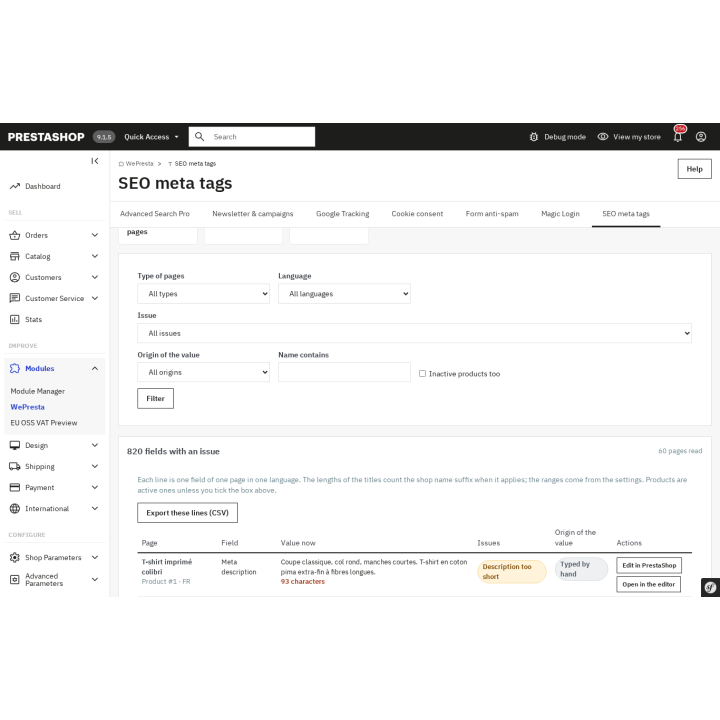
Spot empty fields, values too short or too long, duplicates and changes made outside the module. Filter, export as CSV or start the generation on the selection.

A clean head, without duplicates

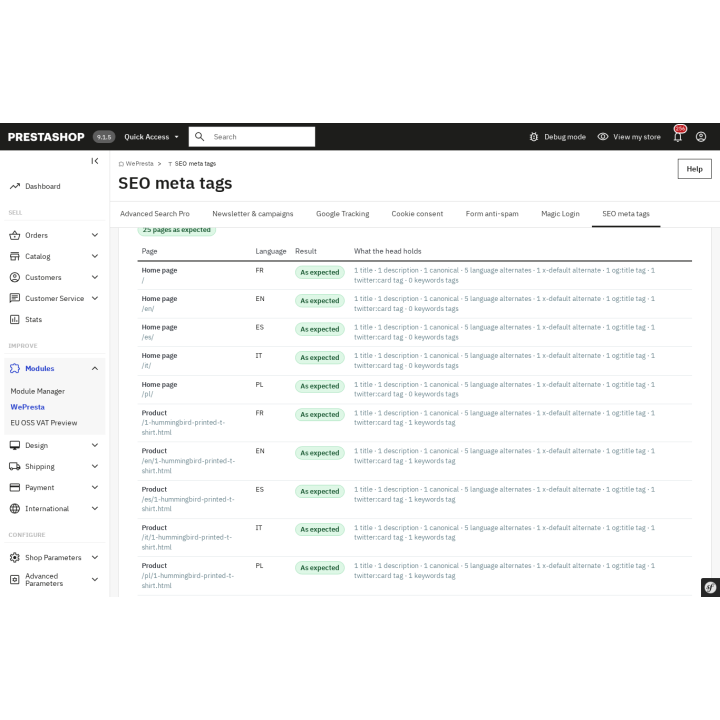
Open Graph and Twitter Card, hreflang with x-default, canonical URL, shop-name suffix and keywords tag: the module replaces the themeโ€™s tags with one configurable set.

Automatic, with AI if you want it

New pages fill themselves in and the moduleโ€™s values follow price changes. The optional AI proposes texts with your key, always reviewed before writing.

description Full description expand_more

A whole catalog of SEO tags, without writing them one by one

On a catalog of a few hundred products, writing a unique meta title and meta description by hand for every product, in every language, takes days. PrestaShop offers neither a template nor a mass edit: each page is edited on its own, and the theme leaves the basic tags as they are. The result is empty descriptions, titles copied from one product to the next, and pages that look the same to search engines.

Automatic SEO Meta Tags turns this into a routine: you describe once, in a template, what a good title and description contain, and the module proposes the value of every page โ€” product, category, brand, CMS page and home page โ€” in every language and every shop. You check it, correct it if needed, then write in batches. The module then keeps a record of what it wrote: a value typed by hand is never replaced without your consent.

Templates that know your catalog

A template combines fixed text and variables: name, category, brand, price, reference, EAN, attributes, features, short description, shop name, year, language and currency. Filters format the result โ€” upper case, lower case, first letter in capitals, tag stripping, word-safe truncation, fallback value โ€” and optional groups avoid dangling separators when a variable is empty. For example, {name}[ - {brand}] gives โ€œFox cushion - Studio Designโ€, and {short_description|or:name|truncate:160} uses the short description, or the name when it is empty.

Each page type has its own template, and each language can have its own. A language that inherits the default-language template does not translate its text: it applies it with its own variables. For genuinely native wording, write one template per language.

Nothing is written before you approve it

The module first analyses the selection, then shows a preview: old and new value side by side, a character counter against your minimum and maximum, a search-result preview and warnings โ€” empty variable, value too short or too long, duplicate with another page, value cut at the field limit. Every proposal can be edited line by line, and every row can be excluded. Three modes decide what is replaced: fill empty fields only, replace the values written by the module, or replace every value after confirmation. A progress bar shows the work; if the browser closes, the application resumes where it stopped. The last application can be undone, and the timestamped history keeps the before, the after and the author of every write.

Find the tags that are missing

The audit walks the catalog and sorts the issues: empty field, title or description too short or too long, title or description shared by several pages, empty keywords, value changed outside the module. The table filters by type, language, issue, origin of the value and name; every row leads to the native edit page or to the module's editor, and the CSV export follows exactly the filter on screen. A โ€œGenerate for these pagesโ€ button opens the generation with the selection already made.

Import, export and keywords

The CSV export produces a UTF-8 file, one row per page and per language, with the title, description, keywords and canonical URL. The import starts with a dry run: every line is checked โ€” type, identifier, shop, language, length, forbidden characters, canonical URL, duplicate โ€” and the report gives the file, line, field and reason. An empty cell leaves the value in place; the {empty} token clears it. Keywords can be generated from the name, category, brand and feature values, with stop-word lists in English, French, Spanish, Italian and Polish, case- and accent-insensitive deduplication, and a length limit. Major search engines ignore the keywords tag: the module keeps it for the tools and shops that use it, without promising an effect on rankings.

Clean tags in the head

The module replaces the tags the theme prints with one configurable set, without adding anything visible to the page:

  • Social tags Open Graph and Twitter Card, with a template per page type and an image fallback (product cover, then category image, then logo). The product:* tags of product pages are kept and the theme's duplicates removed.
  • Hreflang for products, categories, brands, CMS pages and the home page, in every active language of the shop, with x-default, absolute URLs and only the translations that exist. One set of tags is printed, in place of the theme's set.
  • Canonical URL customized per product, category or CMS page, with URL validation; when empty, the native canonical is kept, and only one canonical tag is served.
  • Shop-name suffix in the title, optional, with the separator of your choice; the title length is counted with the suffix.
  • Keywords tag on PrestaShop versions that no longer have a native field: the module stores the keywords and prints the tag itself.

The result is identical for every visitor, with no cookie, and no query is added on pages the module does not cover.

New pages fill themselves in

When a product, category, brand or CMS page is created, its empty fields receive their value. On update, empty fields are filled and, if you asked for it, the values written by the module are recalculated when the price or another template variable has changed. A value typed by hand, imported or changed outside the module is never touched by this automatic generation. Specific-price and combination changes queue the product; beyond 20 objects in one request, the rest is processed by the scheduled task. A daily recalculation keeps values that depend on the year, price rules, taxes or currencies up to date. Everything can be switched off per type, per language and per shop.

AI only if you want it

The module can ask an OpenAI-compatible API for title, description and keyword proposals, with your own key and the model of your choice. You choose the data sent (name, category, brand, features, short description), the languages and the fields; each object is one request, and the result arrives in the same preview, with no automatic write. The key is encrypted and masked. Without a key, every other feature keeps working.

Multistore and five languages

In a multistore, templates, settings and jobs are configured per shop, and one generation can target one or several shops. Products, categories, CMS pages and the home page keep a value per shop; brands, whose native fields are shared, are flagged as such. A new shop receives the templates of the default shop, and a button copies templates from one shop to another. The interface exists in English, French, Spanish, Italian and Polish.

What the module does not do

It does not create JSON-LD structured data or rich snippets, does not generate a sitemap, does not change robots.txt, does not manage redirects, does not rewrite URLs and does not write image alt texts. It does not track your rankings in search engines and does not replace Search Console. It prepares and checks tags; it guarantees neither a ranking nor traffic.

Move from a catalog with uneven tags to a consistent catalog: describe once, check every value and let the module write the rest.

Comparaison

Why choose us?

See how we compare to the most common alternatives on the market.

Feature Addons
Transparent pricing
Lifetime updates included
Direct developer support
PS 1.7, 8 & 9 compatible
Standardized clean code
Multi-store ready
No hidden renewal fees
Included Not included Partial / Not guaranteed
Preview

Discover the module in images.

Preview: every proposed value comes with its warnings and its search-result rendering; edit or exclude a row before writing.

Preview: every proposed value comes with its warnings and its search-result rendering; edit or exclude a row before writing.

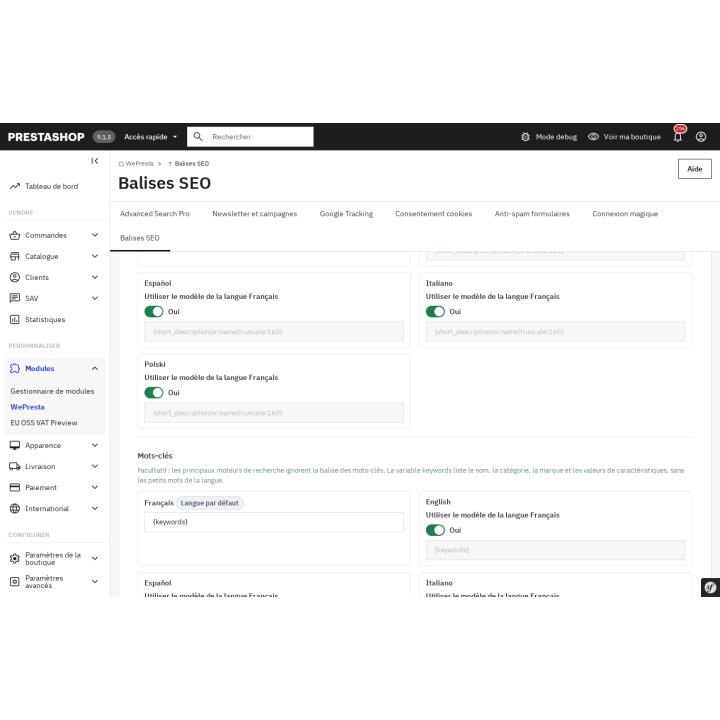
Templates ยท Products: a meta description template from variables, and the five languages, four of which inherit from English.

Templates ยท Products: a meta description template from variables, and the five languages, four of which inherit from English.

Audit: the counts per issue โ€” empty title, empty description, too short, shared โ€” then the filters and the rows to fix.

Audit: the counts per issue โ€” empty title, empty description, too short, shared โ€” then the filters and the rows to fix.

Check my pages: โ€œ25 pages as expectedโ€, the date of the check and, per page, title, description, canonical and language tags.

Check my pages: โ€œ25 pages as expectedโ€, the date of the check and, per page, title, description, canonical and language tags.

Preview: every proposed value comes with its warnings and its search-result rendering; edit or exclude a row before writing.

Preview: every proposed value comes with its warnings and its search-result rendering; edit or exclude a row before writing.

Templates ยท Products: a meta description template from variables, and the five languages, four of which inherit from French.

Templates ยท Products: a meta description template from variables, and the five languages, four of which inherit from French.

Support

FAQ

Find answers to frequently asked questions about this module

It writes the meta titles, descriptions and keywords of products, categories, brands, CMS pages and the home page from templates, after a preview and with a history. It also replaces the head tags it manages: canonical, hreflang, Open Graph, Twitter Card, title suffix and, on versions without a native field, keywords. It creates no JSON-LD, sitemap or redirects.

No. A template describes the structure of the title and description once; the module computes each pageโ€™s value from the name, category, brand, price and other variables. You can apply it to hundreds of pages in one batch, then let automatic generation fill new ones.

The generation produces a preview: old and new value, a counter against your limits, a search-result preview and warnings (empty variable, duplicate, value too short or too long). Every proposal can be edited or excluded; writing starts only after approval. Once written, the last application can be undone and the history restores a selection.

No, by default. The โ€œFill empty fields onlyโ€ mode touches nothing that exists; โ€œReplace the values written by the moduleโ€ replaces only what the module wrote. A โ€œReplace every valueโ€ mode exists but requires explicit confirmation. Automatic generation never touches a value typed by hand, imported or changed outside the module.

No. A language that inherits the default-language template applies that template with its own variables: the fixed text stays in the templateโ€™s language. For genuinely native wording, write one template per language. The optional AI can propose texts in each active language, but they go through the preview and are never written on their own.

On versions where the keywords field no longer exists, the module stores the keywords and prints the tag itself. A custom canonical URL is set per product, category or CMS page; left empty, the native canonical is kept. Hreflang covers the shopโ€™s active languages, with x-default, absolute URLs and only the translations that exist. One set of tags is printed, in place of the themeโ€™s set.

No. Without a key, everything else works. If you enable it, you enter your own key and the address of an OpenAI-compatible API; the module sends only the checked data (by default name, category, brand, features and short description), for the objects and languages you launch. Each object is one request, the result stays in the preview and is written only after your approval. The key is encrypted and masked. No product data leaves the shop without an explicit AI action.

Templates, settings and jobs are configured per shop, and one generation can target several shops. Products, categories, CMS pages and the home page have a value per shop. Brands are the exception: their native fields are shared by every shop, and the module says so. A new shop receives the default shopโ€™s templates, and a button copies templates from one shop to another.

PrestaShop 1.7.8, 8.0+ and 9.0+, with PHP 7.4 minimum. The module works with the Classic and Hummingbird themes: it acts on the standard head tags, not on the layout. PrestaShop 1.7.7 and earlier are not supported. The scheduled task is needed for the queue and the daily recalculation.

Without a valid license, the module disables itself: the tags already written stay in your PrestaShop fields, but new pages are no longer filled and the moduleโ€™s tags (custom canonical, hreflang, social tags, suffix, keywords on versions without a native field) are no longer printed. Templates, history and settings are kept. The configuration page re-enables the module as soon as the license is valid. On uninstall, you choose whether to keep or delete the moduleโ€™s data; native meta fields are never deleted.

5-minute installation · Full documentation included

Lifetime license
One-time payment, updates included for life.
Choose your license
No commitment · Cancel in 1 click from your account
Instead of --โ‚ฌ/year if purchased separately

You might also like

Loading...