- The SumUp form on your shop
- The SumUp payment page
- An order created only when SumUp confirms
- No lost order, no duplicate order
- Refund from the order
- SumUp payments and journal
- Settings per shop and per language
- Do I need a SumUp account?
- What if SumUp refuses to create the payment?
- Does the module take a commission on sales?
- What is the difference between the form and the SumUp page?
- Do card details go through my shop?
- What happens if the customer closes the browser after paying?
- Can I refund part of an order?
- Does the module work in Swiss francs?
- Can I test before opening payments to my customers?
- What happens without a license or after uninstalling?
SumUp payments on PrestaShop: card payments on your shop or the SumUp page
You already take payments with SumUp in your store, at markets or at appointments, and you want the payments of your online shop to land in the same account. With SumUp Payments, customers pay by card at checkout, the money goes to your SumUp account and the PrestaShop order is created only once SumUp confirms the payment.
The module connects to your own SumUp account with an API key. It adds no commission: only the fees of your SumUp contract apply.
Highlights:
- Two ways to pay, your choice: the SumUp payment form right on your shop, or the payment page hosted by SumUp
- An order only when SumUp confirms: status, amount, currency, merchant account and reference are checked before the order is created
- No lost order: SumUp’s notification creates the order even when the customer closes the browser after paying
- Full or partial refunds from the order page, without opening the SumUp dashboard
- Clear follow-up: SumUp payments page, journal, status read again at SumUp in one click
Overview
SumUp is widely used by independent merchants, in Switzerland as in the rest of Europe: a simple card reader, a single account and regular payouts. When the online shop uses another provider, the money ends up split between two accounts, with two statements and two contracts.
SumUp Payments adds SumUp as a payment method in the PrestaShop checkout. The customer chooses “Pay by card with SumUp”, enters the card in SumUp’s form, and the payment joins your other SumUp takings.
The module never sees card numbers: they are entered with SumUp. On its side, the shop reads every payment again from the SumUp API before it confirms the order. A forged return page or an invented notification is therefore not enough to create a paid order.
It is made for merchants who have a SumUp account and want to sell online without changing provider: physical shops with a website, craftspeople, producers, small brands, Swiss shops taking payments in Swiss francs.
Features
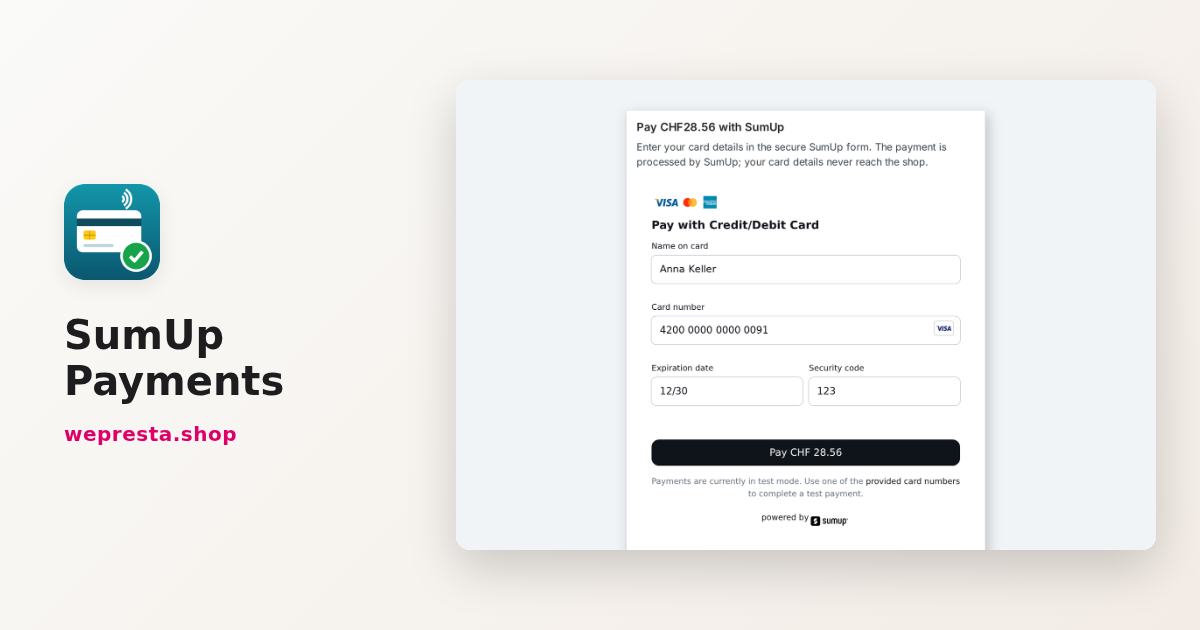
The SumUp form on your shop
In form mode, the customer stays on your shop. After choosing SumUp, they reach a payment page in your theme that shows the amount and SumUp’s card form in their language: Swiss French, German or Italian, for example, depending on the shop language and the country of their address.
When a payment is declined, the customer sees a clear message and can try again or choose another payment method. Google Pay is added to the form when you enter your Google Pay merchant ID.
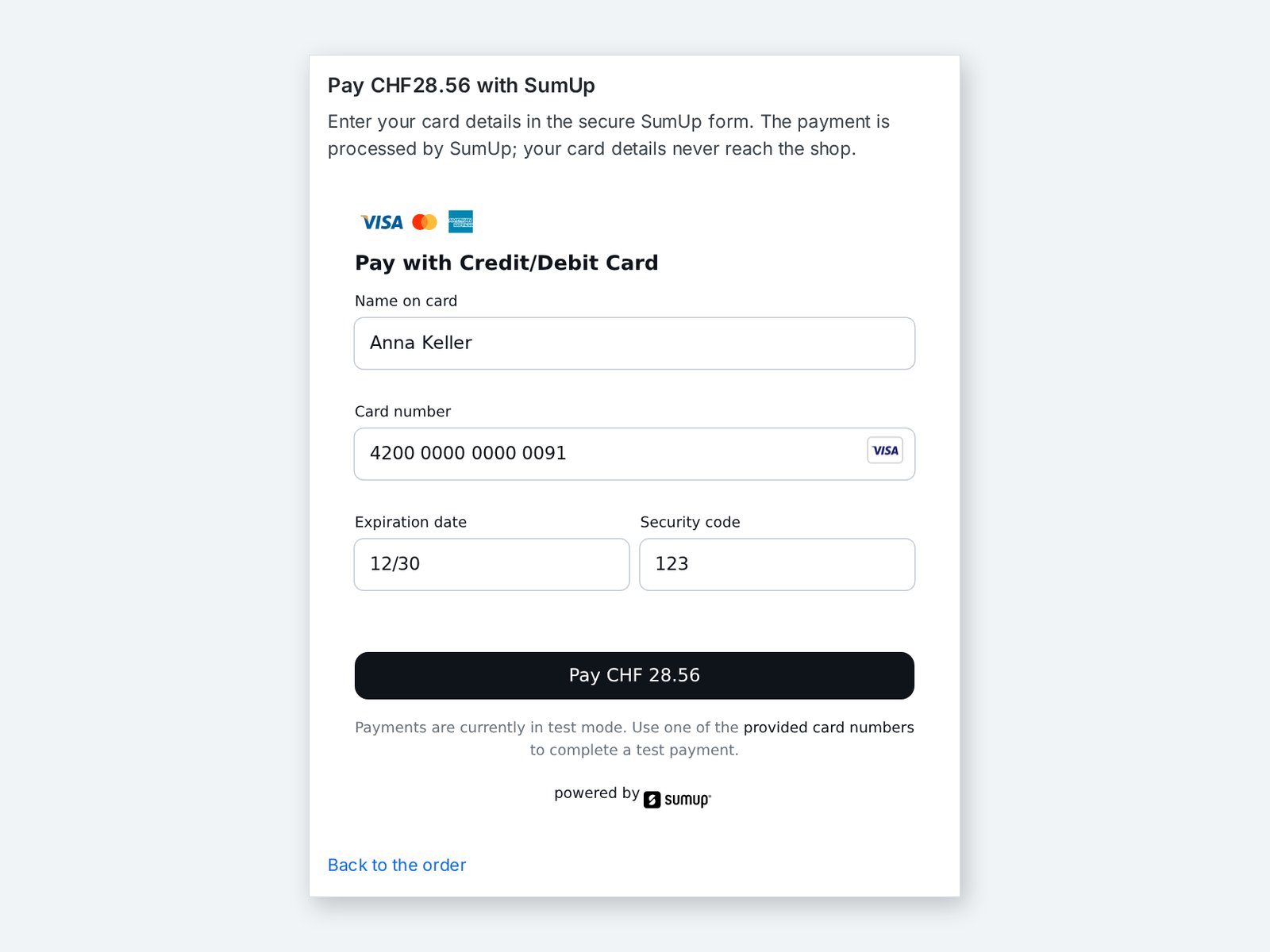 The customer enters the card in the SumUp form without leaving your shop
The SumUp payment page
In SumUp page mode, the customer is sent to the payment page hosted by SumUp, which offers card and Google Pay. After the payment, SumUp shows its confirmation with a button back to your shop; if the customer does not come back, SumUp’s notification still creates the order. It is the simplest choice when your site applies strict security rules to scripts. You switch from one mode to the other in the settings, with no other change.
An order created only when SumUp confirms
The customer’s return, the form and SumUp’s notification all lead to the same check. The module reads the payment from SumUp again and creates the order only if:
- the payment is paid, with a successful transaction;
- the amount and the currency are exactly those of the cart;
- the payment belongs to your merchant account and to this order.
The order gets the “Payment accepted” status (or the one you choose) and the SumUp transaction code is saved on the order payment. If the amount does not match, no order is created: the customer is asked to contact you and the journal explains why.
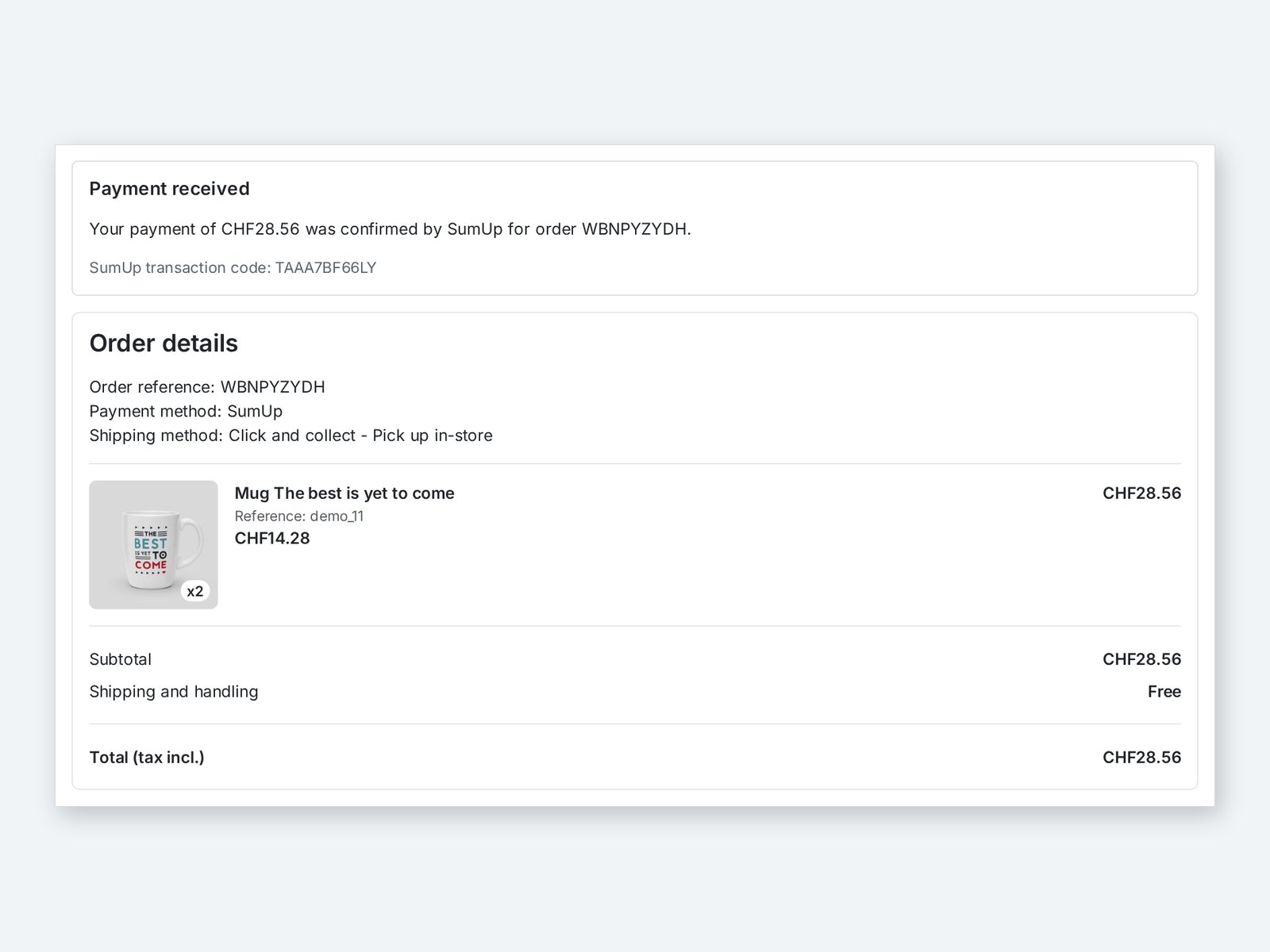 The order is created once SumUp confirms the payment, with its transaction code
No lost order, no duplicate order
A customer may close the browser right after paying. SumUp then notifies the shop, and the module creates the order at that moment. When the customer’s return and the notification arrive together, a lock makes sure only one order is created.
When the bank asks for an extra confirmation, the return page shows “Your payment is being confirmed” and updates itself until SumUp answers.
Refund from the order
The SumUp payment block of the order page shows the status, the amount paid, the amount already refunded, the transaction code and the SumUp reference. You enter the amount to refund, in full or in part, and the module sends the refund to SumUp. The customer is refunded on the card used.
After a full refund, the order moves to “Refunded”; after a partial refund, you choose to keep the current status or apply another one. An amount above what is left to refund is refused.
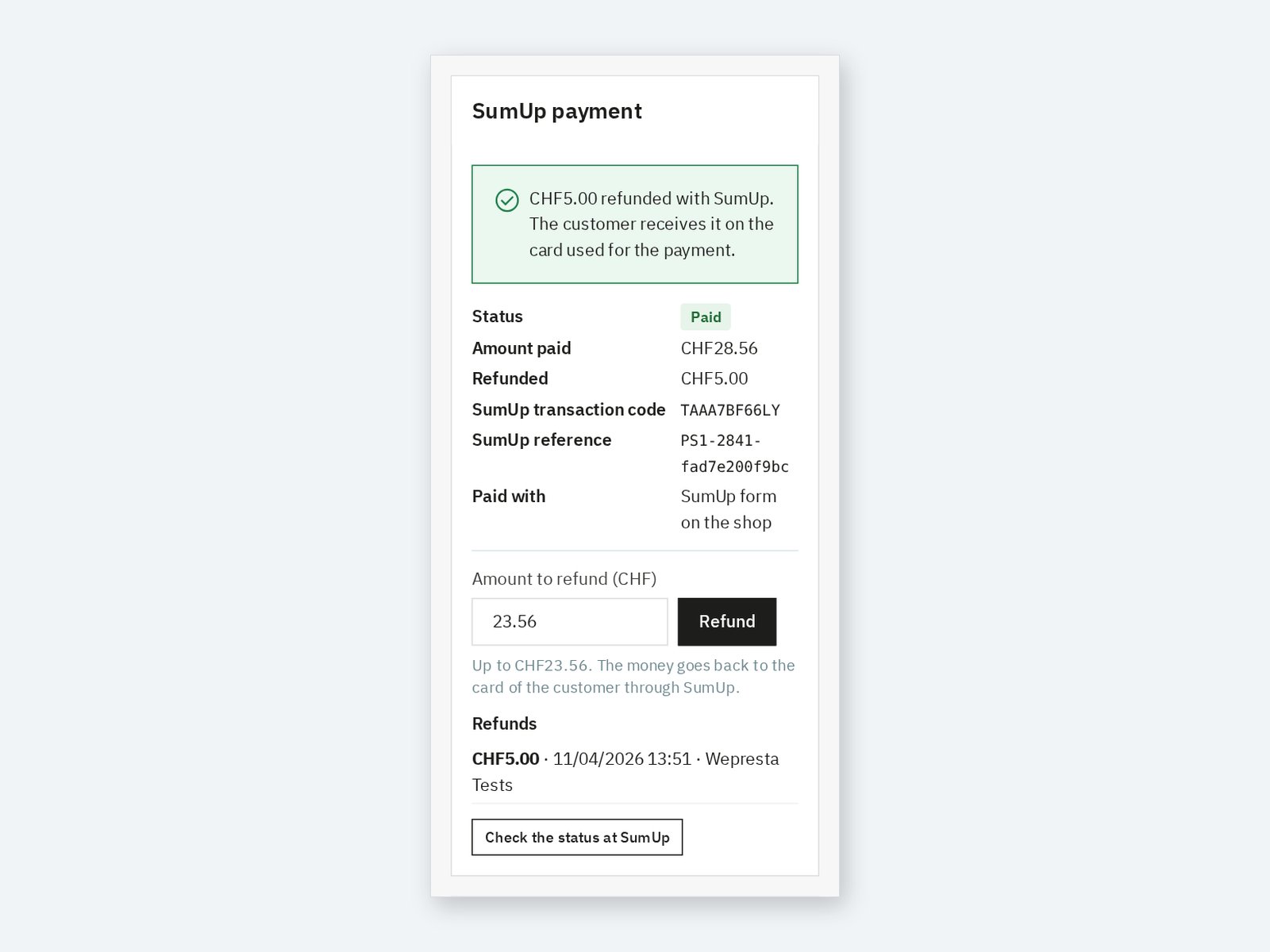 A partial refund made from the order, with the history and the amount left
SumUp payments and journal
The SumUp payments page lists every payment started at checkout, with its status, amount, mode, order and SumUp references, even before the order exists. You filter by status or search for an order, a cart or a transaction code.
The Check the waiting payments at SumUp button reads the waiting payments again: a confirmed payment whose notification could not reach the shop gets its order, an abandoned one is closed. The journal, kept 180 days, records payments, orders, refunds and errors, and never shows the key or card details.
Settings per shop and per language
- Name and description of the payment option in each language, or a default text translated automatically.
- Minimum and maximum order amount for SumUp.
- Allowed currencies in Payment > Preferences.
- Order statuses after payment, after a full refund and after a partial refund.
- With several shops, each shop can use its own SumUp account.
The API key is stored encrypted and never shown again: only its last four characters are visible. The Save and check the connection button confirms the linked SumUp account and its currency.
Installation
- Download the module archive from your customer account.
- In the back office, open Modules > Module Manager and click Upload a module.
- Select the ZIP file; PrestaShop installs the module, its tables and its menu entry.
- Click Configure and activate your license.
First setup
- On me.sumup.com, open the settings of your profile, then For Developers > Toolkit > API Keys: create a secret API key and note your merchant code, shown in your profile.
- In the module configuration, paste the key and the merchant code, then click Save and check the connection. The name of your SumUp account appears.
- Choose SumUp form on your shop or SumUp payment page.
- In Payment > Preferences, tick for SumUp the currency of your SumUp account, for example CHF for a Swiss account.
- Place a test order; it appears in SumUp payments and in your orders.
The module gives SumUp the notification address with every payment: nothing to set up at SumUp. This address only needs to stay reachable from the Internet.
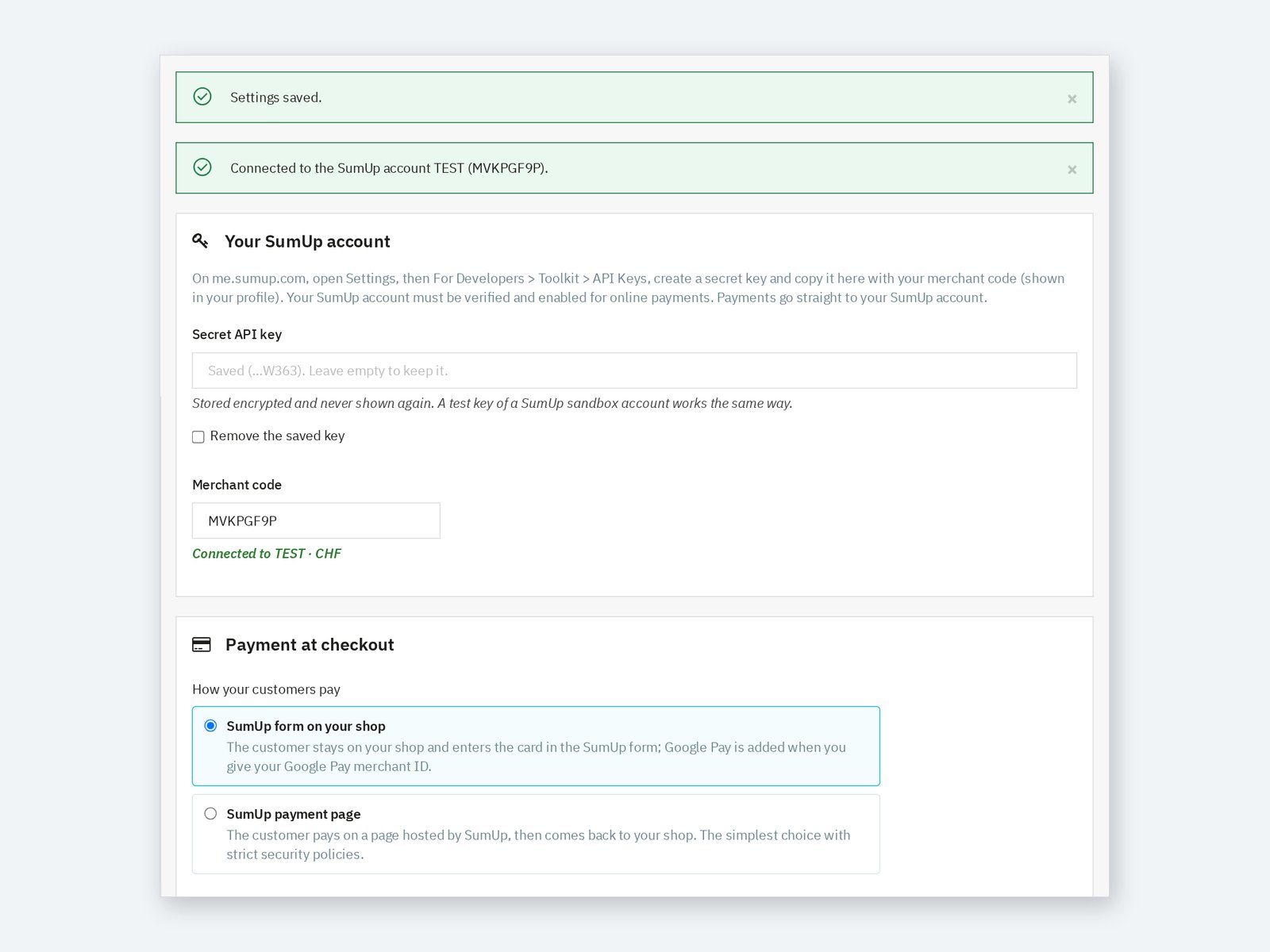 The SumUp account connected and the choice of the payment mode
Day-to-day use
Orders paid with SumUp arrive like the others, in the chosen status, with “SumUp” as payment method and the transaction code. For a return, open the order and refund from the SumUp payment block. The Check the status at SumUp button shows the current state of the payment, including a refund made from the SumUp dashboard.
When a payment raises a question, the SumUp payments page and the journal show every step: payment created, confirmed, order created, refund.
Use cases
A Swiss shop already using a SumUp card reader. Online sales are paid in Swiss francs into the same account. The customer pays on the shop in the SumUp form, in French, German or Italian.
A craftsperson selling at markets and online. One SumUp account, one statement. Returns are refunded from the order, without another tool.
A shop that prefers an external payment page. SumUp page mode sends the customer to SumUp and brings them back to the order confirmation.
Requirements and limits
- PrestaShop 1.7.8, 8.0+ or 9.0+; PHP 7.4 or later, with cURL.
- A verified SumUp merchant account, enabled by SumUp for online payments, and a secret API key. Payment fees are those of your SumUp contract.
- SumUp is offered only for carts in the currency of your SumUp account (for example CHF for a Swiss account), from 1 in that currency. The module reads this currency again when you save the settings.
- The notification address of the module must be reachable from the Internet; a password-protected shop still gets its orders through the customer’s return and the check of waiting payments.
- The module handles no subscriptions, recurring payments or instalments.
- A SumUp refund does not create a PrestaShop credit slip: create it from the order if your accounting needs it.
- Interface in English, French, Spanish, Italian and Polish; Classic and Hummingbird themes.
FAQ
Do I need a SumUp account?
Yes. The module takes payments into your own SumUp account, with your API key. It creates no account and the money never goes through WePresta.
What if SumUp refuses to create the payment?
The customer goes back to the choice of payment method with a message, and the configuration page of the module shows the date of the refusal. Check that your API key is still active, then ask SumUp support to enable online payments for your account: SumUp enables them once your account is verified.
Does the module take a commission on sales?
No. You pay the module license; payment fees are only those of your SumUp contract.
What is the difference between the form and the SumUp page?
With the form, the customer stays on your shop and enters the card in SumUp’s form. With the SumUp page, they are sent to SumUp and then come back to your shop. In both cases, the order is created only after the payment is checked with SumUp.
Do card details go through my shop?
No. The card is entered with SumUp, in its form or on its page. The shop only receives the result of the payment, which it checks with SumUp.
What happens if the customer closes the browser after paying?
SumUp sends a notification to the shop and the order is created then. If the notification cannot get through, the “Check the waiting payments at SumUp” button catches the payment.
Can I refund part of an order?
Yes. Enter the amount in the SumUp payment block of the order. You can refund several times, up to the amount paid.
Does the module work in Swiss francs?
Yes, if your SumUp account takes payments in Swiss francs and the CHF currency is enabled for the module in Payment > Preferences.
Can I test before opening payments to my customers?
Yes. A test key of a SumUp sandbox account works the same way as a live key; replace it with your live key when everything is ready.
What happens without a license or after uninstalling?
Without a valid license, the module disables itself: SumUp is no longer offered at checkout. Your settings, the payment history and the money already in your SumUp account are kept, and the module is enabled again from its configuration page as soon as the license is renewed. When you uninstall it, the module data is kept unless you choose to delete it; orders are never changed.
Support
For help, contact us from your WePresta customer account or by e-mail at mail@wepresta.shop, according to the support option of your plan.
Changelog
Version 1.0.0
- Take card payments into your SumUp account, with the SumUp form on your shop or the SumUp payment page.
- Get an order only when SumUp confirms the payment, with amount, currency and account checked.
- Keep every paid order, even when the customer closes the browser after paying.
- Avoid duplicate orders when the customer’s return and SumUp’s notification arrive together.
- Refund all or part of an order from its page, with the order status of your choice.
- Follow every SumUp payment, filter them and read the waiting payments again in one click.
- Read the journal of payments, orders, refunds and errors.
- Set the name and description of the option in each language, with a minimum and maximum amount.
- Check the connection to your SumUp account; the API key is stored encrypted.
- Use one SumUp account per shop with multistore.
- Use the module on PrestaShop 1.7.8, 8.0+ and 9.0+ with PHP 7.4 or later.

Related articles
SumUp on PrestaShop: setup, card payments and refunds
How to connect your PrestaShop shop to your SumUp account, choose between the form and the SumUp page, avoid orders left pending and refund from the order page.