How to set shipping costs by postal code in PrestaShop
Create zones by postal code, range and prefix, refuse an area, keep store pickup and back up the configuration: the full path through the PrestaShop back office.
Start typing to search products and categories

Messages, badges and buttons on your product pages based on stock, price, customer or date, for PrestaShop 1.7.8, 8.0+ and 9.0+.
“Only {stock} left in stock”, worked out for each combination, with a badge on the lists.
Stock, price, sale, brand, customer group, country… in AND groups joined by OR.
A button to a page, a category, a product or a different link in each language.
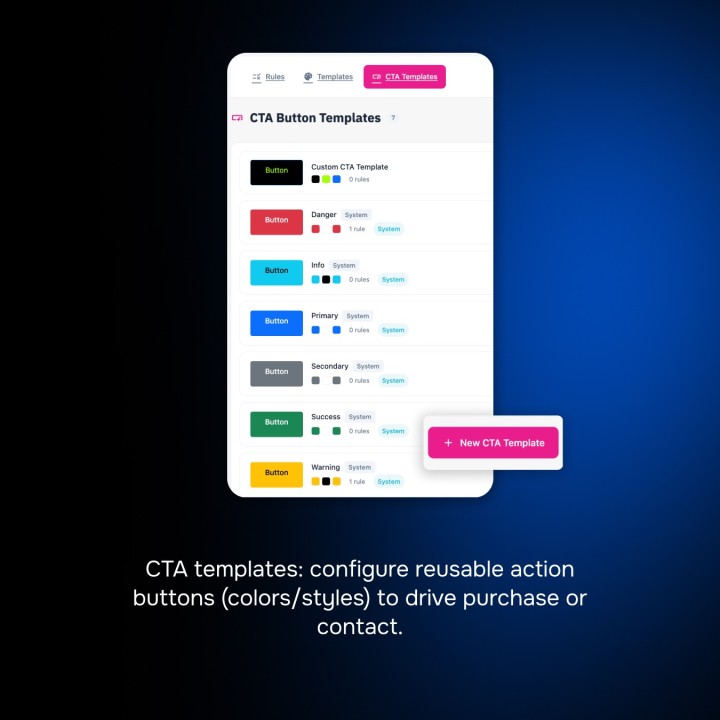
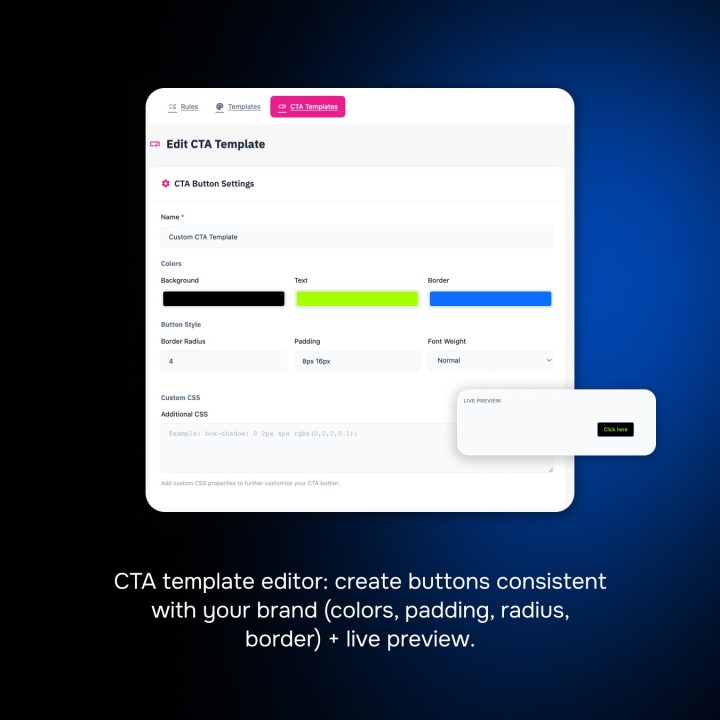
Six message styles and six button styles, customizable with a preview.
Start and end dates, and a countdown to the shipping cut-off time.
Your messages in each language, your rules and styles for each shop.
"Instalacja w 5 minut, działa bezbłędnie."
"Installation en 5 minutes, tout fonctionne parfaitement."
"Czysty kod, świetna dokumentacja. Polecam!"
"Aggiornamenti regolari, ottimo supporto post-vendita."
"Fonctionne parfaitement en multilingue et multi-boutique."
"Je recommande à 100%. Très bien documenté."
"Actualizaciones frecuentes. Se nota el compromiso."
"Module léger qui n'alourdit pas le site."
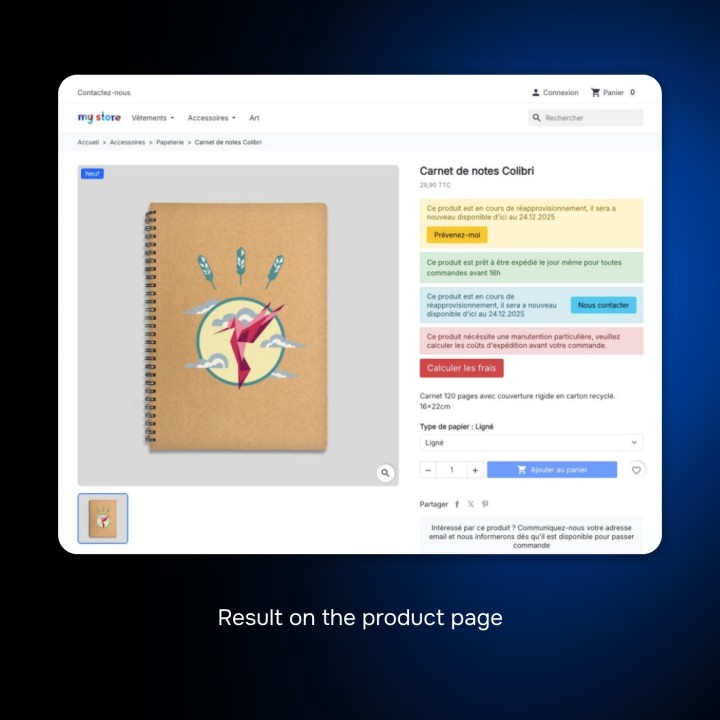
Stop wasting time manually editing individual product pages. Our conditional messages module automates your communication by displaying messages, badges and buttons based on real conditions: the stock of the chosen combination, the price, the sale, the brand, the customer or their country. Whether it’s signaling low stock, highlighting a limited offer, announcing the shipping cut-off time or reassuring your customers, every product page shows the useful information at the moment the customer decides.
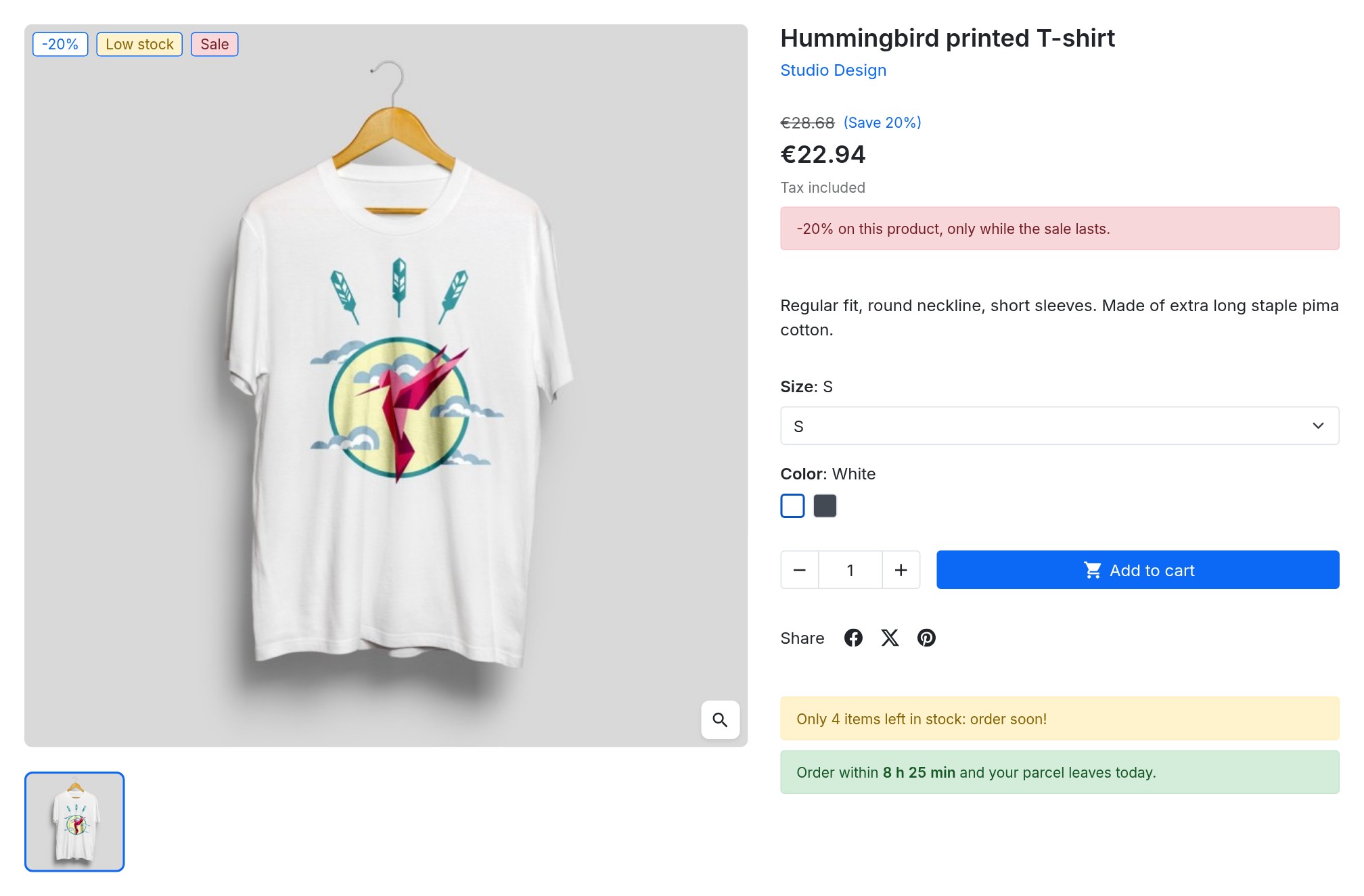
Say goodbye to repetitive tasks. Create a rule once (e.g. “if stock is at most 5”) and it applies instantly to your entire catalog, to specific categories (with their subcategories) or to a selection of products, with exclusions.
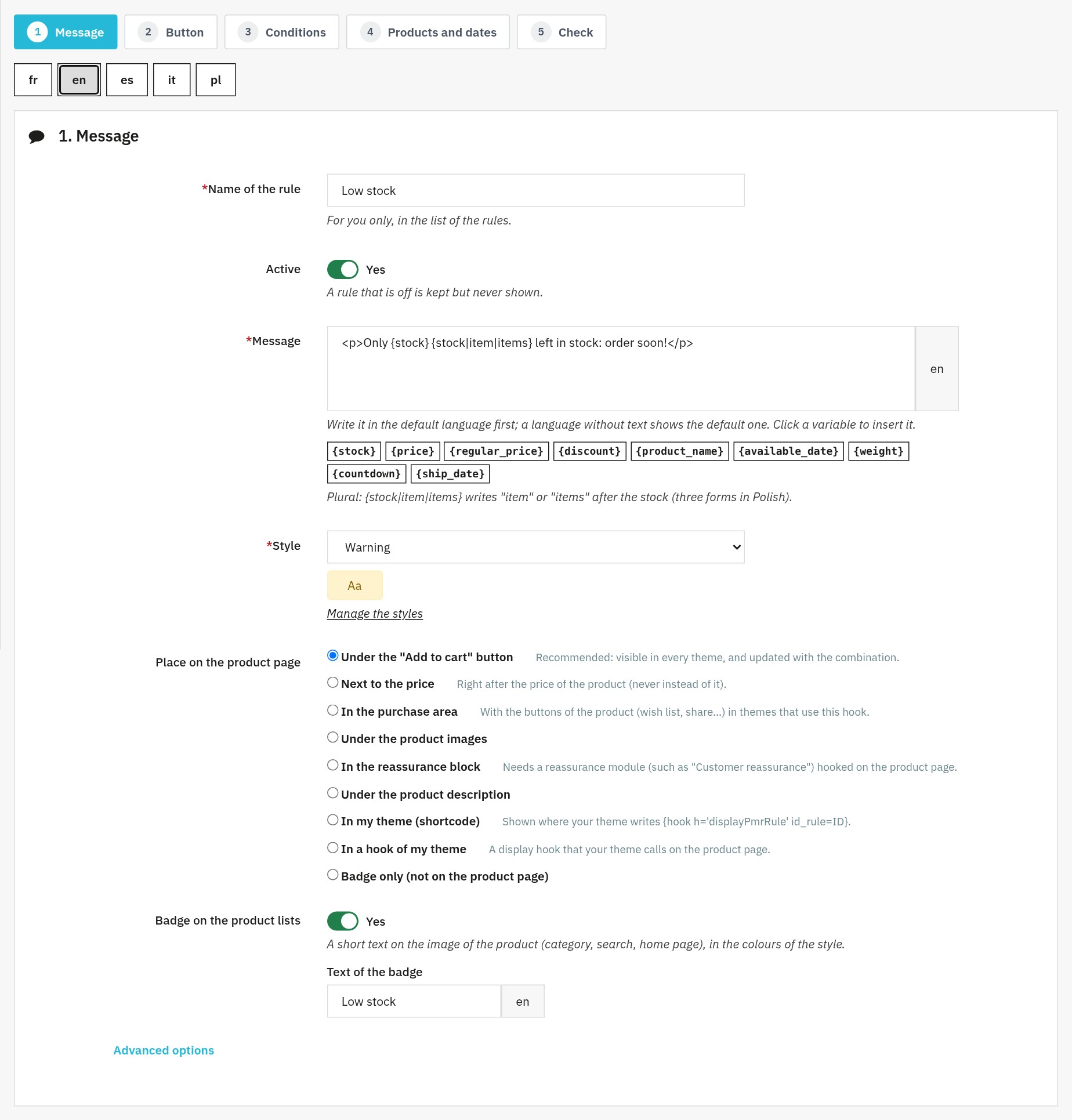
Add variables to your texts: “Only {stock} left in stock”, the price, the price before discount, the discount, the product name, the availability date or the weight. Plural forms follow the quantity in each language, and each value follows the combination the customer picks. Write each message in all the languages of your shop; a language without text shows the one of the default language.
Turn casual visitors into committed buyers. By displaying scarcity or exclusivity alerts, you help the customer make up their mind. Take it a step further by integrating custom Call-to-Action (CTA) buttons directly into your messages to redirect customers to a page of your shop, a size guide, a category or a related product, or to a different link in each language.
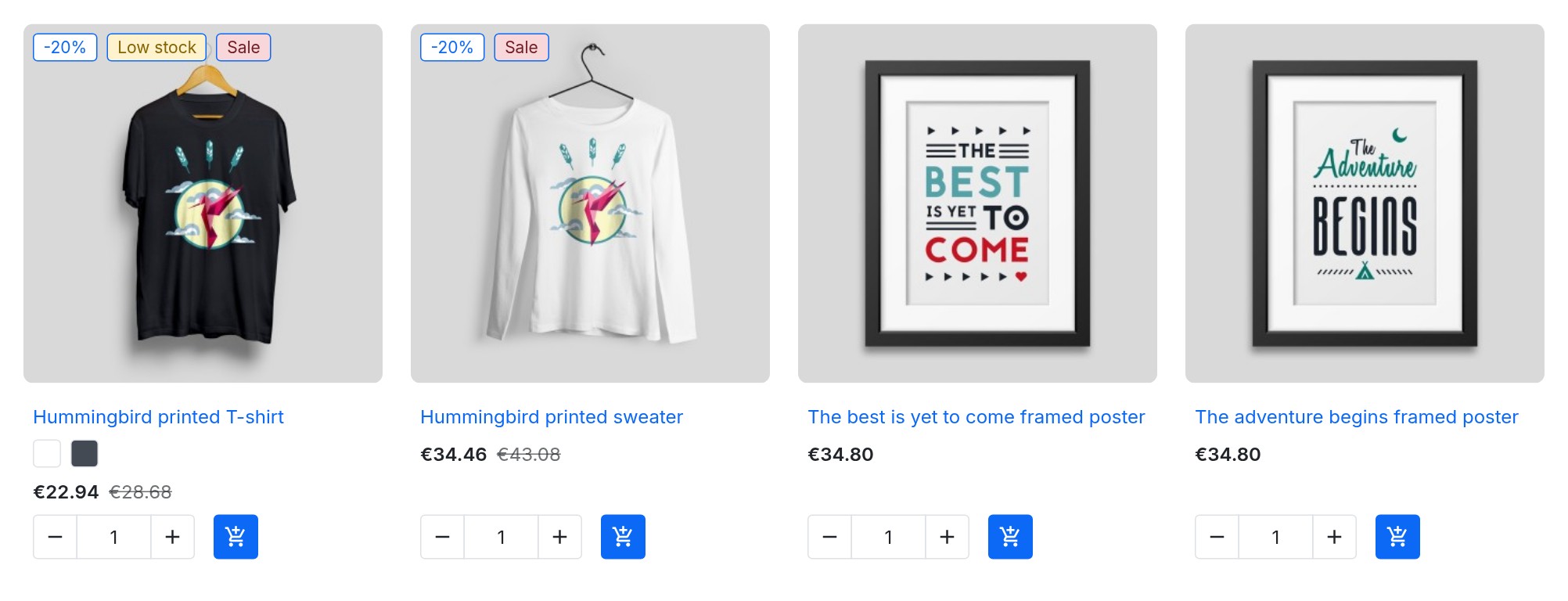
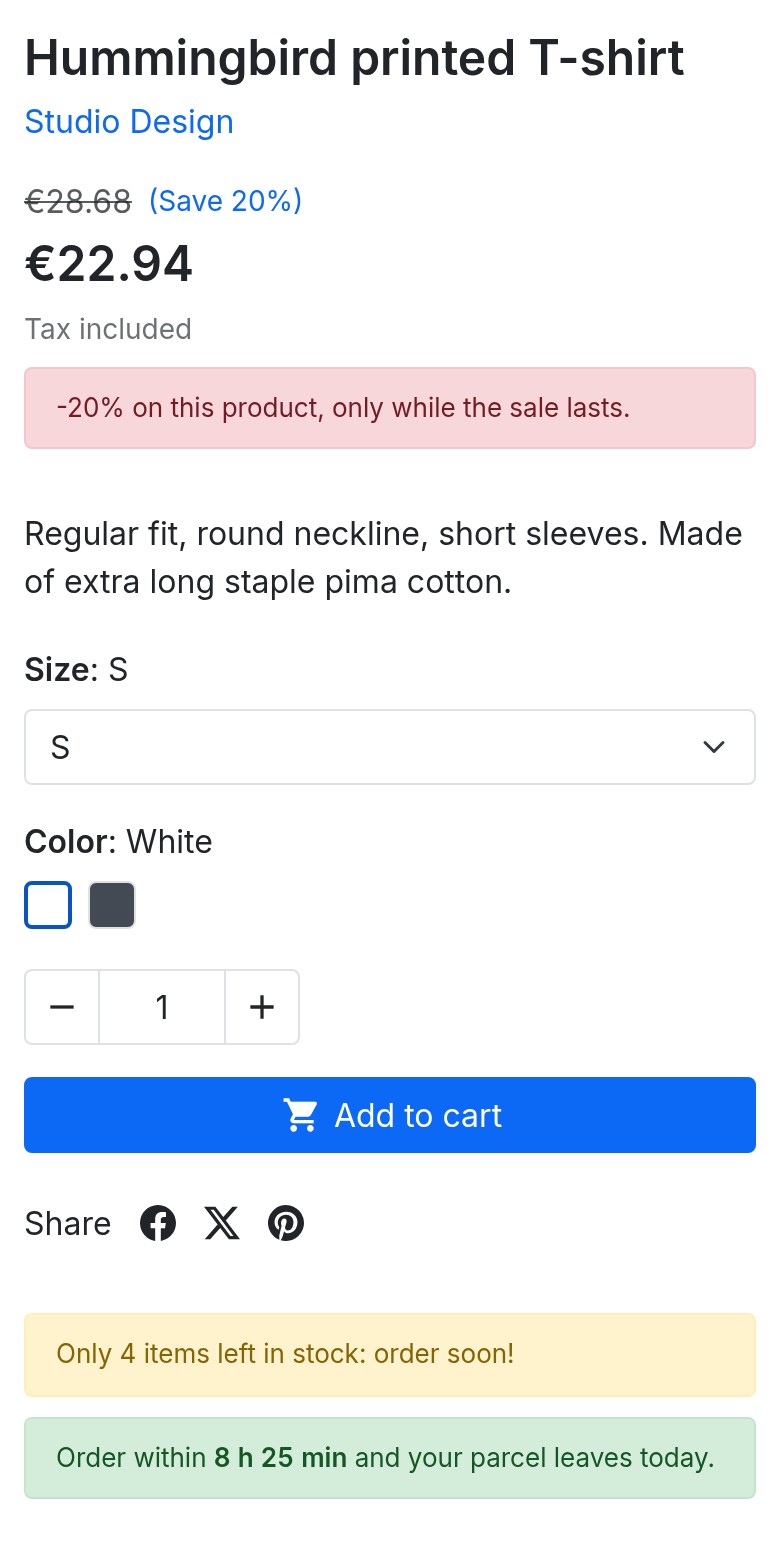
Give the shipping cut-off time of each day, your days without shipping and your public holidays: the product page shows “Order within 2 h 14 min and your parcel leaves today”, then the next shipping day. The timer runs in the browser without any request. A rule can also show a short badge, such as “Low stock” or “Sale”, on the product picture in categories, search results and the home page, in the colours of its style.
No design or coding skills required. Choose from 6 ready-to-use message styles and 6 button styles (Success, Warning, Danger, Info, etc.) and customize them, or create your own, via a visual interface with live preview. You can also schedule your campaigns in advance: set start and end dates so your promotional messages activate and deactivate automatically during seasonal events or sales. Choose the place of each rule on the product page (under the buy button, next to the price, in the reassurance block, under the description or exactly where you want with a shortcode), its order and a maximum number of messages.
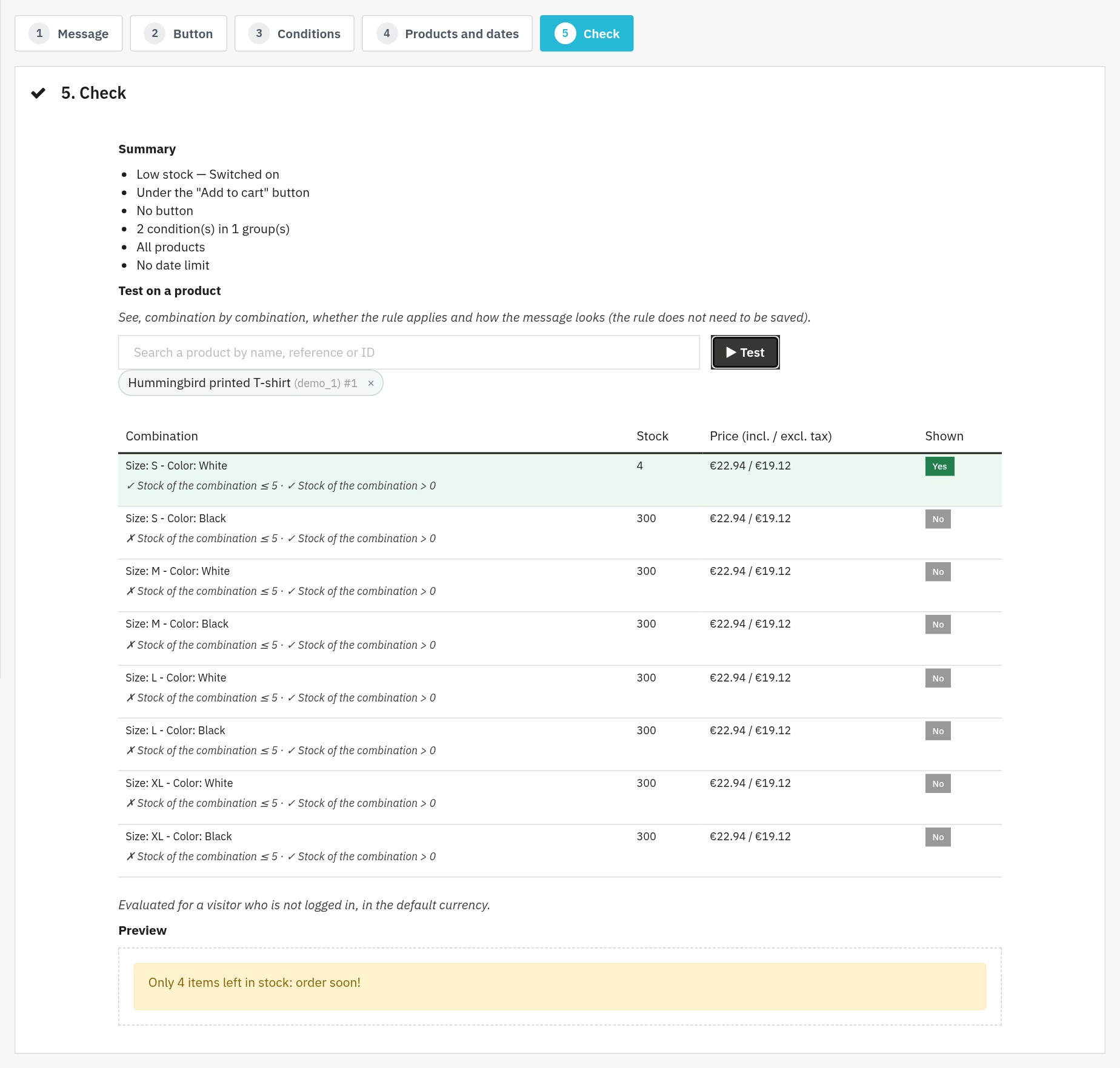
Start from a ready-made rule (low stock, orderable when out of stock, pre-order, big discount, heavy product, payment in instalments, shipping countdown, invite to create an account), already translated into the languages of your shop. Before saving it, test it on a product: the module shows, combination by combination, the conditions that are true or false and the message as it will be displayed.
Messages are part of the page: they are shown at once, without an extra request or a jump of the layout, and search engines read them. Thanks to a clean integration in the PrestaShop hooks, the module does not weigh down your site: nothing is loaded on pages that no rule targets. Your customers get clear and relevant information, on a computer as on a phone. A mode for full-page caches is available.
The module works with PrestaShop 1.7.8, 8.0+ and 9.0+ (PHP 7.4 minimum), with the standard PrestaShop themes and in multistore; PrestaShop 1.7.7 and earlier versions are not supported. It respects the rights of your employees and its back office is available in French, English, Spanish, Italian and Polish. Without an active license, your rules are kept and the messages are no longer shown until you activate it again. Read the full documentation
See how we compare to the most common alternatives on the market.
| Feature | WePresta | Addons |
|---|---|---|
| payments Transparent pricing | check_circle | cancel |
| update Lifetime updates included | check_circle | cancel |
| support_agent Direct developer support | check_circle | cancel |
| verified PS 1.7, 8 & 9 compatible | check_circle | help_outline |
| code Standardized clean code | check_circle | cancel |
| storefront Multi-store ready | check_circle | help_outline |
| money_off No hidden renewal fees | check_circle | cancel |

On the product page: sale, low stock and shipping countdown
“Low stock” and “Sale” badges on your product lists

The same messages on mobile, under the buy button

One message per language, with variables such as {stock}
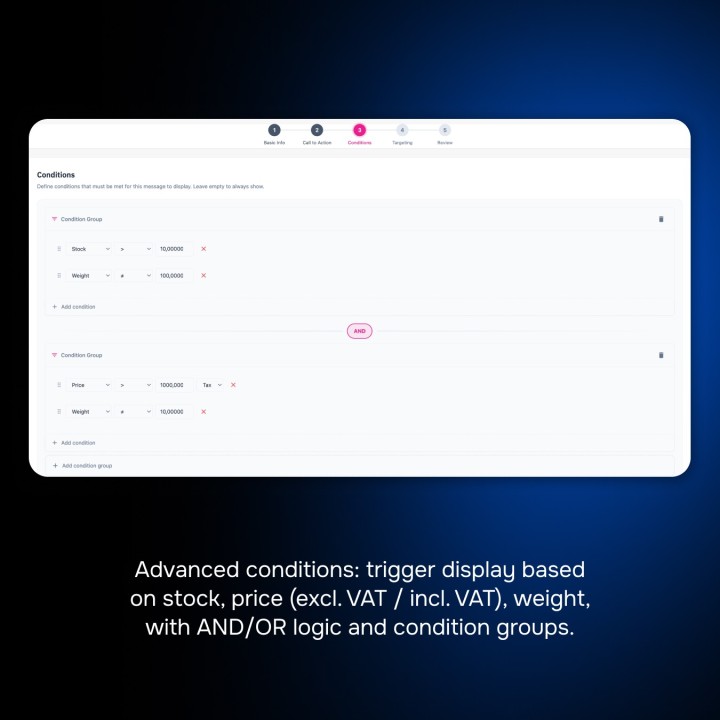
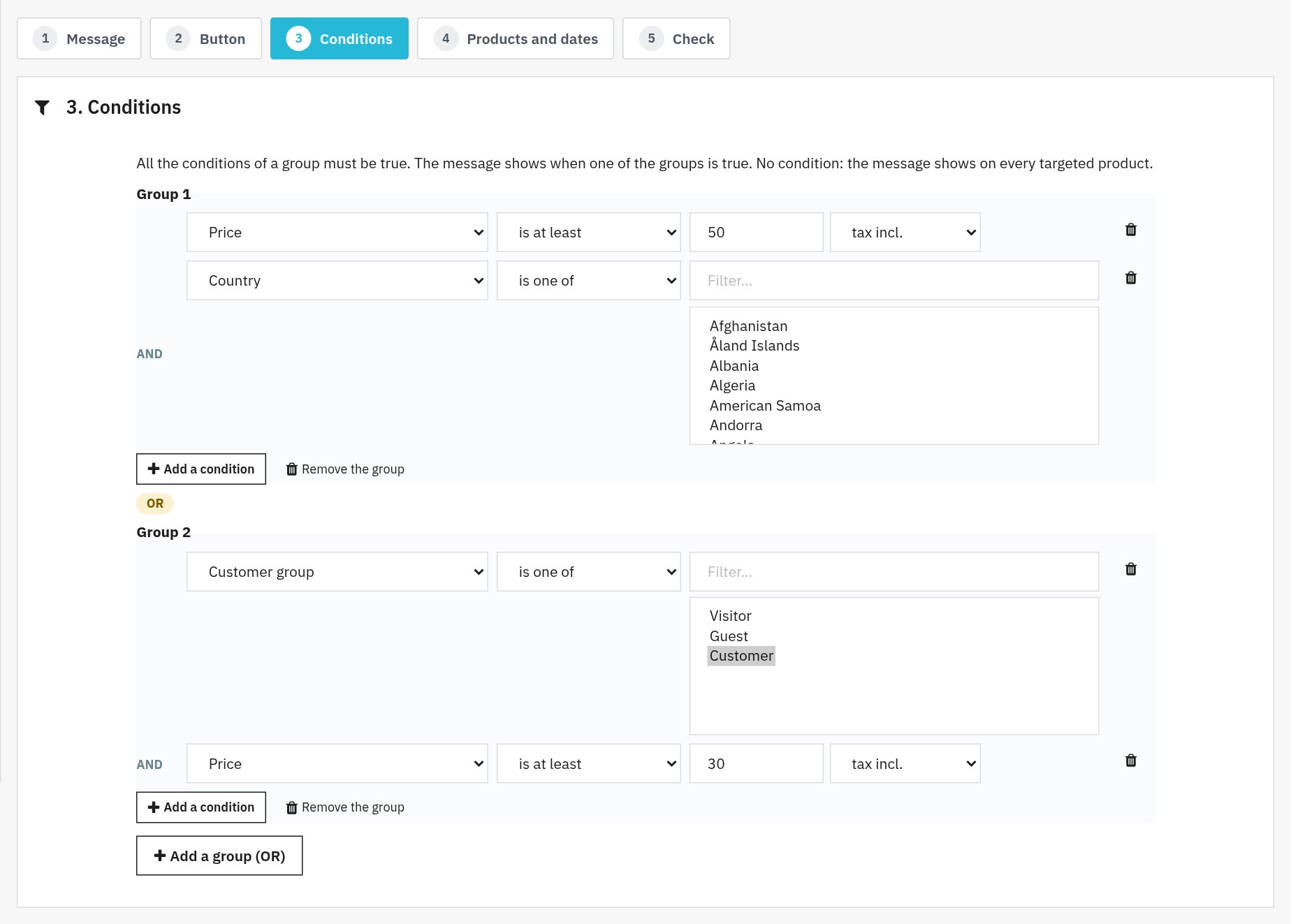
Combined conditions: AND groups, joined by OR

Test a rule on a product, combination by combination
All your rules with their status, place and order
Ready-made rules, in the languages of your shop
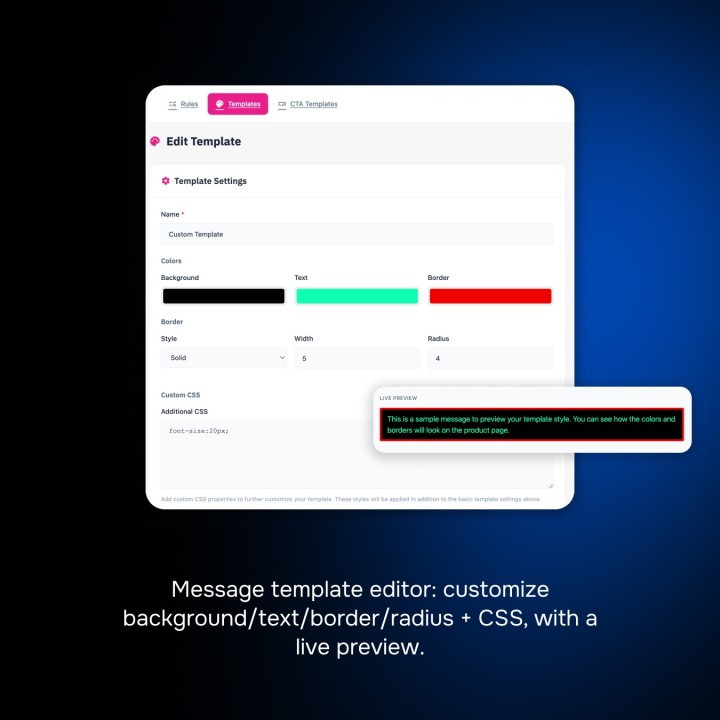
Six ready-to-use message styles you can customize

The shipping calendar of the countdown

Conditional messages and call-to-action buttons on PrestaShop product pages
Find answers to frequently asked questions about this module
Join +32 merchants using this module
5-minute installation · Full documentation included
Activating your trial...
Your 24h trial is now active!
All information (license key, secret, and download link) has been sent to your email.
Create zones by postal code, range and prefix, refuse an area, keep store pickup and back up the configuration: the full path through the PrestaShop back office.
Read the article arrow_forward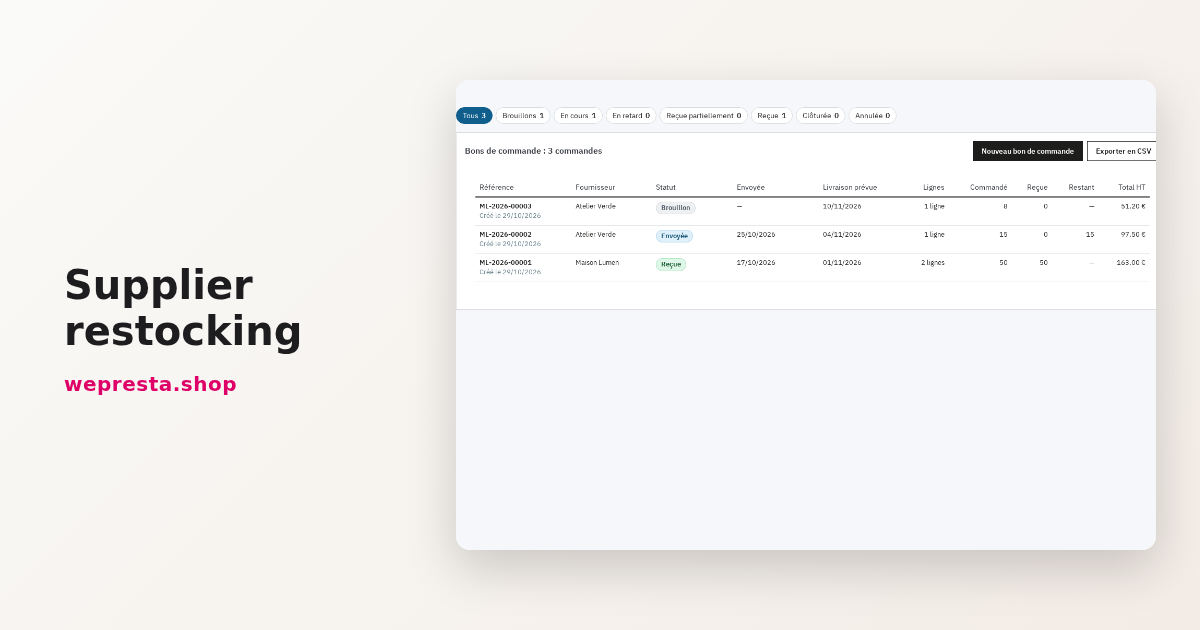
A guide to setting reorder points, preparing supplier purchase orders and receiving deliveries without losing track of outstanding quantities.
Read the article arrow_forwardcheck_circle
check_circle