Creative Pop-up builder: triggers & smart targeting - Module PrestaShop
PrestaShop Pop-up Module: Stop Cart Abandonment with Exit Intent and Drag & Drop Editor
Create impactful drag & drop popups with the integrated visual editor and 22 translated templates. 8 intelligent triggers: exit intent, delay, scroll, inactivity, click, add to cart, pages viewed and time on site. Precisely target your audience by page, category, product, customer group, device, traffic source, campaign or cart content. Offer unique discount codes and measure the sign-ups, orders and revenue they bring. Schedule your campaigns, control the frequency and test each popup before going live. 6 positions, mobile variant and Google-friendly mode. Compatible with PrestaShop 1.7.8, 8.2+ and 9.1+, multistore and multilingual. No code required, no file loaded on pages without a popup.
Everything you need, nothing you don't.
Visual drag-and-drop editor with 8 smart triggers, unique discount codes and advanced targeting.
GrapesJS drag & drop editor
Create popups visually without writing a single line of code.
8 smart triggers
Exit intent, delay, scroll, inactivity, click, add to cart, pages viewed and time on site.
Advanced audience targeting
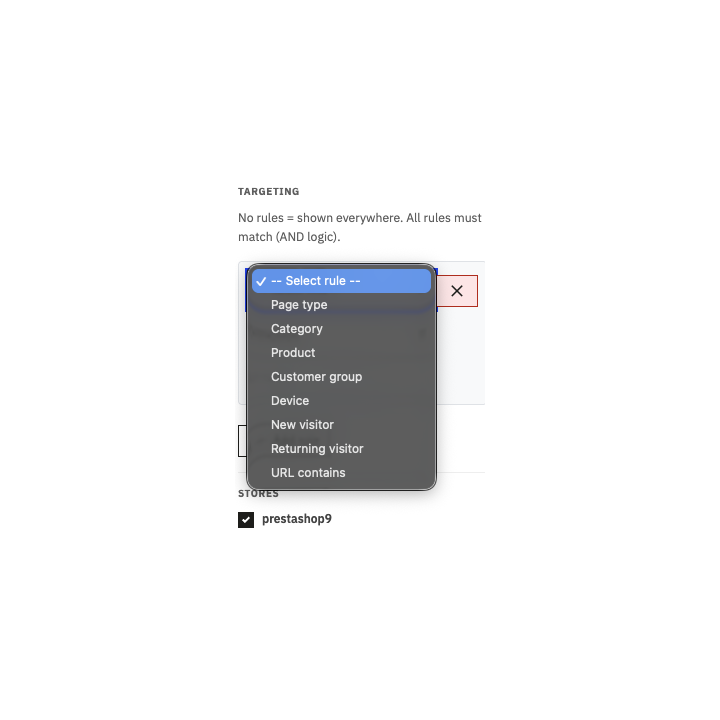
Target by page, category, product, customer group, device, traffic source, UTM campaign or cart.
22 translated templates
Start from professional templates filled in the 5 languages of your shop.
Discount codes and conversions
Offer unique codes and measure sign-ups, orders and revenue per popup.
Scheduling and frequency
Define when and how often each popup is displayed.
They use it every day.
description Full description expand_more
Create high-converting popups with a drag & drop visual editor
You are losing visitors every day without showing them the right message at the right time. Creative Popup is a complete PrestaShop popup creation module. Thanks to its drag & drop visual editor powered by GrapesJS, its 8 intelligent triggers, and advanced audience targeting, you can create impactful popups that capture your visitors' attention and turn them into customers — without writing a single line of code.
Whether you want to recover abandoned carts, collect emails for your newsletter, offer a unique discount code during a flash sale, or display an information banner about shipping and returns, Creative Popup gives you all the tools to achieve it in minutes — and then shows you the sign-ups, orders and revenue it brings. The complete Creative Popup guide explains every setting.
A real visual editor, not just a simple text editor
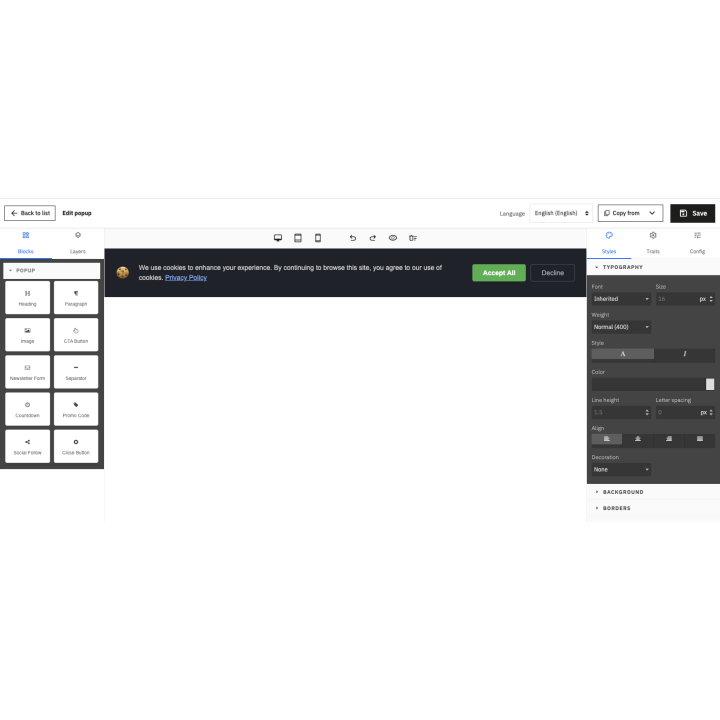
Forget basic WYSIWYG editors like TinyMCE. Creative Popup integrates a complete GrapesJS visual editor directly into your PrestaShop back-office. You have a real design canvas where you can drag and drop elements, position them freely, and customize every visual detail.
The editor includes specialized blocks designed for e-commerce popups:
- Title — Main title with editable text and customizable styles
- Paragraph — Descriptive text for your offers and messages
- Image — Product visual, illustration, or logo with integrated upload (JPEG, PNG, GIF, WebP)
- Button — Call-to-action button with configurable link, color, and text
- Newsletter sign-up — Email subscription form connected to PrestaShop, with a consent checkbox when you use psgdpr
- Discount code — Fixed or unique code with a one-click copy button and validity date
- Countdown — Animated countdown timer to create urgency
- "No thanks" link — Discreet link to close the popup
- Separator — Visual separation line
- Form elements — Fields and buttons for your forms
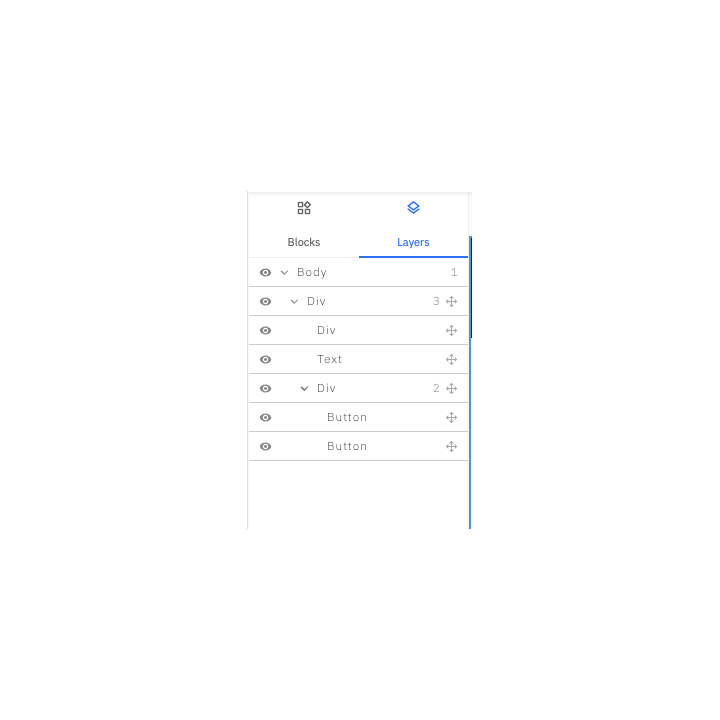
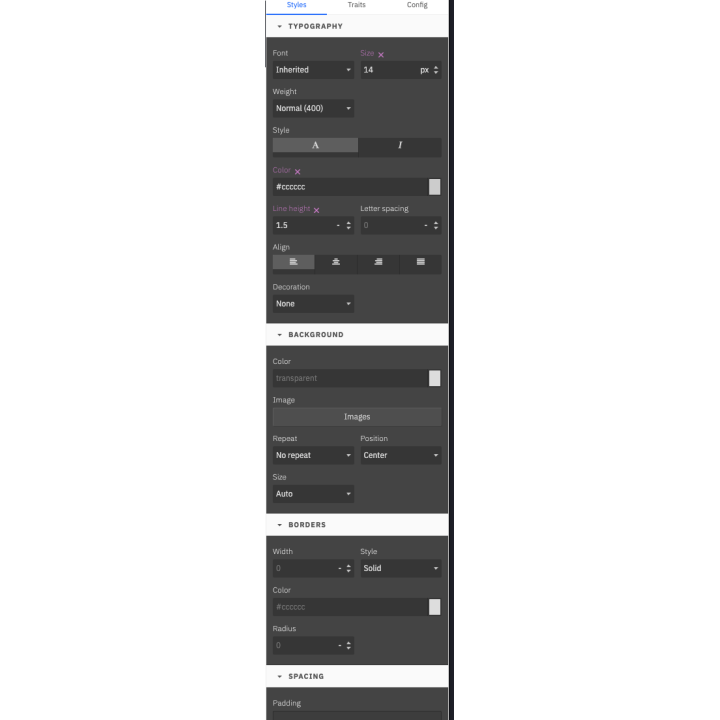
The Layers panel displays the tree structure of all your popup elements for easy navigation. The Style panel gives you total control over typography, colors, backgrounds, borders, spacing, and shadows. The Settings panel allows you to configure the functional properties of each element (button URLs, link text, etc.). Each language has its own design: choosing a template fills every language, and one button copies a design to the languages that are still empty.
You can also preview your popup in real-time on 3 screen sizes (desktop, tablet, mobile) thanks to the integrated device switcher.
8 intelligent triggers to display your popups at the right moment
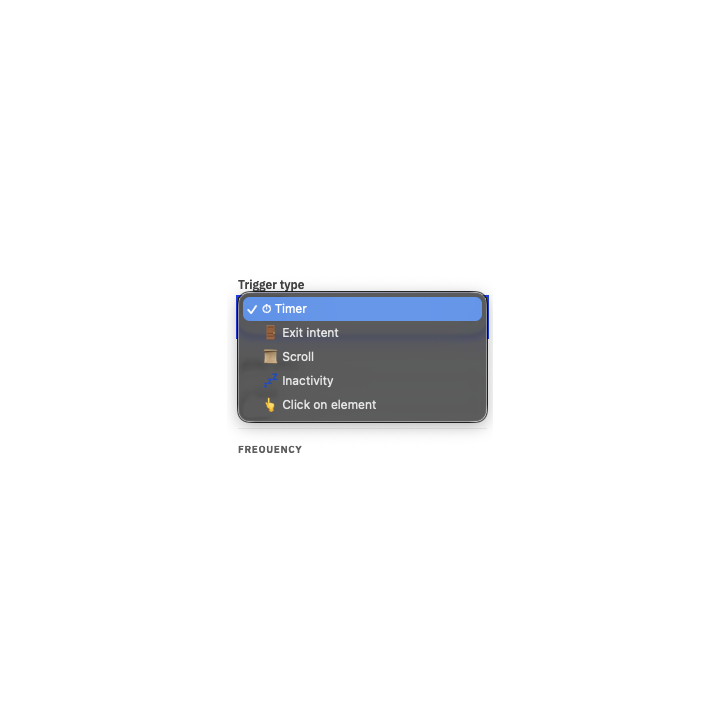
When you display your popup is just as important as its content. Creative Popup offers 8 types of triggers to maximize the impact of your messages:
Exit intent — Capture leaving visitors
The exit intent trigger detects your visitor's mouse movement toward the top of the window, signaling they are about to leave your site; on mobile, it reacts to a quick scroll back up. This is the ideal moment to offer a special deal, a discount code, or ask for their email. This trigger is particularly effective for abandoned cart recovery.
Timer — Choose the precise moment
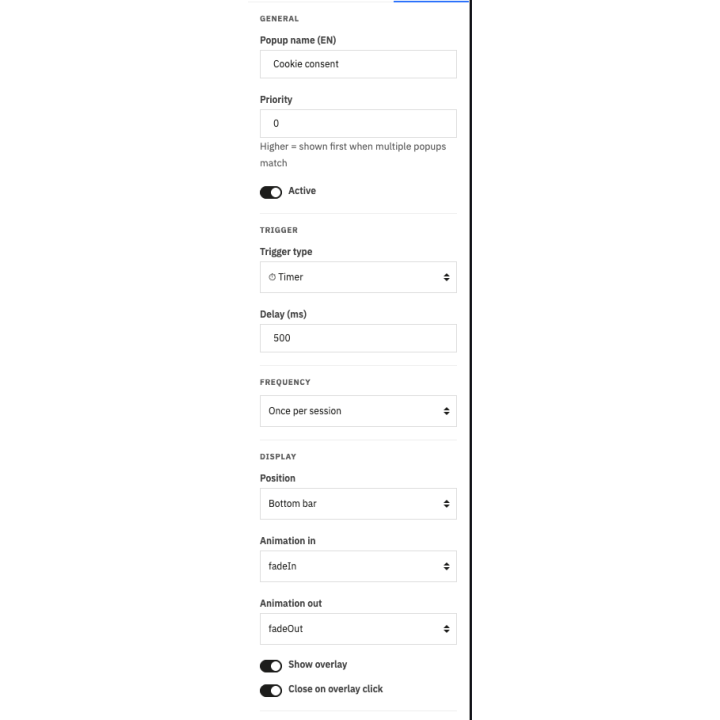
Display your popup after a specific delay in seconds from page load. Immediately upon loading, after 3 seconds for urgent offers, or after 10 seconds to let the visitor discover your content first.
Inactivity — Reactivate hesitant visitors
The inactivity trigger monitors your visitors' behavior. When they stop all activity (no mouse movement, no scroll, no click), it often means they are hesitating or about to leave. A popup with a special offer can reactivate and convert them.
Scroll — Reward engagement
Trigger your popup when the visitor has scrolled a certain percentage of the page or a defined number of pixels. A visitor who has read 50% of your page has shown interest — it's the perfect time to suggest signing up for your newsletter or discovering an offer.
Click on element — Popups on demand
Trigger a popup when the visitor clicks on a specific element of your page: a button, a link, or a banner — on every click. You define the trigger via a CSS selector (class, ID, or any HTML attribute). Ideal for informational popups or contextual forms.
Add to cart — Use the buying moment
Show a popup right after a product is added to the cart: a complementary offer, the amount left for free shipping, or a code to complete the order.
Pages viewed and time on site — Talk to engaged visitors
Wait until a visitor has seen several pages or spent some time on the shop before offering a deal: the message arrives when the interest is real.
Advanced audience targeting — The right message to the right visitor
An effective popup is a relevant popup. Creative Popup integrates a powerful targeting system to serve the right message to the right segment of your audience. Each rule can include or exclude ("is" / "is not") and a summary sentence always tells you who will see the popup. You can combine:
- Page type — Home page, product pages, category pages, cart, checkout, search, brands, customer account or CMS pages
- Category — Visitors browsing a category, with or without its subcategories
- Product — The page of one or more specific products, picked by search
- Customer group and login — Visitors, guests, logged-in customers, or your custom groups
- Device — Desktop, tablet or mobile
- New or returning visitor — First visits or visitors who come back
- Page address — Contains, starts with or is exactly a text
- Traffic source and campaign — Search engine, social network, a specific website or a UTM parameter
- Pages viewed — After a number of pages during the visit
- Cart — Amount, empty or filled cart, product or category in the cart
The server selects popups by page, category, product, language and shop; the browser then checks the device, the visit and the frequency. Only eligible popups are loaded and, if none matches, no module file is loaded at all. A page-cache compatible mode keeps customer and cart rules correct for every visitor.
Scheduling and display frequency
Precisely control when and how often your popups appear:
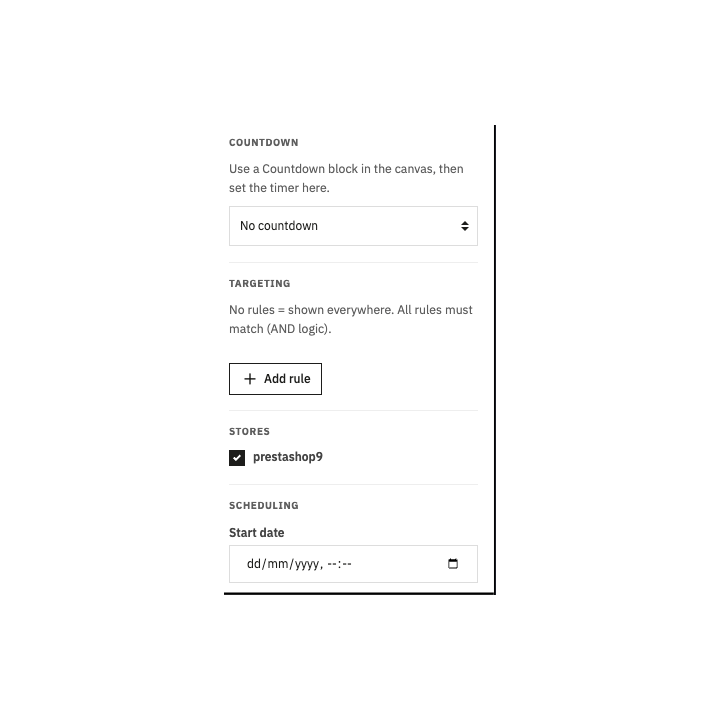
- Date scheduling — Set a start and end date/time for your campaigns, in the shop's time zone. Create your Black Friday popup in advance, schedule it from November 25th to 30th, and it will activate and deactivate automatically.
- Display frequency — Choose from 4 modes: on every page view, once per visit, only once, or every X days. A popup can also stop after the sign-up or the code copy. Your visitors will never feel spammed.
- Priority system — When multiple popups match the same context, only one is displayed at a time, the one with the highest priority first.
- Global limits — Popups per page, per visit and minimum delay between two popups.
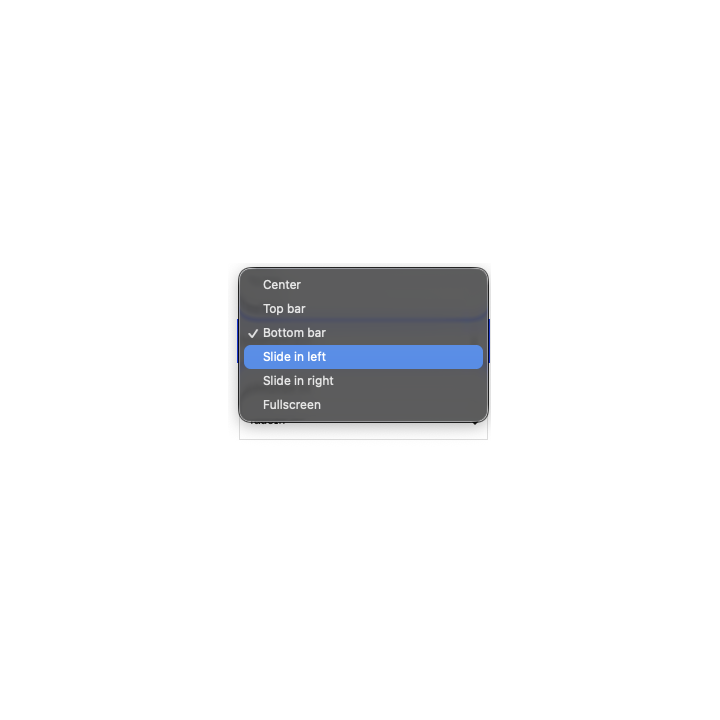
6 display positions and 7 animations
Adapt the position of your popup to its objective:
- Center (modal) — The classic position for promotional offers, newsletter forms, and important messages
- Top bar — Fixed banner at the top of the screen, perfect for announcements, promo codes, and shipping info
- Bottom bar — Fixed banner at the bottom of the screen, ideal for shipping, returns or payment information
- Bottom-left / right corner — Sliding popup for discreet messages and secondary promotions
- Fullscreen — For major messages: welcome screens, flash sales, important events
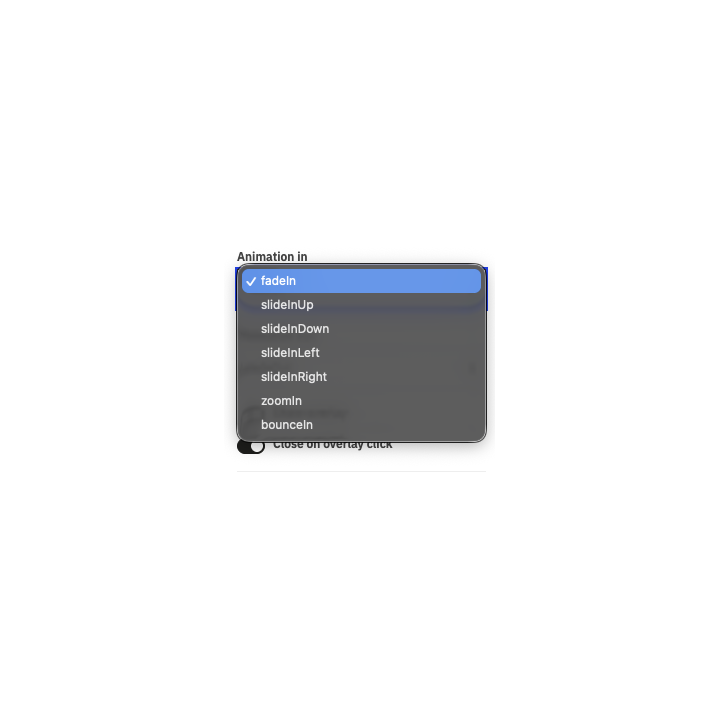
Each popup benefits from an entrance and exit animation among 7 effects: fade, zoom, bounce and slides up, down, left or right. The animations are pure CSS, without external libraries, and are reduced for visitors who asked for it in their system.
On phones, choose for each popup the same display, a panel sliding from the bottom, a bar or no display at all. The Google-friendly mode avoids showing a centered or full-screen popup on the first page of a mobile visitor coming from a search engine. Each popup is accessible: keyboard focus, closing with the Escape key and screen-reader announcement.
Integrated countdown to create urgency
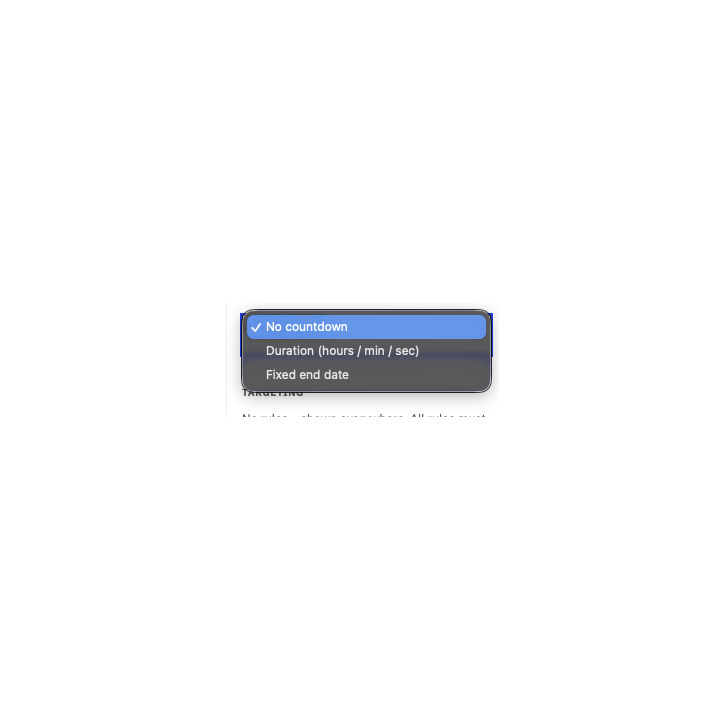
Add a Countdown block to your popup to create a sense of urgency that drives action. Two modes are available:
- Duration — Countdown based on a number of hours, minutes, and seconds. Each visitor sees the same remaining time starting from the moment the popup appears. Ideal for "Valid for 2 hours" type offers.
- Fixed end date — Countdown to a specific date and time, in the shop's time zone. All visitors see the same remaining time in real-time, and the popup disappears on its own once the deadline has passed. Perfect for flash sales with a shared deadline.
Unique discount codes and order tracking
Place the Discount code block in your popup and choose the same code for everyone (an existing cart rule) or a unique code generated for each visitor:
- Discount of your choice — Percentage, amount or free shipping, with minimum order, validity and prefix
- Revealed at the right time — As soon as the popup opens, on a click on "Get my code" or after the newsletter sign-up
- Protection against abuse — Single-use code, one code per visitor or email address, daily cap and request limits
- Automatic cleanup — Expired unused codes are removed
Each order placed with a popup code is attributed to it: you see the number of orders and the revenue generated by each campaign.
Cart and free shipping
Reserve a popup for carts above an amount, empty carts or carts containing a specific product, and show the amount left before free shipping in the visitor's currency, updated after each addition to the cart.
22 ready-made templates translated into 5 languages
Don't start from scratch. Creative Popup includes 22 professional templates that you can load with one click and customize to your brand in the visual editor. Their texts are filled in English, French, Spanish, Italian and Polish in every language of your shop.
Seasonal templates
Black Friday, Cyber Monday, Christmas, Halloween, Valentine's Day, Easter, Mother's Day, Father's Day, Summer Sales, Winter Sales, New Year Sale, Carnival, Singles' Day, Back to School.
Utility templates
Newsletter signup, Discount code reveal, Cart recovery (exit intent), Information banner, Welcome fullscreen, Social media follow, Mobile app banner, Flash sale countdown.
Each template is fully customizable: change text, colors, images, add or remove elements. The template is just a starting point for your creativity.
Full multilingual support
Create different content for each language of your shop. A language switcher at the top of the editor allows you to toggle between languages, and badges show which ones are already designed. The "Copy this design to empty languages" button gives you a starting point for translation; a visitor whose language is not designed sees the default language rather than an empty popup.
Configuration settings (trigger, targeting, position, scheduling) are common to all languages. Only the visual content changes per language.
Multistore compatible
Each popup can be associated with one or more stores in your PrestaShop multistore network. Filtering is done automatically by store on the front end. Manage different popup campaigns for each of your stores from the same back-office.
Built-in conversion statistics
Track your popups' performance with integrated statistics:
- Views, closes and clicks — The reach of each popup and the interest in its buttons
- Newsletter sign-ups — The emails collected by the popup
- Codes copied and codes issued — How your offers are used
- Orders and revenue — Sales placed with a popup code
- Reminder tab clicks — Visitors coming back to the offer
The dashboard shows these figures for the selected period, compared with the previous one, with a daily chart, a table per popup and a CSV export. Visits from your employees and search-engine robots are not counted. If you use Google Tag Manager, popup events can also be sent to GA4 through the dataLayer.
Preview, test mode and reminder tab
The Preview on the shop button shows your popup immediately on the real shop, and the Test status makes it visible only in your browser for 12 hours: you check a campaign before your customers do. After a close without conversion, a reminder tab (for example "-10% for you") stays on the side of the screen and reopens the popup in one click.
Optimal performance — No file loaded when no popup is planned
Unlike other popup modules that load their scripts on every page, Creative Popup takes a smart approach:
- On each page, the server selects the popups planned for that page, language and shop, then the browser checks the device, the visit and the frequency
- If no popup matches → no JavaScript, no CSS of the module is loaded
- If a popup matches → only its content and a lightweight script of about 10 KB compressed are loaded
- Candidate popups are cached per shop and language
- The editor is never loaded on the shop — it only runs in the back-office
Modern technical architecture
- 100% Symfony controllers — Native PrestaShop interface, employee permissions checked on every action
- Compatible with PrestaShop 1.7.8, 8.2+ and 9.1+ (8.0, 8.1 and 9.0 not supported) with a single version of the module
- Vanilla JavaScript for the popup engine (no dependencies)
- No override of PrestaShop core files
- PHP 7.4 or later
- Compatible with MySQL 5.7+, MySQL 8.0, and MariaDB 10.3+
- Compatible with the Classic and Hummingbird themes and themes based on them
Concrete use cases
Recover abandoned carts
Use the "Cart Recovery" template with the Exit Intent trigger, targeted at the cart page and filled carts. Offer a discount or free shipping to visitors attempting to leave their cart.
Collect newsletter emails
Use the "Newsletter Signup" template with the Delay (5 seconds) or Scroll (50%) trigger, targeted at new visitors, and reveal a unique discount code after the sign-up. Frequency: once only to avoid being intrusive. Statistics then show the orders placed with these codes.
Shipping and returns information banner
Use the "Information Banner" template in the bottom bar position to remind shoppers about free shipping, returns or payment methods. Frequency: once every 7 days. No targeting rules to display it on all pages.
Black Friday flash sale
Use the "Black Friday" template with a Countdown block pointing to the operation's end date. Scheduling: November 25th to 30th. Frequency: once per visit. The popup schedules itself, deactivates and disappears automatically at the deadline.
Different popup per device
Choose how each popup appears on phones: same display, panel sliding from the bottom, bottom bar or hidden. You can also create a "Desktop" popup in the center position and a "Mobile" popup in the bottom bar position, each targeted at its respective device. Each visitor sees the version optimized for their screen.
Category-targeted promotion
Create a popup offering 15% off shoes, targeted only at the Shoes category. Scroll trigger (30%). Only visitors interested in this category see the offer.
Quick and simple installation
Download the module from your Wepresta customer account, upload it to your back-office via Modules > Module Manager > Upload a module, activate your license and start creating your popups immediately. Installation automatically creates the database tables and registers the necessary hooks. No technical configuration is required. Updating from version 1.0 keeps your popups and their settings.
Responsive technical support
Need help? Our support team responds within 24 to 48 business hours from your Wepresta customer account. We assist you with module configuration, technical troubleshooting, and optimizing your popup campaigns. The complete guide also answers frequent questions.
Why choose us?
See how we compare to the most common alternatives on the market.
| Feature | WePresta | Addons |
|---|---|---|
| payments Transparent pricing | check_circle | cancel |
| update Lifetime updates included | check_circle | cancel |
| support_agent Direct developer support | check_circle | cancel |
| verified PS 1.7, 8 & 9 compatible | check_circle | help_outline |
| code Standardized clean code | check_circle | cancel |
| storefront Multi-store ready | check_circle | help_outline |
| money_off No hidden renewal fees | check_circle | cancel |
Discover the module in images.
Choose from 22 ready-made popup templates, translated into your shop languages
Newsletter popup revealing a unique discount code on the storefront
Drag-and-drop popup editor with blocks, layers and styles
Audience rules: page types, new visitors, device, cart amount and UTM campaign
Discount code settings: unique code per visitor, value, validity and daily cap
Display settings: position, mobile variant, Google-friendly mode and reminder tab
Statistics: views, click rate, sign-ups, orders and attributed revenue per popup
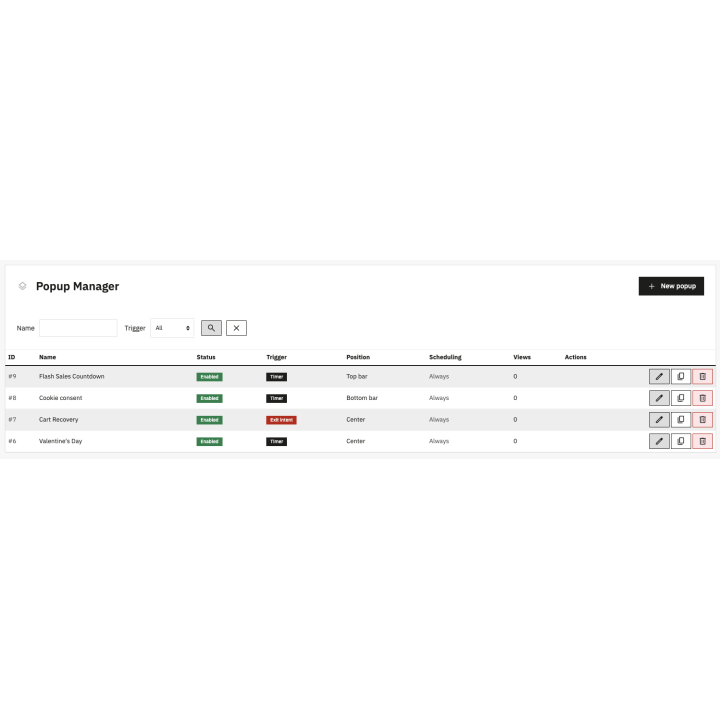
Popup list with status, trigger, schedule, views and conversions
Mobile popup with newsletter sign-up and discount code
Flash sale top bar with a live countdown timer
Reminder tab that reopens the popup after it is closed
FAQ
Find answers to frequently asked questions about this module
Join +22 merchants using this module
5-minute installation · Full documentation included