SumUp Payments: card payments on your shop or on the SumUp page - Module PrestaShop

Take the card payments of your shop into your SumUp account. The order is created only once SumUp confirms the payment.

New Version 1.0.0 1.7.8 8.0+ 9.0+ 5 languages ๐Ÿ‡ซ๐Ÿ‡ท FR ๐Ÿ‡ฌ๐Ÿ‡ง EN ๐Ÿ‡ช๐Ÿ‡ธ ES ๐Ÿ‡ฎ๐Ÿ‡น IT ๐Ÿ‡ต๐Ÿ‡ฑ PL
  • Card payments paid into your own SumUp account, with no added commission
  • SumUp form on your shop or SumUp payment page, your choice
  • Order created only when SumUp confirms the payment, never twice
  • Full or partial refunds from the order page
  • Compatible with PrestaShop 1.7.8, 8.0+ and 9.0+
Not sure yet? Try it free for 24 hours โ€” no credit card required.
Features

Everything you need, nothing you don't.

Your SumUp account, two ways to pay and a systematic check before every order.

Your own SumUp account

Payments land in your SumUp account, with your in-store takings. No added commission: only the fees of your SumUp contract apply.

Two ways to pay

The SumUp form right on your shop, or the payment page hosted by SumUp. You switch modes in one click.

An order only when SumUp confirms

Status, amount, currency, merchant account and reference are checked with SumUp before the order is created. A forged return page is not enough.

No lost or duplicate order

SumUpโ€™s notification creates the order if the customer closes the browser, a lock prevents duplicates and waiting payments are read again in one click.

Refunds from the order

Refund all or part of an order from its page. The customer is refunded on the card and the order status follows your settings.

Payment follow-up and journal

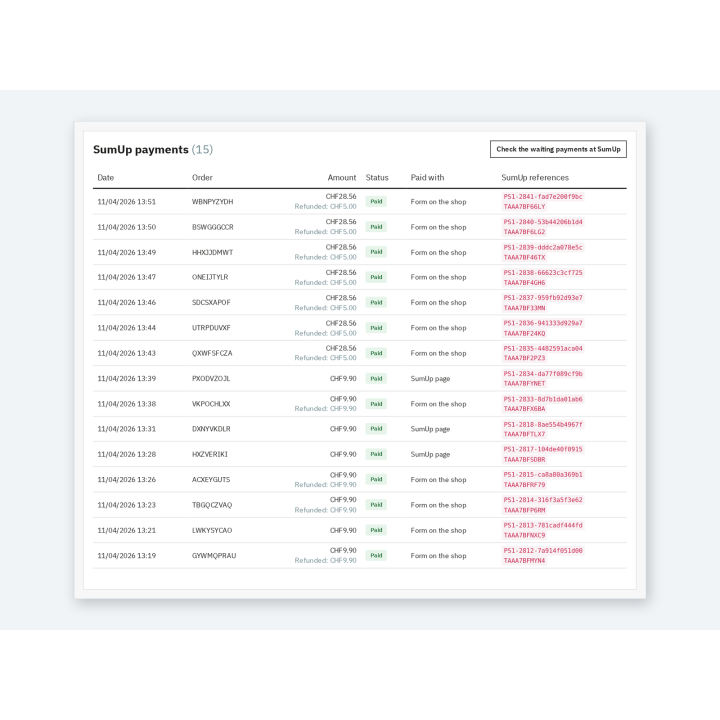
Every SumUp payment listed with its status, even before the order, and a 180-day journal that never shows the key or card details.

description Full description expand_more

Your online sales in your SumUp account

You already take payments with SumUp in your store, at markets or at appointments? Your online sales can land in the same account. SumUp Payments adds SumUp card payments to the PrestaShop checkout: the customer pays, the money goes to your SumUp account and the order is created only once SumUp confirms the payment.

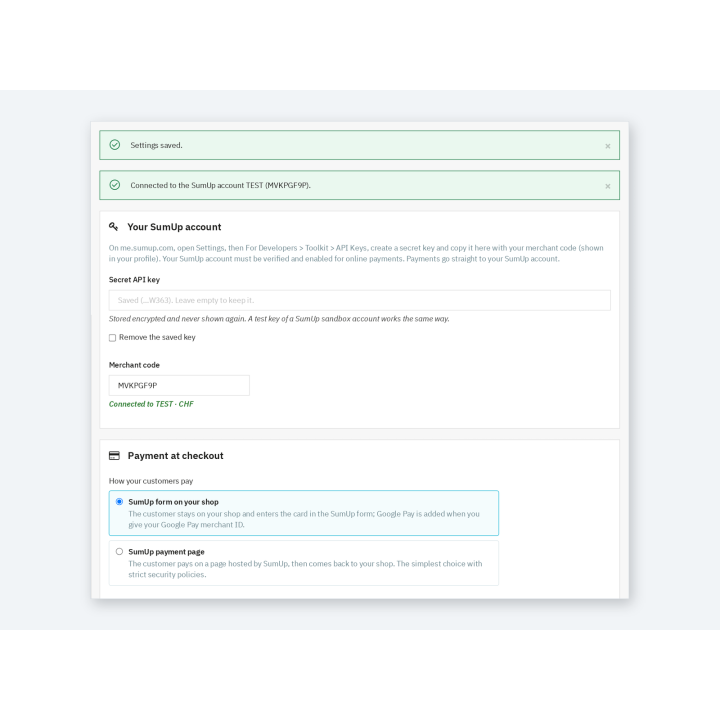
The module connects to your own account with an API key. It adds no commission: only the fees of your SumUp contract apply. Card numbers are entered with SumUp and never go through your shop.

Two ways to pay, your choice

  • The SumUp form on your shop: the customer stays on your site and enters the card in SumUpโ€™s form, in their language. Google Pay is added when you enter your Google Pay merchant ID.
  • The SumUp payment page: the customer pays by card or Google Pay on the page hosted by SumUp, then comes back to your shop. Ideal when your site applies strict security rules.

You switch modes in one click in the settings. The name and description of the option can be set in each language, with a minimum and maximum amount.

An order only when SumUp confirms

The customerโ€™s return, the form and SumUpโ€™s notification all lead to the same check with the SumUp API: successful payment, exact amount and currency, merchant account and order reference. A forged return page is not enough to create a paid order.

  • The customer closes the browser after paying? SumUpโ€™s notification creates the order.
  • The return and the notification arrive together? A lock makes sure there is only one order.
  • The bank asks for a confirmation? The return page waits for SumUpโ€™s answer and updates itself.
  • The amount does not match? No order is created and the journal explains why.

Refund and follow up without leaving PrestaShop

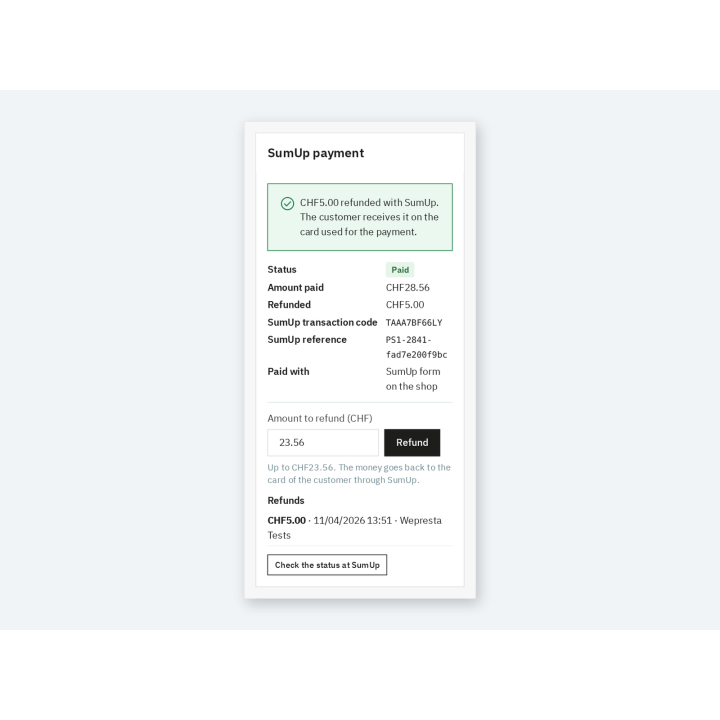
The SumUp payment block of the order page shows the status, the amount paid and refunded, the transaction code and the SumUp reference. You refund all or part of the order, and the order status follows your settings.

The SumUp payments page lists every payment started, even before the order, with filters and search. A button reads waiting payments again and catches a notification that did not reach the shop. The journal records payments, orders, refunds and errors for 180 days.

Which shops is it for?

For merchants who have a SumUp account and want to sell online without changing provider: shops with a point of sale, craftspeople, producers, small brands, Swiss shops taking payments in Swiss francs. With multistore, each shop can use its own SumUp account.

Requirements and limits

  • PrestaShop 1.7.8, 8.0+ or 9.0+; PHP 7.4 or later, with cURL.
  • A verified SumUp merchant account enabled for online payments, and a secret API key; payment fees are those of your SumUp contract.
  • SumUp is offered for carts in the currency of your SumUp account, from 1.
  • No subscriptions, recurring payments or instalments. A SumUp refund does not create a PrestaShop credit slip.
  • Without a valid license, the module disables itself; your settings and payment history are kept.
  • Interface in English, French, Spanish, Italian and Polish; Classic and Hummingbird themes.
Comparaison

Why choose us?

See how we compare to the most common alternatives on the market.

Feature Addons
Transparent pricing
Lifetime updates included
Direct developer support
PS 1.7, 8 & 9 compatible
Standardized clean code
Multi-store ready
No hidden renewal fees
Included Not included Partial / Not guaranteed
Preview

Discover the module in images.

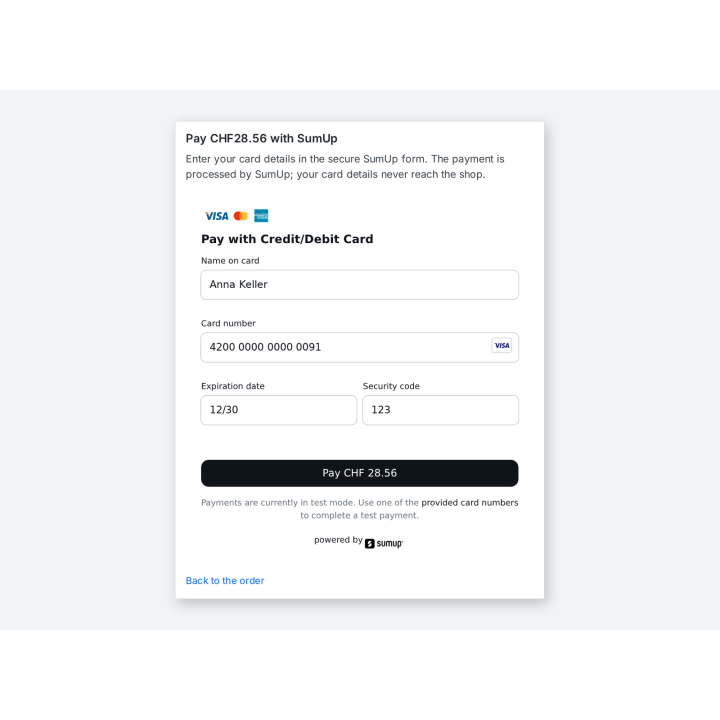
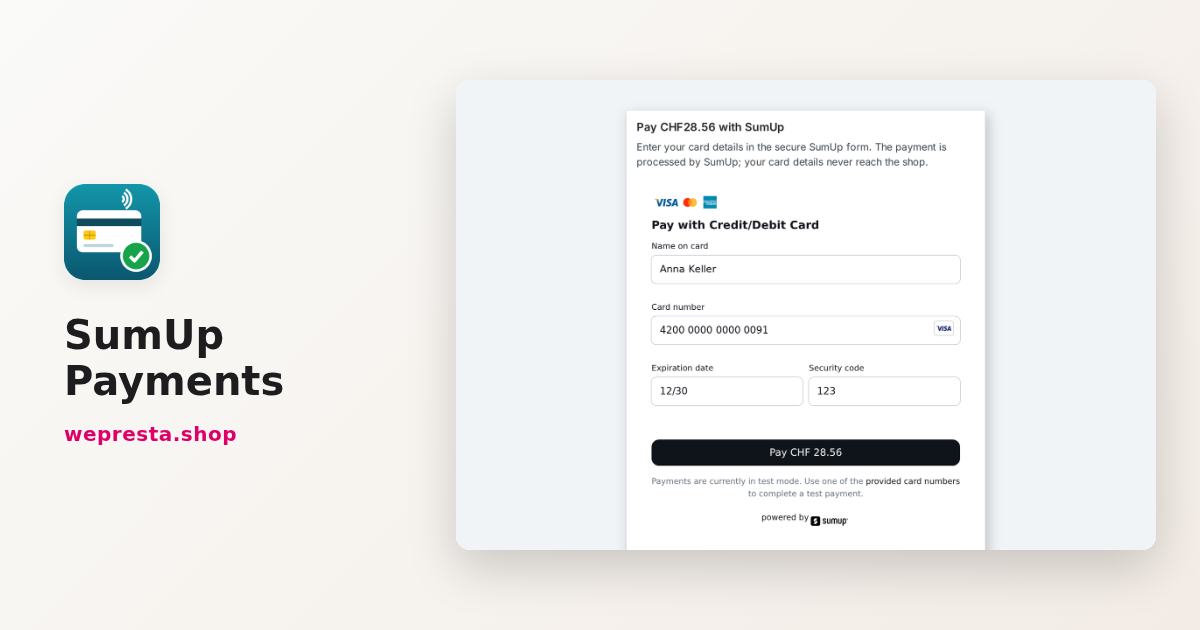
Your customer pays by card in the SumUp form, without leaving your shop

Your customer pays by card in the SumUp form, without leaving your shop

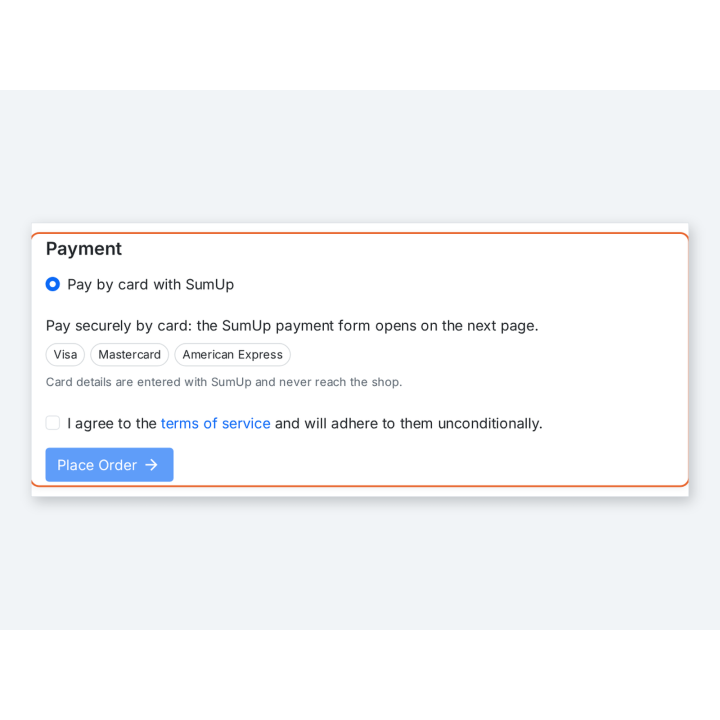
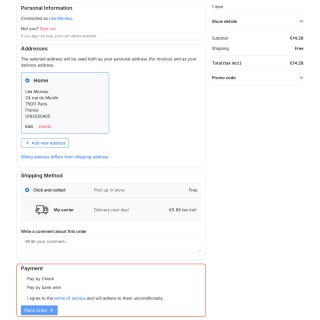
SumUp offered at checkout, with the cards it accepts

SumUp offered at checkout, with the cards it accepts

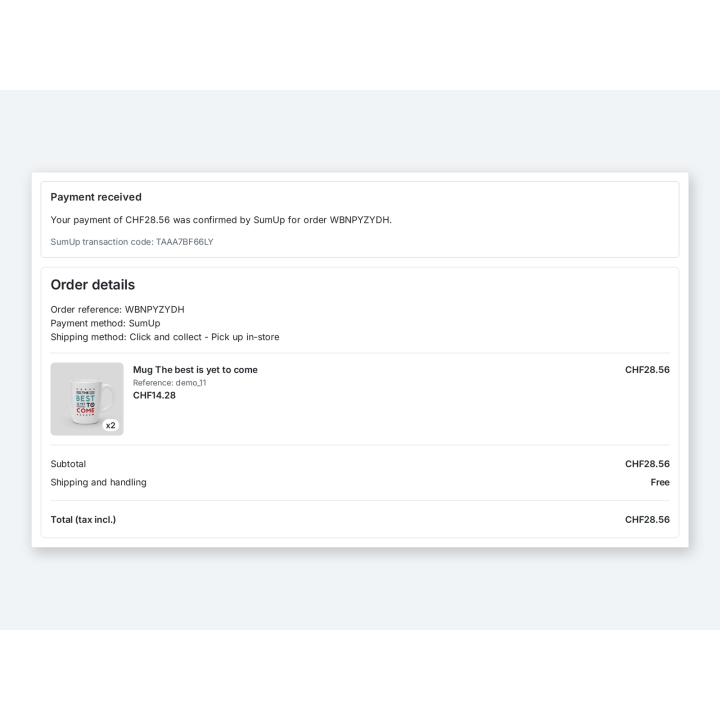
The order is confirmed with the SumUp transaction code

The order is confirmed with the SumUp transaction code

Refund all or part of an order from its SumUp block

Refund all or part of an order from its SumUp block

Connect your SumUp account and choose how your customers pay

Connect your SumUp account and choose how your customers pay

All your SumUp payments with their status, order and refunds

All your SumUp payments with their status, order and refunds

Support

FAQ

Find answers to frequently asked questions about this module

Yes. The module takes payments into your own SumUp account, with your API key. It creates no account and the money never goes through WePresta.

No. You pay the module license; payment fees are only those of your SumUp contract.

No. The card is entered with SumUp, in its form or on its page. The shop only receives the result of the payment, which it checks with SumUp.

SumUp notifies the shop and the order is created then. If the notification cannot get through, a button reads the waiting payments again.

Yes. Enter the amount in the SumUp payment block of the order. You can refund several times, up to the amount paid.

Yes, if your SumUp account takes payments in Swiss francs and the CHF currency is enabled for the module in Payment > Preferences.

Yes. A test key of a SumUp sandbox account works like a live key; replace it with your live key when everything is ready.

The module disables itself: SumUp is no longer offered at checkout. Your settings and payment history are kept, and the module is enabled again as soon as the license is renewed.

5-minute installation · Full documentation included

Lifetime license
One-time payment, updates included for life.
Choose your license
No commitment · Cancel in 1 click from your account
Instead of --โ‚ฌ/year if purchased separately

You might also like

Loading...