PrestaShop product search: faceted filters and indexable pages
Product filters on a PrestaShop shop are configured engine by engine, with prices indexed per customer group and filtered listings kept out of the search index. Steps, use cases and limits.
A customer types “tshrt” and finds nothing. Another ticks “Size M” and sees products whose size M is out of stock. A third leaves the category because the price filter does not match the price on the product page. These three cases often come from filters reading an index that follows neither the real prices nor the customers' words. Advanced Search Pro replaces PrestaShop's faceted search with filter engines you configure. Here is how to set it up, what it changes in the storefront and where it stops.
How do you add filters to the search results page?
Create a filter engine, then tick “Search results page” under “Where to display”: the results receive the engine's filters.
An engine is a self-contained filter block with its own groups, position and pages. Open Advanced Search Pro > Filter engines. “Import the templates” takes over the templates of PrestaShop's faceted search; “Create the recommended engine” proposes categories, price, attributes, features, brands, availability and promotions.
- Open the engine and expand “Where to display”.
- Choose “All pages” or “Selected pages”, then tick “Search results page”.
- Choose “Left column”, “Right column” or “Full width, above the content”, then save.
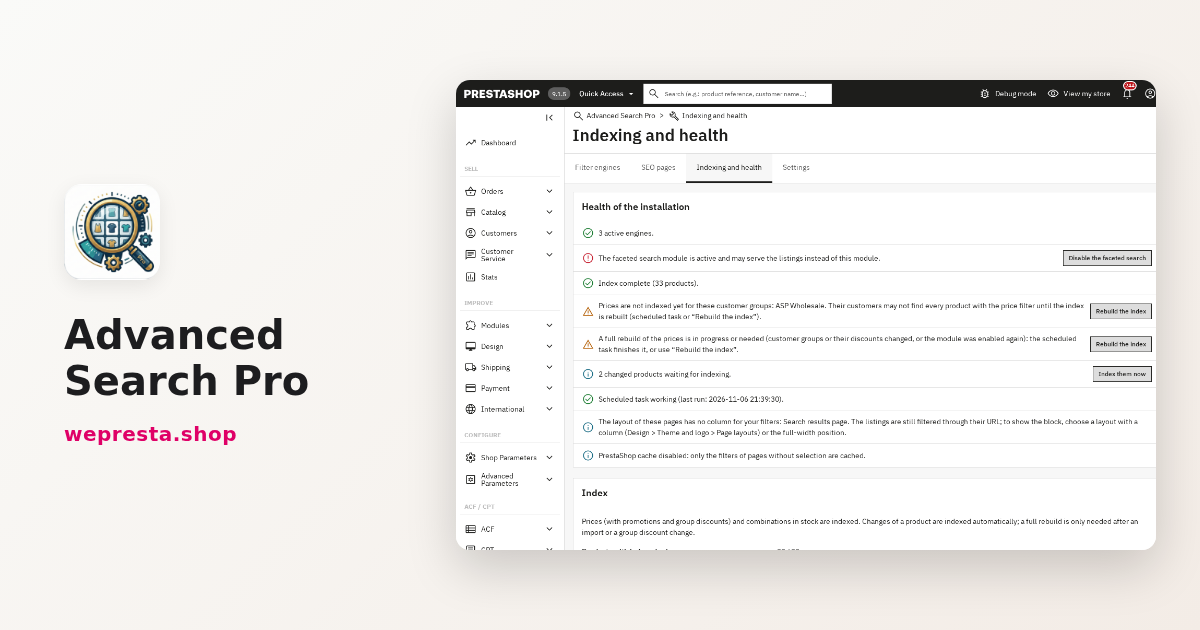
- Check that the engine is active, then open Indexing and health: when the panel reports that the faceted search is active, click “Disable the faceted search”.
On a results page, the filters apply to the products of the current search: typing “dress” and then picking a colour does not mix in the rest of the catalogue. The guided search on the homepage follows another rule: it filters a fixed category or the whole catalogue, then opens its results page. The module page lists the available positions, and the documentation details every engine setting.
Why doesn't the price filter match the price on the product page?
Because the filter reads an index of prices computed per customer group: a group discount set on a category counts for every product of that category, as it does on the product page.
The filter does not re-read the product page on every click. It reads an index holding the price the customer sees: promotions with their dates, group discounts, taxes and the visitor's currency. Adding, changing or deleting a group discount refreshes the prices concerned.
A customer group created after the installation does not have its prices in that index yet. The module then requests a price rebuild. The Indexing and health page lists the groups concerned with the message “Prices are not indexed yet for these customer groups” and the “Rebuild the index” button. The scheduled task finishes the work if you do not click. Listings stay available during the rebuild.
How do you find a product when a customer types “tshrt”?
The module follows PrestaShop's fuzzy search, on by default: “tshrt” finds the t-shirt. It also keeps every product that contains all the typed words, with no per-word cap.
Fuzzy search is a PrestaShop setting, not a module setting. When it is on, a word with no match is replaced by the closest word in the catalogue. PrestaShop limits the number of replacements per search: four by default, so five words at most. The module follows that limit. A word that still matches nothing is left out, exactly as in the native search, and the search returns nothing when no word is left.
A very common word, found in more than 5,000 products, does not cut the list. The search keeps the products that contain every typed word, sorts them by relevance, then by identifier when two products look alike. Special characters are neutralised before the query: a name such as “L'Oréal & Co” does not break the search.
How do you keep filtered pages out of duplicate content?
Filtered listings that match no SEO page get “noindex, follow”, a setting that is on by default; a selection that matches an SEO page also gets “noindex, follow” and a single canonical pointing to it.
“Filtered listings not indexed” sits in Settings. It keeps the combinations your visitors build click by click out of the index, so search engines index your categories and SEO pages rather than endless variants.
An SEO page is a category with preset filters, for instance “White T-shirts” in Clothing. In SEO pages, choose the category, tick the values that define the page, then write the title, address, meta description and introduction in each language. Only values that have products in the category are offered. The page enters the sitemap when PrestaShop's Google sitemap module is active, and that sitemap only lists the SEO pages of the shop's categories. The SEO page and the module's results page keep their own robots and canonical tags.
How do you keep keyboard focus inside the filters?
After the price “OK” button, the removal of an active filter or “Clear all”, focus returns to the filter block: the same price button, the next pill or the block title.
Without that return, a keyboard user has to cross the header and the menu again for every removed filter. The module puts focus back in the right place and moves it without scrolling the page. The number of products found is announced to screen readers.
The mobile panel closes with the close button or the Escape key; the mobile threshold is adjustable, 768 px by default. To check your setup, open a category page and use only Tab, Enter and Escape: every value must be reachable, and removing a pill must leave the focus inside the block. For a full journey audit, the EAA and WCAG audit covers this kind of check page by page.
What do you do when a large catalogue slows the search down?
The counters come from a dedicated index, not from a catalogue scan on every click: set “Products per indexing step”, keep the scheduled task active and let an interrupted rebuild resume.
Two settings limit the load. The cache of the filter counts keeps the filters of pages without a selection, and when PrestaShop's cache is on, every selection. “Products per indexing step” cuts the rebuild into batches, with a progress bar, without emptying the results during the operation.
The scheduled task shown in Indexing and health processes pending products, finishes a started rebuild and refreshes promotions that begin or end; schedule it every fifteen minutes. A rebuild stopped by an error resumes at the next step, on the next task run or the next click. The panel also lists changed products waiting for indexing and lets you index them right away.
Who is this module for, and who is it not for?
It is for a shop selling products with combinations across several product ranges, that wants fast filters and indexable filter pages. It relies on PrestaShop's search index and its own tables, not on an external search engine.
A clothing catalogue shows the common case: sizes, colours, materials, brands and promotions on the same listings. A general engine filters every page; an engine dedicated to one category adds the right features. The “Only combinations in stock” option keeps an out-of-stock size M from appearing, and an SEO page “White T-shirts” gives that combination its own address, without indexing the others.
The limits to know:
- Your theme must use PrestaShop's standard product list, such as Classic or Hummingbird. The health panel reports a theme that does not seem to use it.
- Disable PrestaShop's faceted search: two filter modules on the same listings get in each other's way.
- There is no 301 redirect to an SEO page: the matching selection gets a canonical, not a redirect.
- The price slider bounds are whole numbers; the module does not filter to the cent.
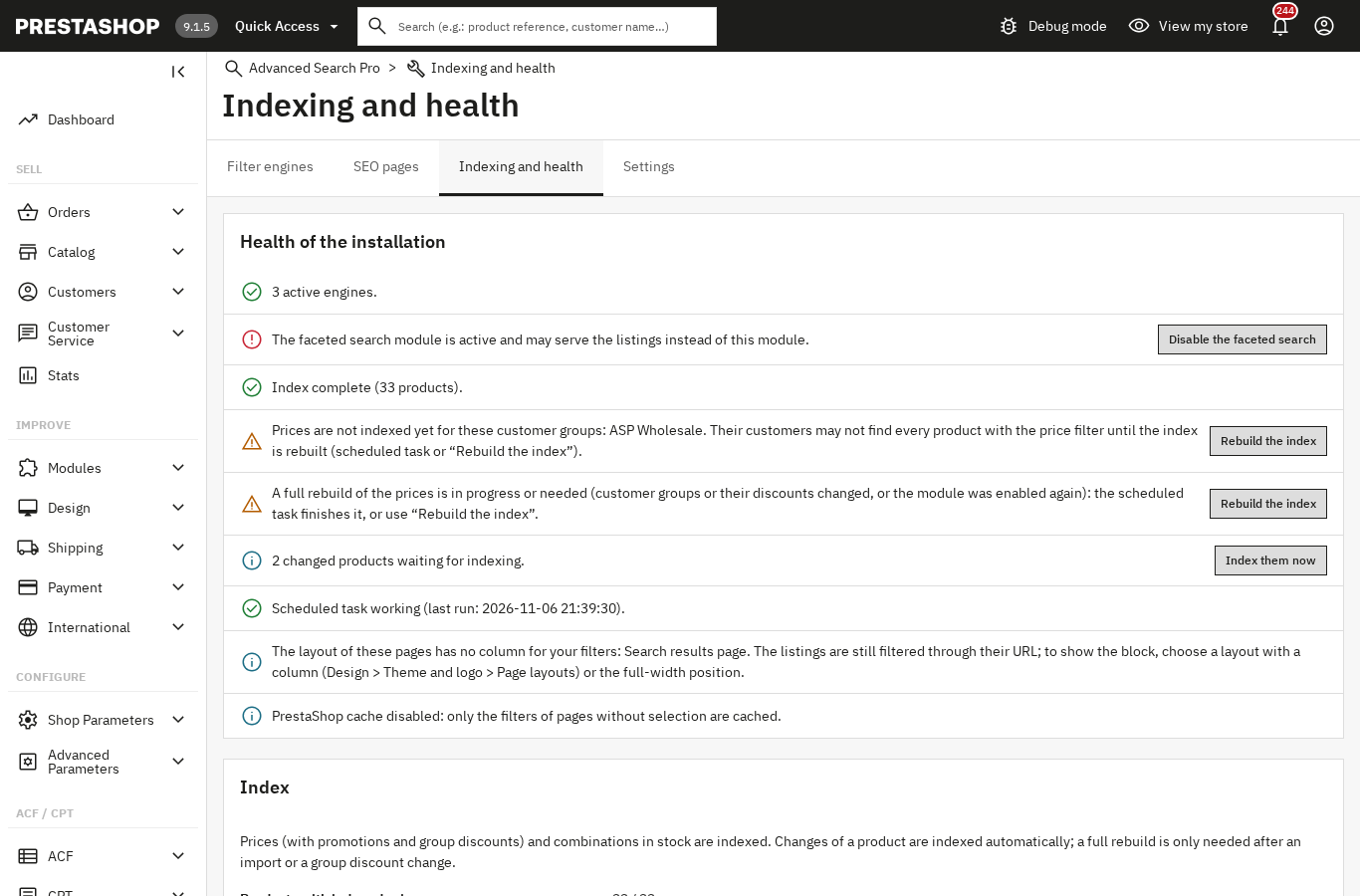
- A valid license is required. Without one, the module disables itself: filters, guided search and SEO pages are no longer shown, and the index stops being updated. The SEO pages and the results page answer “page not found”, but your engines, filters, SEO pages, settings and index are kept. Open the configuration page: as soon as the license is valid, that page enables the module again.
- Uninstalling deletes the tables, settings and license keys, as the confirmation says.
After the stored end date, a license stays active for seven days, which covers a late renewal. Past that, the module asks the server at most once an hour, with a short timeout. A transient license-server incident is not an expiry: it leaves seven days of tolerance counted from the first failure. Only a final verdict (license expired, suspended, revoked or not found, invalid signature, domain not registered) ends the license.
The module installs on PrestaShop 1.7.8, 8.0+ and 9.0+, with PHP 7.4 minimum. On PHP 7.1 to 7.3 it shows a clear message instead of a fatal error. For cached pages and the structured data that goes with these listings, Cache Pro and Schema Pro complete the work.
Frequently asked questions
Why don't my filters appear on the search results page?
Does the price filter take promotions and group discounts into account?
Does the search find misspelled products?
Are filtered listings indexed by Google?
Can the module handle a catalogue of tens of thousands of products?
Does removing an active filter lose keyboard focus?
Products in this article

Advanced Search Pro - Ultra-fast AJAX filters & faceted navigation
Instant AJAX filtering with live counters, consistent sorting and pagination, no page reload Price, attribute,...
Cache Pro — Full Page Cache with Brotli, Warm-Up & AJAX
Full page cache: stored pages are sent before PrestaShop builds them, with no database query from the module,...

Schema Pro - Complete JSON-LD Structured Data & Rich Snippets
Product, ProductGroup, Organization, WebSite, BreadcrumbList, FAQPage, CollectionPage and ItemList generated from...

EAA & WCAG 2.1 AA accessibility audit
WCAG 2.1 AA accessibility analysis of the real pages, contrasts included Safe automatic fixes, switched on one...
Read also
How to take a deposit and partial payments with Stripe on PrestaShop
A customer hesitates over a large order: a deposit at checkout and the balance later, or equal instalments collected by Stripe, change the decision. Here are the rules,…
PrestaShop full page cache: when it helps and how to set it up
Cache Pro stores your PrestaShop pages and serves them before PrestaShop rebuilds them. Settings, carts, purges, pre-load and the 2.0.1 license change.
How to run a WCAG 2.1 AA accessibility audit on PrestaShop
Which pages fail, what to fix, what needs a manual check and what your accessibility statement must contain: the EAA process in PrestaShop, with its limits.