How to collect and publish customer reviews on PrestaShop
From the review form to requests sent after delivery, moderation, public replies and JSON-LD markup: how the Product and Store Reviews module organizes collection on a PrestaShop shop.
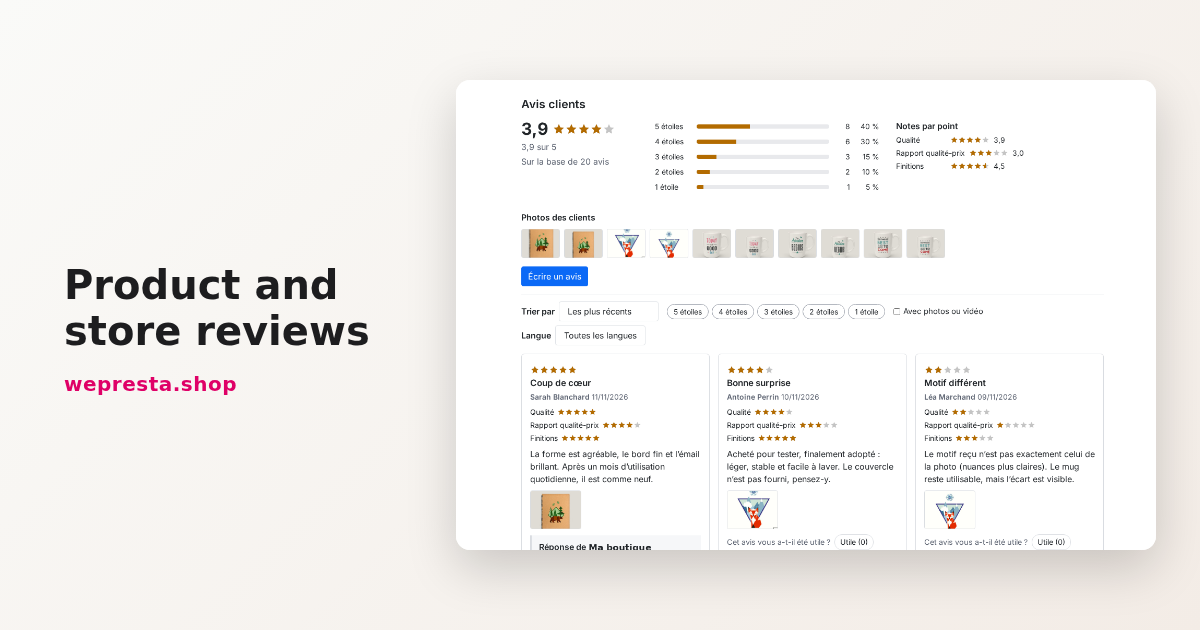
A customer who hesitates on a product page looks for reviews, photos taken by other buyers and the way the shop answers criticism. The comments module shipped with PrestaShop covers products only: no photos or videos, no reviews for the store, categories or CMS pages, and no review request after an order. Product and Store Reviews covers that path from the form to moderation, with a verified purchase badge and markup for search engines.
Who needs this module, and who does not?
It is for shops that sell products the customer cannot try before buying and that want reviews with photos, a verified purchase badge and public replies.
Three signals point to a real gap: a rating with no photo, review requests nobody handles, and a store rating mixed with product ratings.
Three situations do not need it. A shop that sells services only has no product page to review, though store reviews remain available to it. A small catalog sold to regular customers who already write can live with the native comments. And a shop that hands all review collection to an external platform should not keep two review databases.
The module covers four targets: products, the store, categories (off by default) and selected CMS pages. Each target has its own form, ratings and page; rating criteria are shared by every shop of the installation.
How do I collect more customer reviews on my online store?
Switch review requests on: every customer receives an e-mail after delivery, with a signed link to each product bought and a link to stop receiving them.
In Review requests, Send review requests after orders is off at installation. Choose the order state that triggers the e-mail, “Delivered” by default, then Days after that state: 7 days by default, 0 to send at the next run of the scheduled task.
Leave out the products already reviewed is on by default. Links valid for (days) keeps the link usable for 60 days. Each e-mail shows the image, the name and a review button for each product of the order, with a default cap of 5 products, adjustable up to 10.
Nothing leaves without the scheduled task: Status gives its command and URL, to run every fifteen minutes. Without it, requests stay scheduled and, after 24 hours, the dashboard says so. Send due requests now runs a batch immediately.
Who can write a review, in Collection, decides who sees the form: everyone (a guest then confirms the e-mail address by a link), signed-in customers, or buyers of the product only. A customer can stop requests from the account page or from the link in each e-mail.
A concrete case: a shop selling ceramic mugs turns requests on seven days after “Delivered”, keeps the option that skips products already reviewed and sends a test to its own address before opening the send. Reviews land on the mug page, attached to the product actually ordered, and the customer can add photos.
Can I add photos and videos to customer reviews?
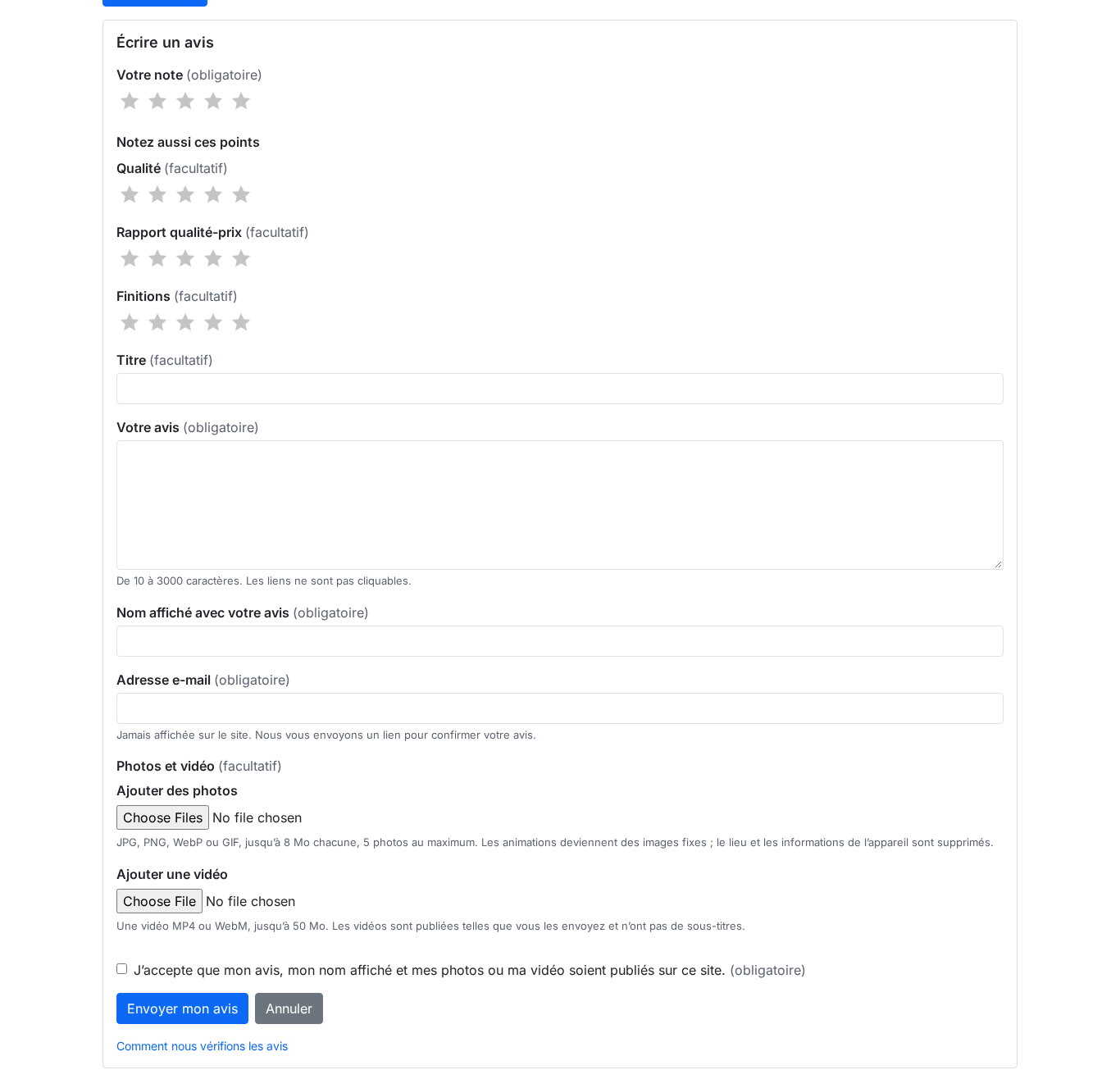
Yes: by default the form accepts up to 5 photos of 8 MB each, resized to 2000 px, and one MP4 or WebM video up to 50 MB per review.
Accepted photo formats are JPG, PNG, WebP and GIF. The server rewrites each image: location, device details and other metadata are removed, and an animation becomes a still image. The video is kept without conversion or subtitles; the location of an MP4 file is removed.
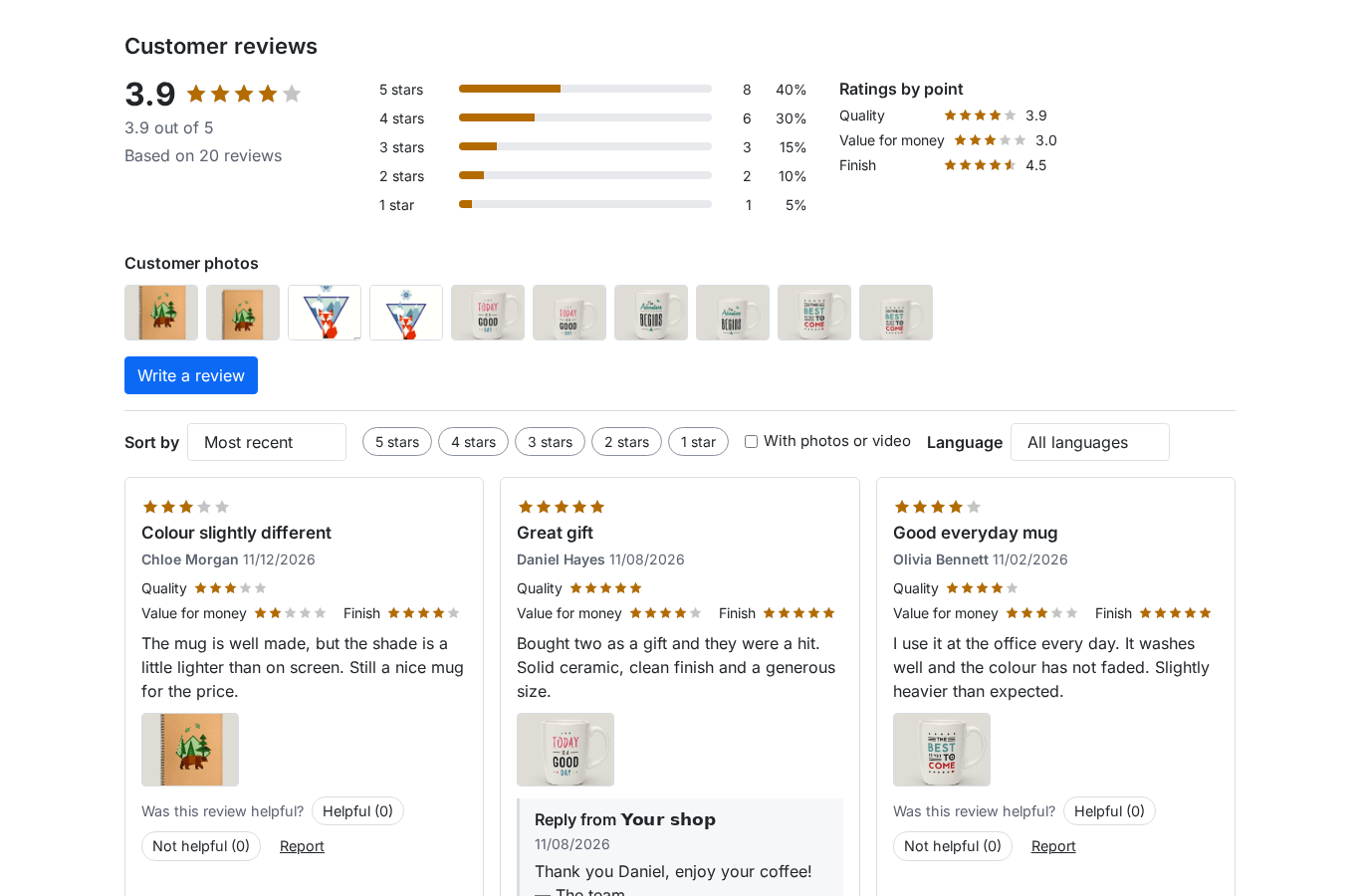
Photos appear as thumbnails under the review and in a Customer photos strip. A click opens a full-screen gallery with Previous photo, Next photo, the “Photo, 1 of 1” counter, the review excerpt and its stars. Close or Escape closes it, focus stays inside, and it works at 390 px.
Each file is visible on the review page, where deletion asks for confirmation and is written to the action log. Photo count, size and the gallery display are set in Photos and videos and Display; the server's PHP limits are shown in Status.

How should I handle negative reviews professionally?
Reply in public under the review, keep the rating online and handle the disagreement in a separate dispute: the rating never decides publication.
In Moderation, Every review waits for moderation is the default. The other mode publishes reviews matched to an order at once and leaves the others waiting. Neither sorts by rating: a one-star and a five-star review follow the same rule, and the How we verify reviews page says so.
In the Reviews list you approve, or reject with a reason (inappropriate or offensive, off topic, personal data, spam, not an experience of the item) and an internal note never shown to the customer. Edit the text removes unlawful content: the public reason appears under the review and the previous version is kept.
The shop reply is single and public, signed with the shop name; templates fill the author, product and shop variables, and a reply can be prepared before publication.
For a review rated 3 or less that has an e-mail address, open a dispute. Ask the customer for details sends a signed message; the customer answers or chooses Update my review. The review stays published during the exchange, because hiding it would distort the rating. An e-mail alert also leaves for low ratings, up to 2 stars by default.
How do I set up review schema markup for search engines?
Leave Rich results markup on: the module writes published ratings and reviews as JSON-LD in the product page, and emits nothing when no review is published.
On a product page it completes the theme's Product node with the average, the review count and the first five reviews. When Schema Pro is active it feeds the same data through its own hook and leaves the node alone. Published questions with an answer can form a FAQPage block; the automatic mode steps aside when one is already there.
The store page receives Review nodes, without an aggregate rating: a rating a shop gives itself does not meet search engine criteria. The number of reviews in the markup is set from 1 to 10, five by default.
The result is not guaranteed, and the settings text says it: the markup is provided for search engines, and showing stars remains their decision. No published review, no markup, never an empty rating.
The Rich results section shows the detected situation: Schema Pro present or not, review source, Product node in the theme. Without a Product node, the page says so instead of creating a second node.
How do I get notified about new reviews?
The module sends no e-mail for every pending review: it counts them on the dashboard and sends an alert for low ratings.
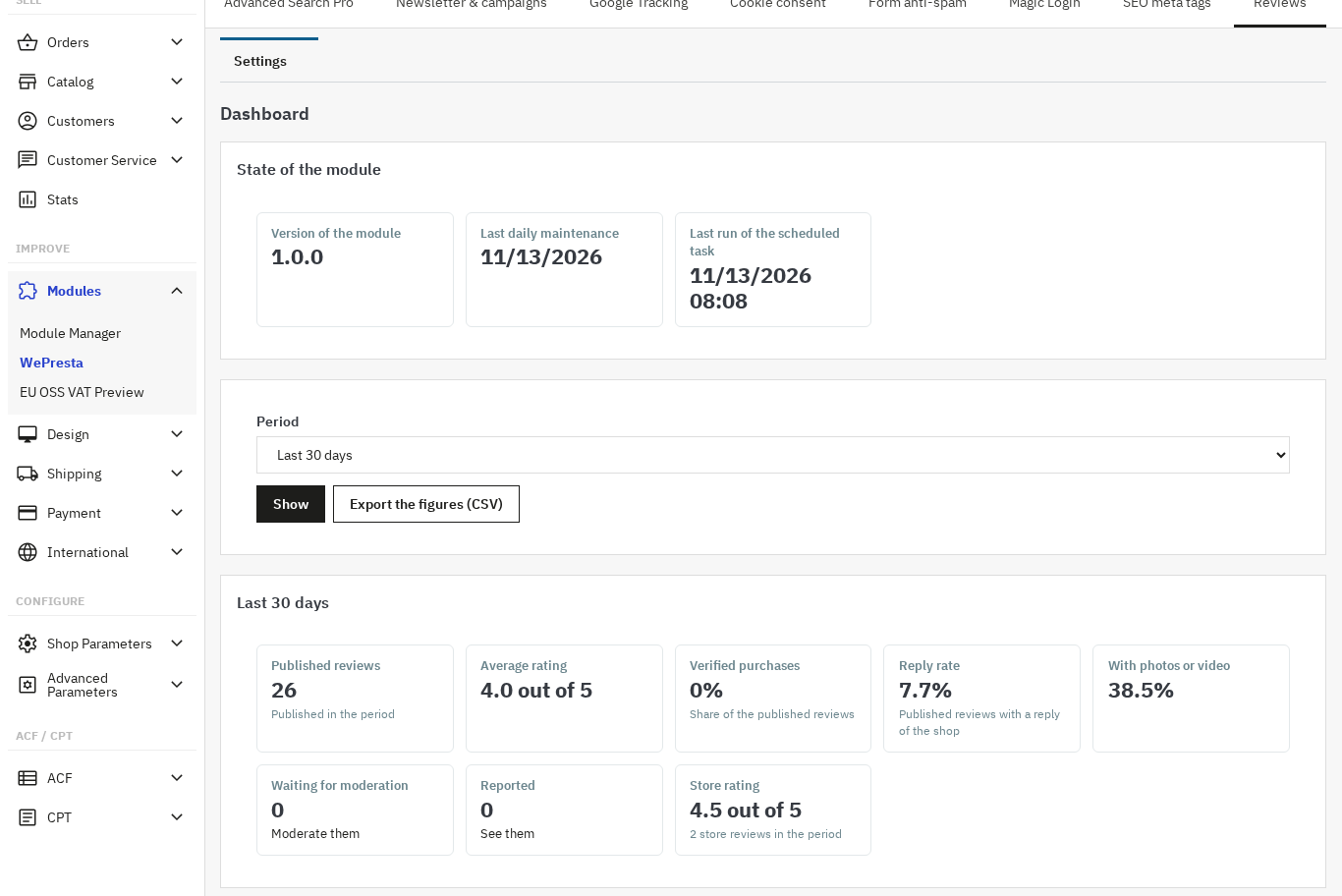
The Dashboard shows pending and reported reviews, with a link to the filtered list. The moderation queue approves, rejects or deletes several reviews at once.
To be told without opening the back office, set E-mail an alert for ratings up to and Addresses of the alerts. One alert leaves per review, with target, rating, title, excerpt, author, verified purchase badge, status and link. 0 turns alerts off. The dashboard also flags reviews pending for more than seven days.
When a published review reaches the report threshold, it is hidden automatically and arrives in the Reported filter. You can then Dismiss the reports, and the review is published again, or Uphold the reports, and the review is rejected. The threshold is set in Moderation, 3 by default; 0 disables it.
Is the module enough for authentic, compliant reviews?
It documents how reviews are collected and checked; it does not certify their authenticity or the compliance of your shop.
Three limits. Reviews imported from a CSV file or from the old native comments module are never verified: the badge comes only from a matching order, never from the file. Languages are not translated automatically: each review keeps the language of its page, with a badge when it differs. An employee cannot write or publish a review in a customer's name.
The How we verify reviews page, linked from every block, badge, form and e-mail, describes the real configuration: who may write, guest confirmation, the verified purchase rule, moderation, imported reviews and retention. The text is edited in Compliance, language by language, starting from the generated text if needed.
The module does not remove a negative review that follows your rules, and does not disable the old comments module: after the import, disable it in the Module Manager to avoid two review blocks on the same page.
Retention is set in Compliance: no limit, anonymization or deletion. Rights per employee profile are set in Permissions. If a server cache or a CDN stores your pages, purge it after publishing a review: the module purges the PrestaShop cache, not an external service; Cache Pro keeps its own page cache.
The Product and Store Reviews page summarizes the features and the compatibility with PrestaShop 1.7.8, 8.0+ and 9.0+; the documentation details each setting.
Frequently asked questions
When should I send the review request after an order?
Can I delete a negative review?
How is the verified purchase badge calculated?
Can my reviews show stars in Google?
Which files can customers attach to a review?
How do I avoid fake reviews?
Products in this article

Product and store reviews: photos, videos and verified purchases
Product, store, category and CMS page reviews, with photos and video Verified purchase badge, multi-criteria...

Schema Pro - Complete JSON-LD Structured Data & Rich Snippets
Product, ProductGroup, Organization, WebSite, BreadcrumbList, FAQPage, CollectionPage and ItemList generated from...

Cache Pro — Full Page Cache with Brotli, Warm-Up & AJAX
Full page cache: stored pages are sent before PrestaShop builds them, with no database query from the module,...

Google Analytics 4 (GA4) and GTM and Search Console Easy Connect
Complete GA4 tracking: 15 e-commerce events from click to payment, with consistent product data Purchases...
Read also
Social login on PrestaShop: setting up Google and Facebook
Account creation slows the order down. Social Login adds Google, Facebook and Apple buttons to the login page and the checkout, with one callback address, a test per…
How to build a PrestaShop popup and measure its conversions
A practical guide to building a PrestaShop popup in the drag-and-drop editor, choosing the right trigger, targeting visitors, tracking conversions and keeping the module…
Migrate a PrestaShop store without losing orders, customers or images
Moving an old PrestaShop shop to a fresh installation without re-typing data: encrypted package, audit, preview, resumable import, verification and rollback, plus the…